2024-03-03
Note
This blog post was originally posted on Medium.
By now, you probably know that AI is changing software development, making developers faster and more efficient. Developers can use Large language Models (LLMs) to suggest, complete, and improve their code as they write it. You may have tried to do something like this for your R-based data science workflows, using ChatGPT or another LLM alongside your data science code. If so, you probably noticed a few short-comings:
Is it possible to have a seamless and secure AI assistant for R-based data science? One that knows that you are trying to analyze data — not develop software, and tailors its suggestions accordingly? Yes, it is, with the Posit Native App on Snowflake SPCS, combined with the gander and chores R packages, and Snowflake Cortex. These things are “Better Together,” providing a frictionless workflow for data science, with robust security and context-aware AI assistance.
So far, there has been no AI tool dedicated to R-based data science workflows. To take full advantage of AI to write code, R users have had to combine disparate tools, which creates some big disadvantages:
You can avoid these limitations and do powerful AI assisted data science by combining the Posit Native App with Snowflake Cortex.
This winning combination has three ingredients:
Using gander and chores with the Posit Native App in SPCS is a natural choice because:
Together, the Posit Native App, gander and chores, and Snowflake Cortex create a frictionless, secure, and context-aware AI-assisted development workflow in R, all within the Snowflake data governance ecosystem. And since gander and chores create code as output, results remain consistent, auditable, and reproducible across teams.
To see how easy it is to use these tools together, let’s use gander to generate code that creates a data visualization.
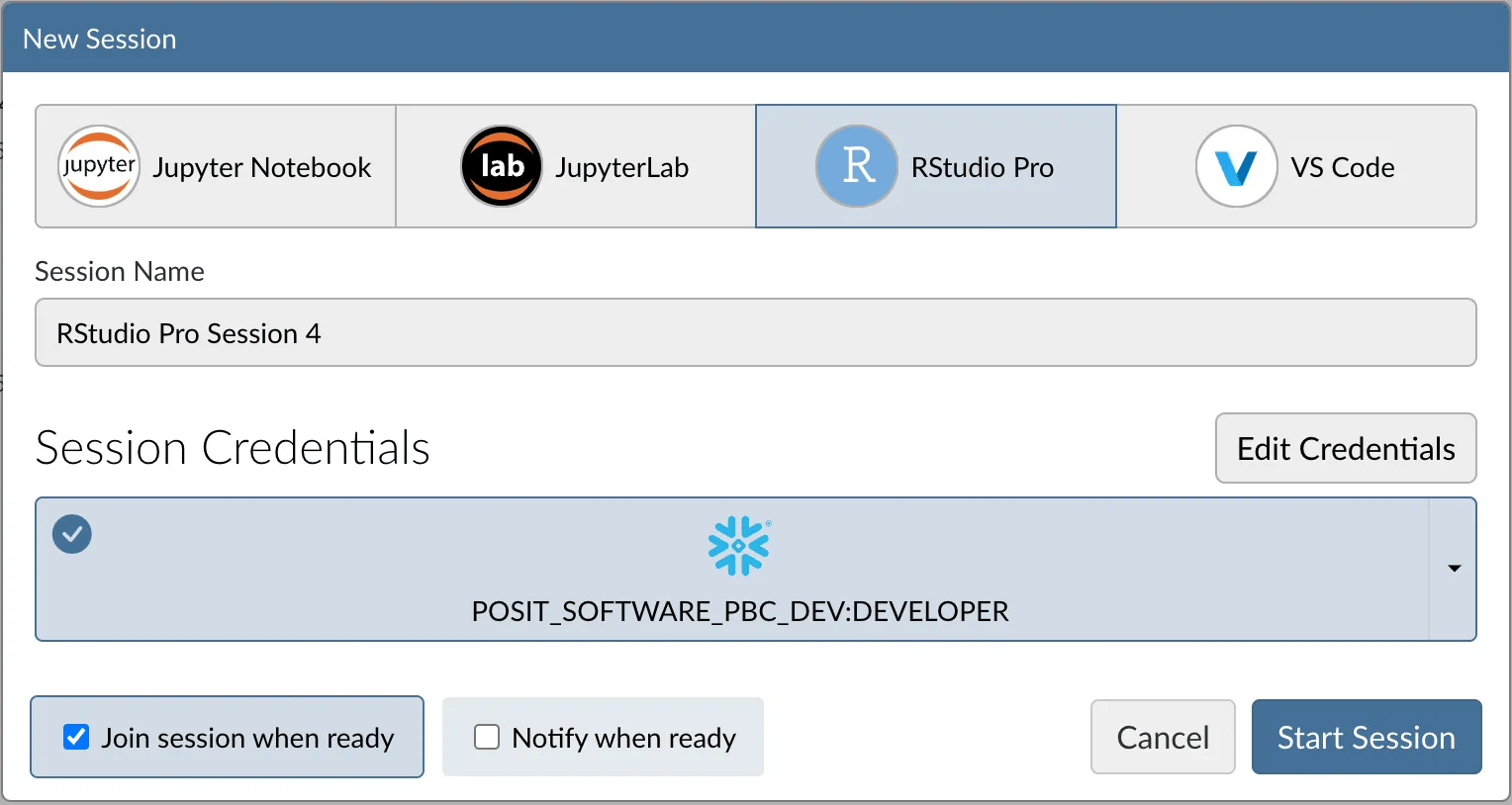
First, we open Posit Native Workbench and launch an RStudio Pro session. As we do, we click the middle box on the launch screen to provide our Snowflake Credentials.
Then we begin a data science project. We load gander and the tidyverse, which come pre-installed with the Posit Native app. Then we tell gander which LLM to use.
Many LLMs are available through Snowflake Cortex. To tell gander to use a specific LLM, like Claude 3.5 Sonnet, set the .gander_chat option.
library(tidyverse)
library(gander)

options(.gander_chat = ellmer::chat_snowflake(model = "claude-3-5-sonnet"))
Next, we use the tidyverse to connect to a Snowflake Warehouse and access a table in the HEALTHCARE catalog. This is a streamlined process because we are inside the Posit Native App. We don’t need to pass along Snowflake credentials; the Native App provides them for us. The Posit Native App will also automatically provide these credentials when gander accesses Snowflake Cortex making it as easy to use Cortex LLMs as it is to access Snowflake data in the native app!
con <- DBI::dbConnect(
  odbc::snowflake(),
  warehouse = "DEFAULT_WH"
)

heart_data <- tbl(con, dbplyr::in_catalog("HEALTHCARE", "PUBLIC", "HEART_DATA"))

heart_data |>
  head()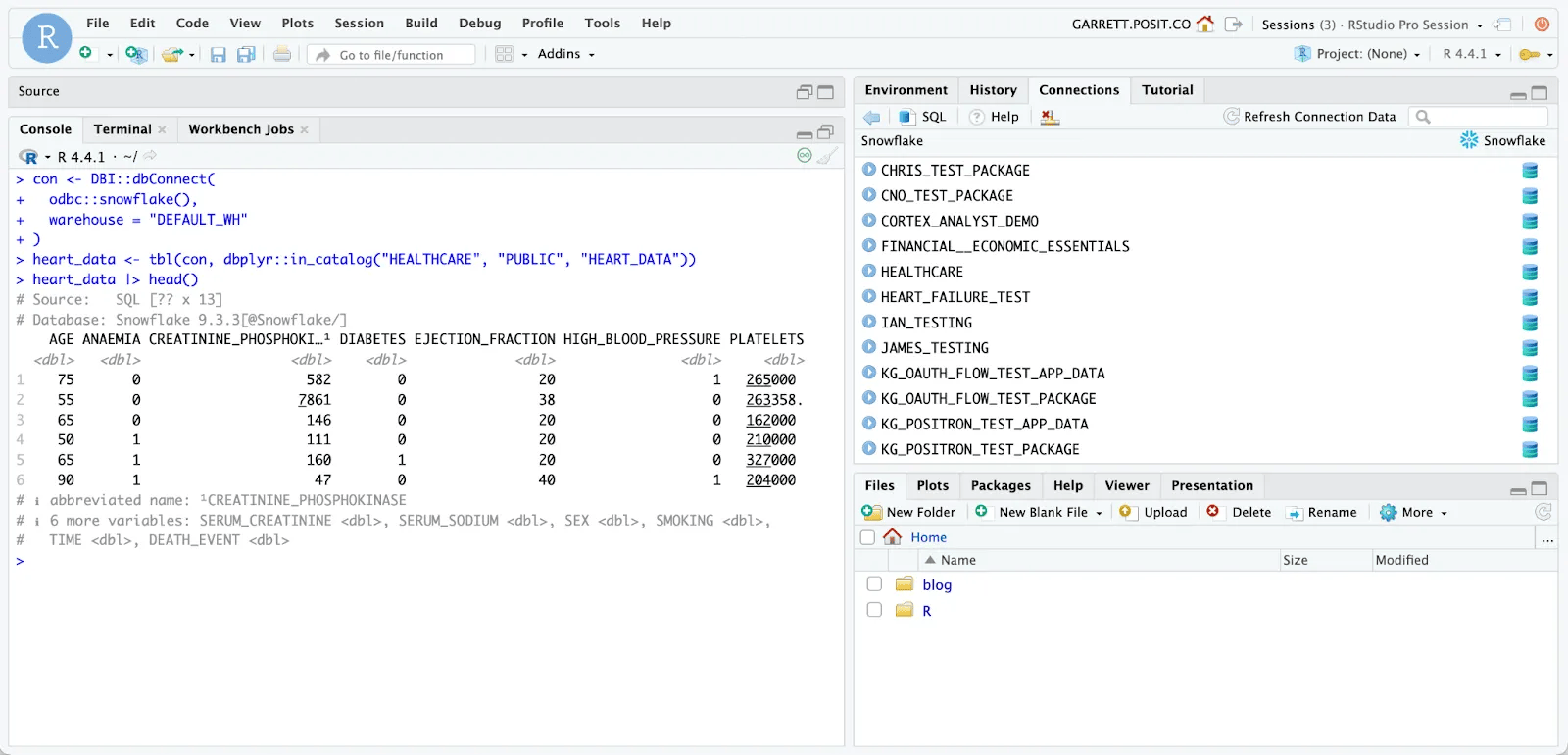
It is time to write code to make a visualization. We move our cursor to where we want to insert code, and open gander.
The gander package adds a chat interface to the RStudio IDE as an add-in. We can access this add-in by opening the add-ins menu. We can also create a keyboard shortcut to launch the add-in (explained below).
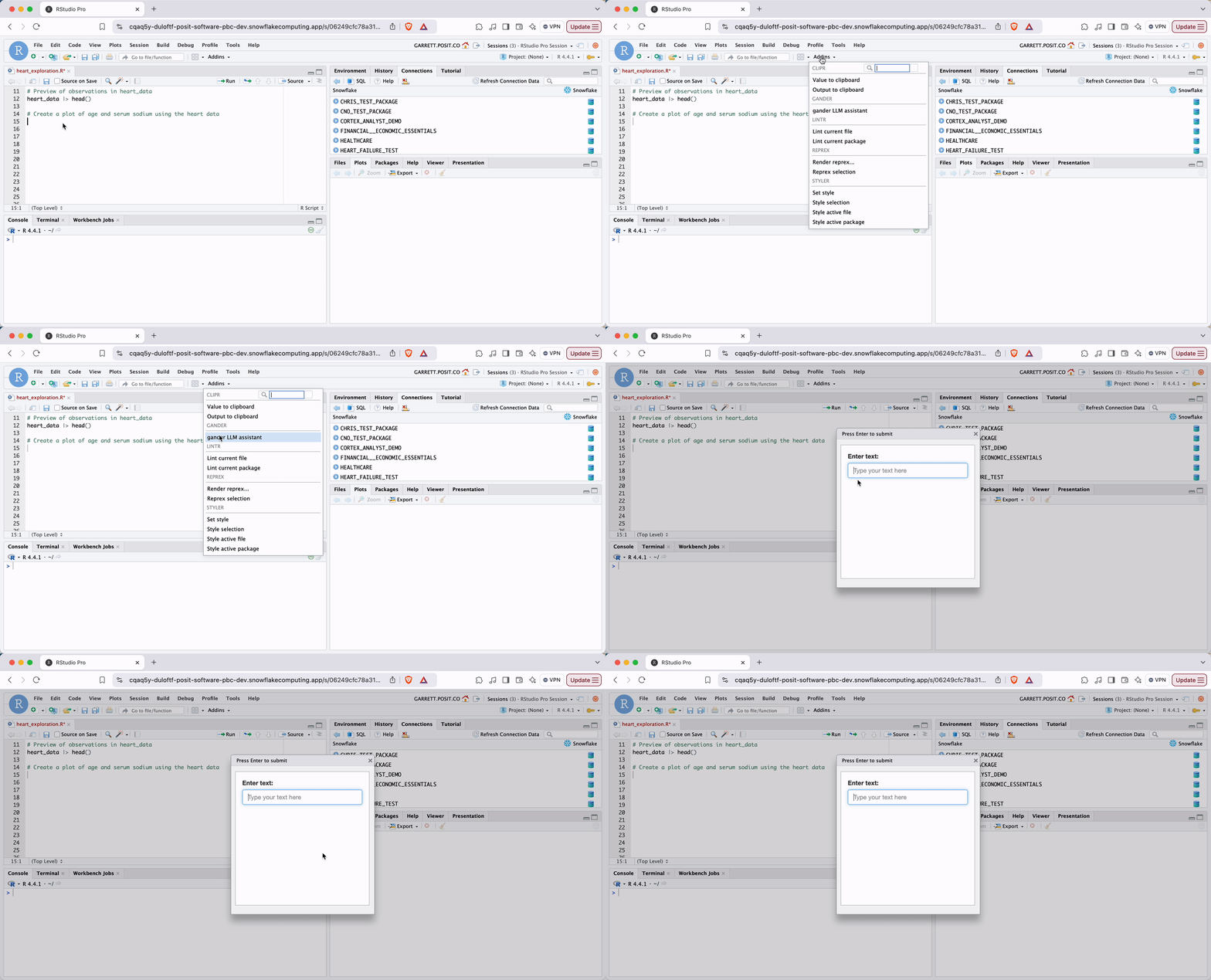
We can now tell gander to “make a plot of age and serum sodium using the heart data.” gander writes the code and inserts it into our file.
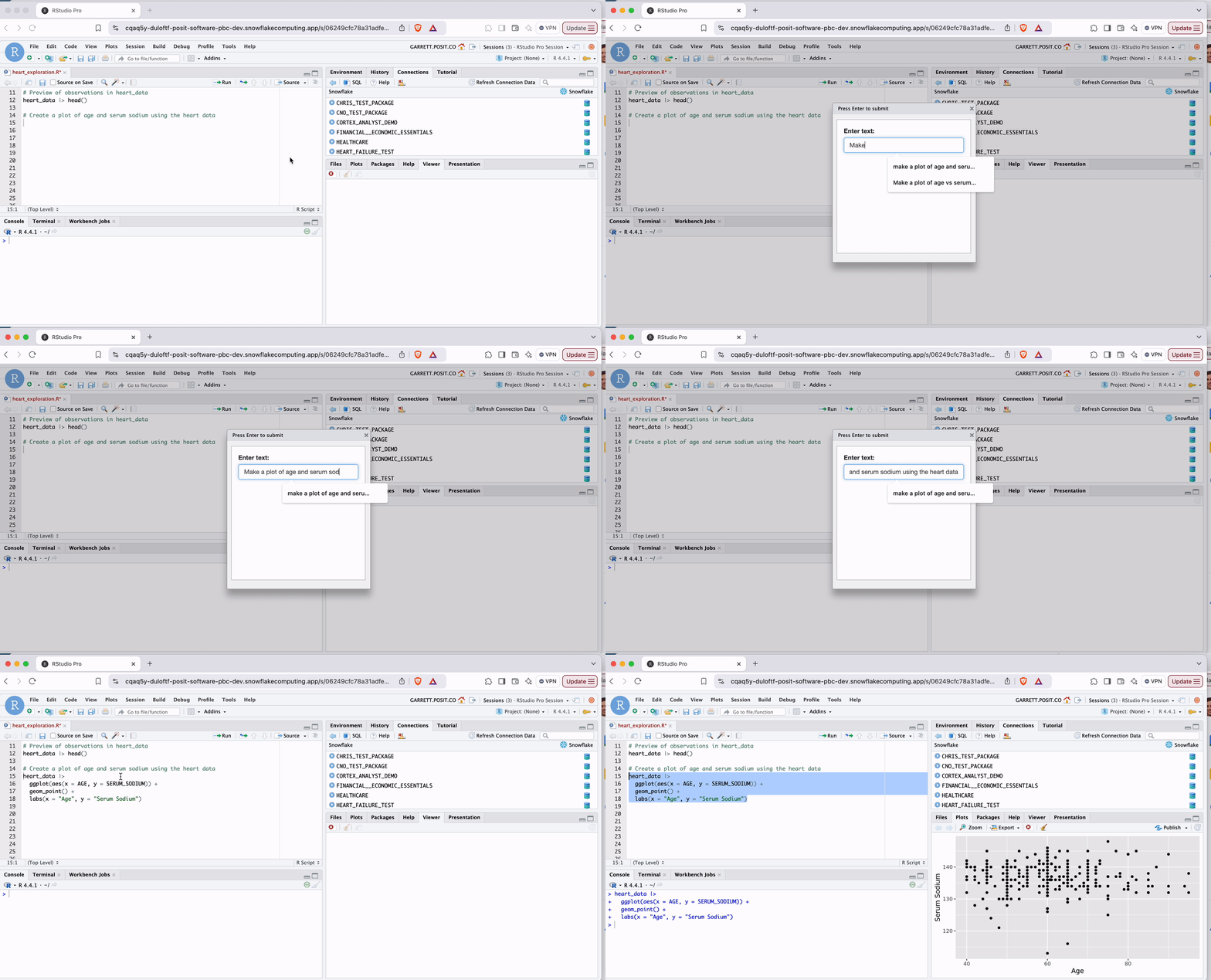
Gander receives a snapshot of our environment with every request and recognizes that we are talking about the heart_data dataset. It also looks up the column names age and serum_sodium and uses them within our code. gander even realizes that heart_data is a connection to a table (and not the table itself), and adds a collect() command to import the data, so it can be plotted. This is a phenomenal level of context awareness, and surpasses what is available in AI assistants like CoPilot, which are not built for data science specific use cases.
This is great. Now we want to iterate.
We highlight our plot code and ask gander to update it to include a title and annotation line.
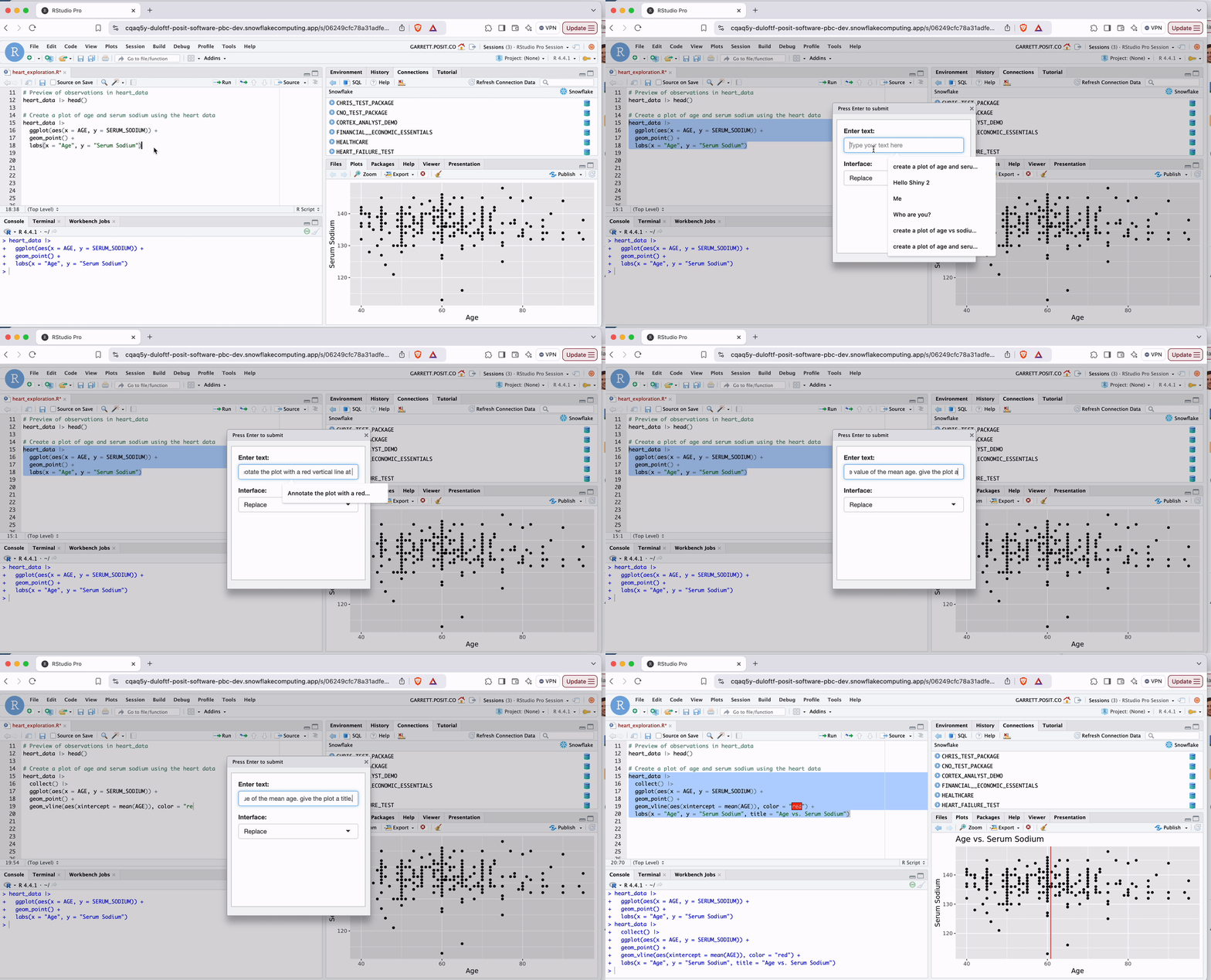
Gander works by collecting our prompt, augmenting it, and sending the result to Snowflake Cortex. You can inspect what gander sends with gander_peek(), making gander a flexible and transparent AI experience.
gander_peek()The output of gander_peek() contains:
By default, gander adds the following system prompt to your query:
You are a helpful but terse R data scientist. Respond only with valid R code: no exposition, no backticks. Always provide a minimal solution and refrain from unnecessary additions. Use tidyverse style and, when relevant, tidyverse packages. For example, when asked to plot something, use ggplot2, or when asked to transform data, using dplyr and/or tidyr unless explicitly instructed otherwise.
You can replace the section in green to change gander’s behavior with the .gander_style option. For example, running the code below
options(.gander_style = "Use base R.")You are a helpful but terse R data scientist. Respond only with valid R code: no exposition, no backticks. Always provide a minimal solution and refrain from unnecessary additions. Use base R.
Many LLMs are available through Snowflake Cortex. To tell gander to use a specific LLM, like Claude 3.5 Sonnet, set the .gander_chat option.
options(.gander_chat = ellmer::chat_snowflake(model = "claude-3-5-sonnet"))To create a keyboard shortcut that opens the gander chat interface, go to Tools > Keyboard Shortcuts to add a custom keyboard shortcut to open the gander chat.
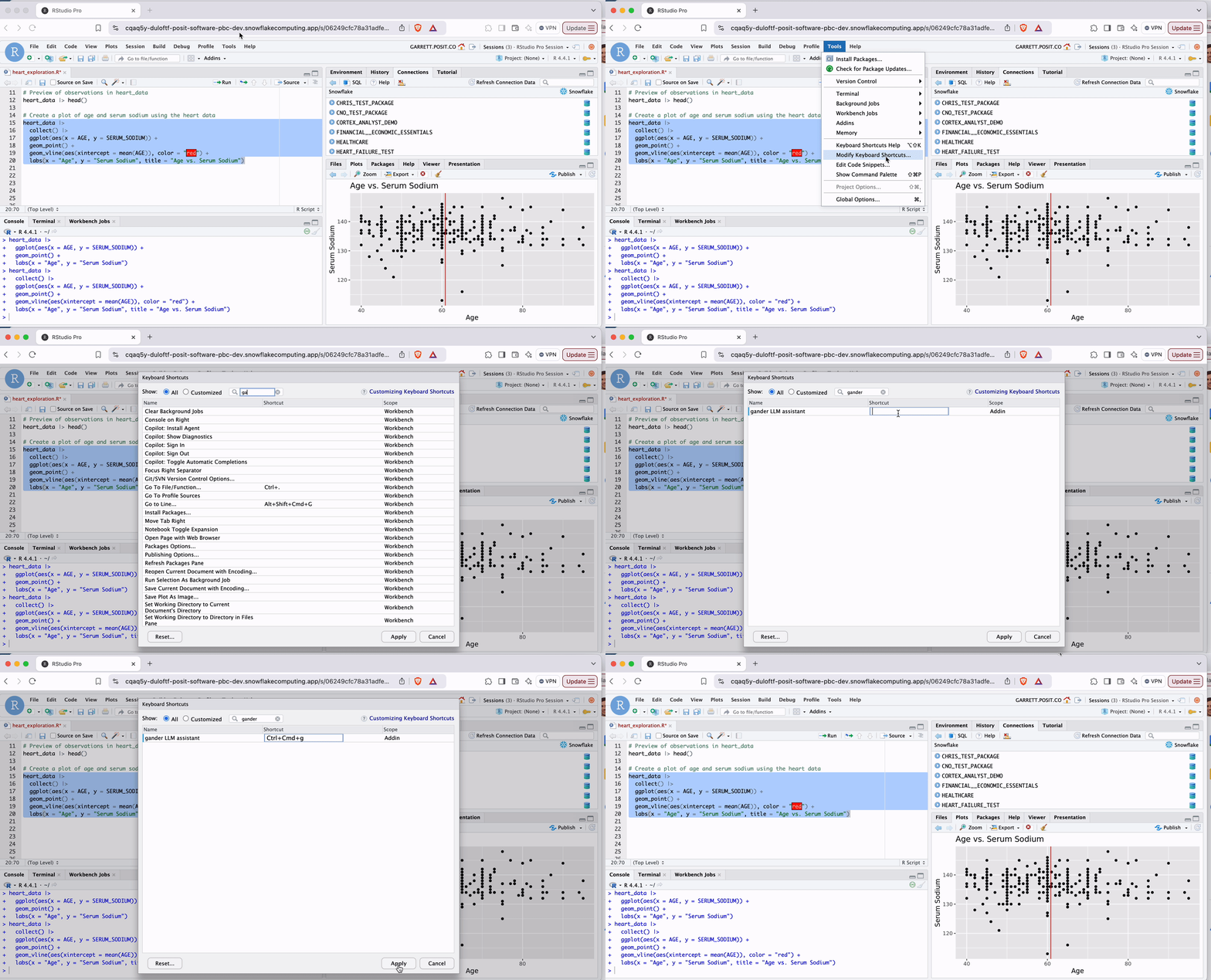
Now we can launch the chat interface by pressing Ctrl + Cmd + g. This shortcut will be available to us in every RStudio Pro session that we launch with the Posit Native App.
The combined power of Posit, gander, and Snowflake Cortex delivers a superior AI-assisted data science experience, with:
Accelerate development across your R-based workflows with this “better together” combo.
Go here to request a personalized demo of Posit Native App on Snowflake and see the ‘Better Together’ story in action!
Gander and chores also work in your local RStudio Desktop IDE. Follow the installation instructions here.