2024-12-19
Note
Starting with bslib 0.9.0, brand.yml is available for Shiny for R as well as Shiny for Python and Quarto 1.6.
Consistent branding ensures your work looks professional, cohesive, and polished, but applying brand guidelines can be challenging. Your brand guidelines might include detailed requirements for logos, colors, and fonts. Handling branding separately for each product or output takes time and effort, and small inconsistencies can add up.
Other common challenges with traditional approaches to branding include:
Excessive manual effort: Applying colors, fonts, and logos across reports, apps, and dashboards takes time and is prone to errors.
Difficult to update: When brand guidelines change, it’s difficult to update all products consistently.
Team consistency: Ensuring all contributors follow branding guidelines across reports, dashboards, and apps can be challenging to manage.
Enter brand.yml. We created brand.yml to simplify the process of applying branding guidelines to your work. With brand.yml, you can define your organization’s branding in a single YAML file and apply that branding across reports, dashboards, and apps created with Posit’s open-source tools.
brand.yml allows you to collect a brand’s logos, colors, fonts, and typographic choices into a single _brand.yml file, which you can then apply instantly across Quarto reports, Shiny apps, and more.
Here are some advantages of this strategy:
Consistency without effort: Ensure all your work consistently follows brand guidelines and avoid duplication by defining branding in one file that can be applied across projects.
Easy collaboration: Share a single _brand.yml file across your organization to ensure everyone can easily apply the same branding, eliminating the need for contributors to recreate brand-specific designs for every project.
Not just for corporate branding: You can also use brand.yml to create custom themes for your personal or team-specific projects. Create a _brand.yml file to match a specific journal or conference style.
Let’s see how brand.yml works. The first step is to define your brand elements, including logos, colors, fonts, and typography, in a single _brand.yml file.
Below is an example _brand.yml file that defines metadata, logos, a color palette, and font and typographic choices for an example brand. Learn more about the structure of a _brand.yml file here.
meta:
  name: Example Company
  link:
    github: https://github.com/skaltman/brand-yml-blog

logo:
  medium: logos/logo.png

color:
  palette:
    black: "#1C2826"
    blue: "#0C0A3E"
    gray: "#2A2E45"
    neutral: "#F9F7F1"
    red: "#BA274A"
    violet: "#4D6CFA"
  background: neutral
  foreground: black
  primary: blue
  secondary: violet
  info: red

typography:
  fonts:
    - family: Nunito Sans
      source: google
    - family: Montserrat
      source: google
    - family: Fira Code
      source: google

  base: Nunito Sans
  headings:
    family: Montserrat
    weight: 700
    color: primary
  monospace: Fira Code

  link:
    color: info
    decoration: underline
Now, we can place our _brand.yml file in the directory of a Shiny app or Quarto document to apply the specified branding. Currently, _brand.yml can be used by Quarto 1.6 and Shiny for Python.
To apply branding to your Quarto document, place _brand.yml in the root directory of your Quarto project or in the same directory as your documents. Quarto will automatically use your _brand.yml file to theme the output.
Note
Currently, the html, dashboard, revealjs and typst formats support brand.yml.
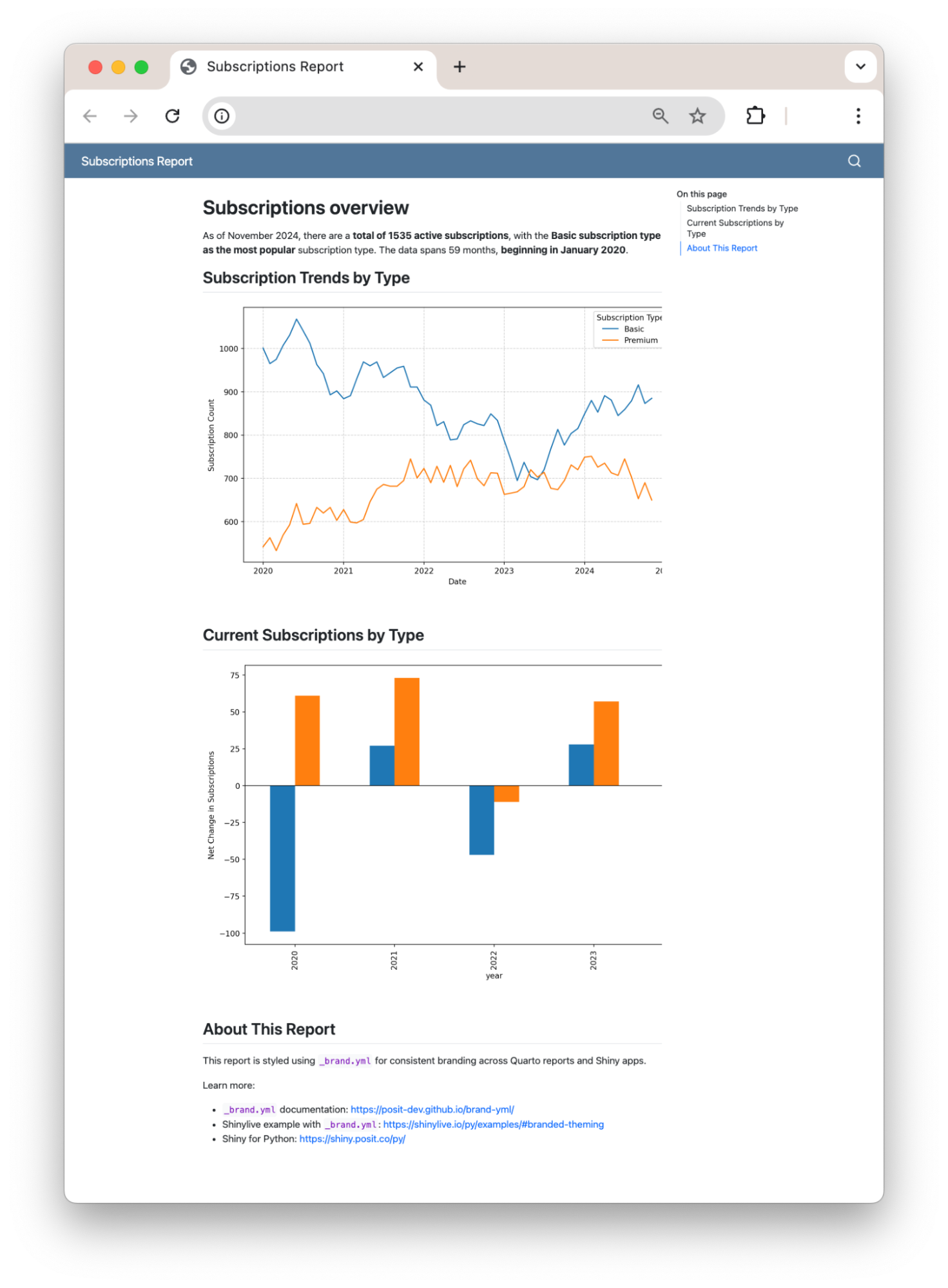
We applied our example _brand.yml file to a Quarto website. You can see the Quarto file here. Here’s what the site looks like with no branding:
and with our _brand.yml file in the root directory of the Quarto project:
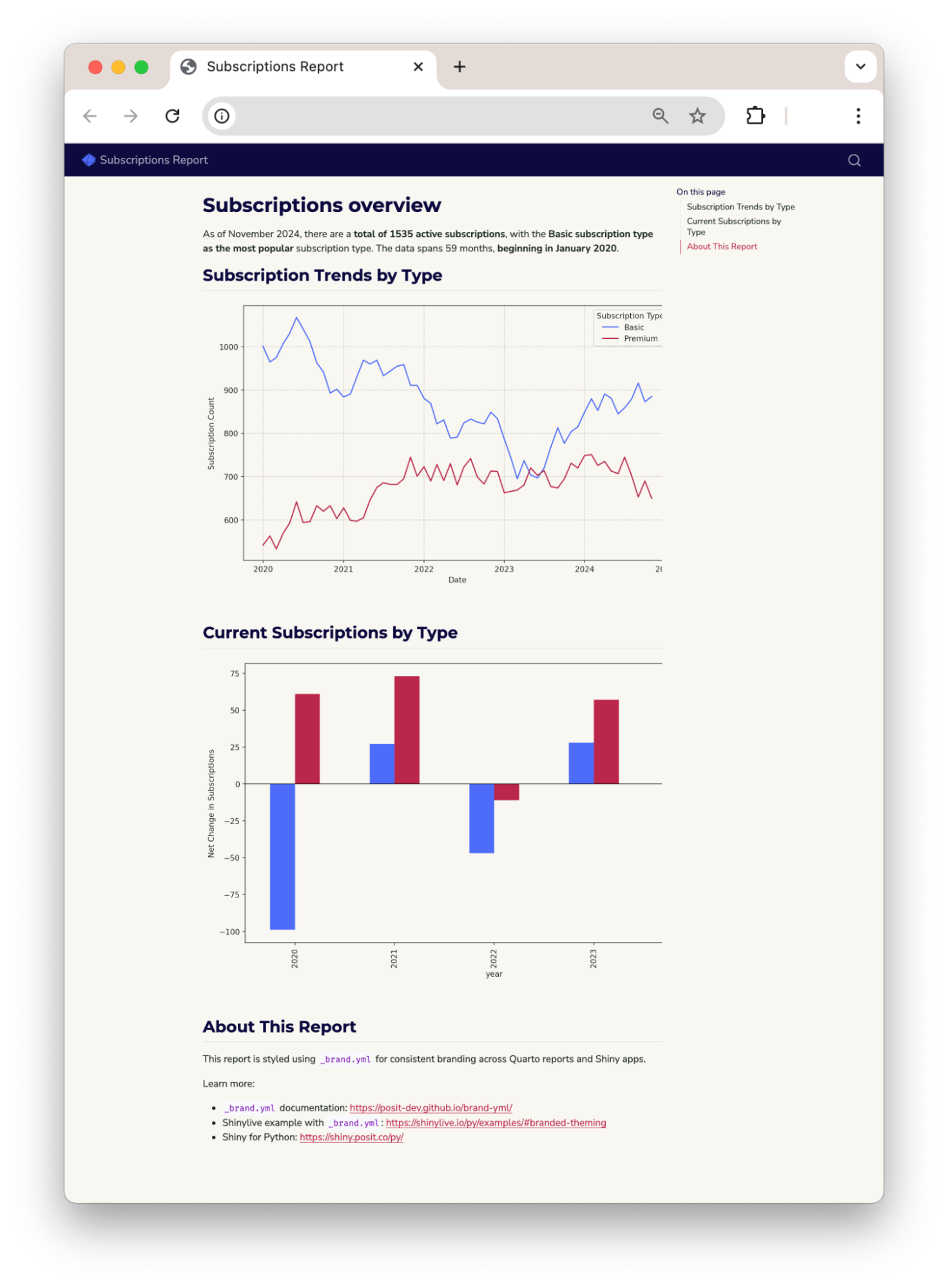
Quarto automatically themed the website according to the _brand.yml file, creating a polished and branded site.
Note
brand.yml is not currently supported for Matplotlib. To brand the plots, we created a function that generates a Matplotlib style sheet (.mplstyle file) from a _brand.yml file.
See Multiformat branding with _brand.yml to learn more about using brand.yml with Quarto.
We applied the same _brand.yml file to a Shiny for Python app, transforming this basic app:
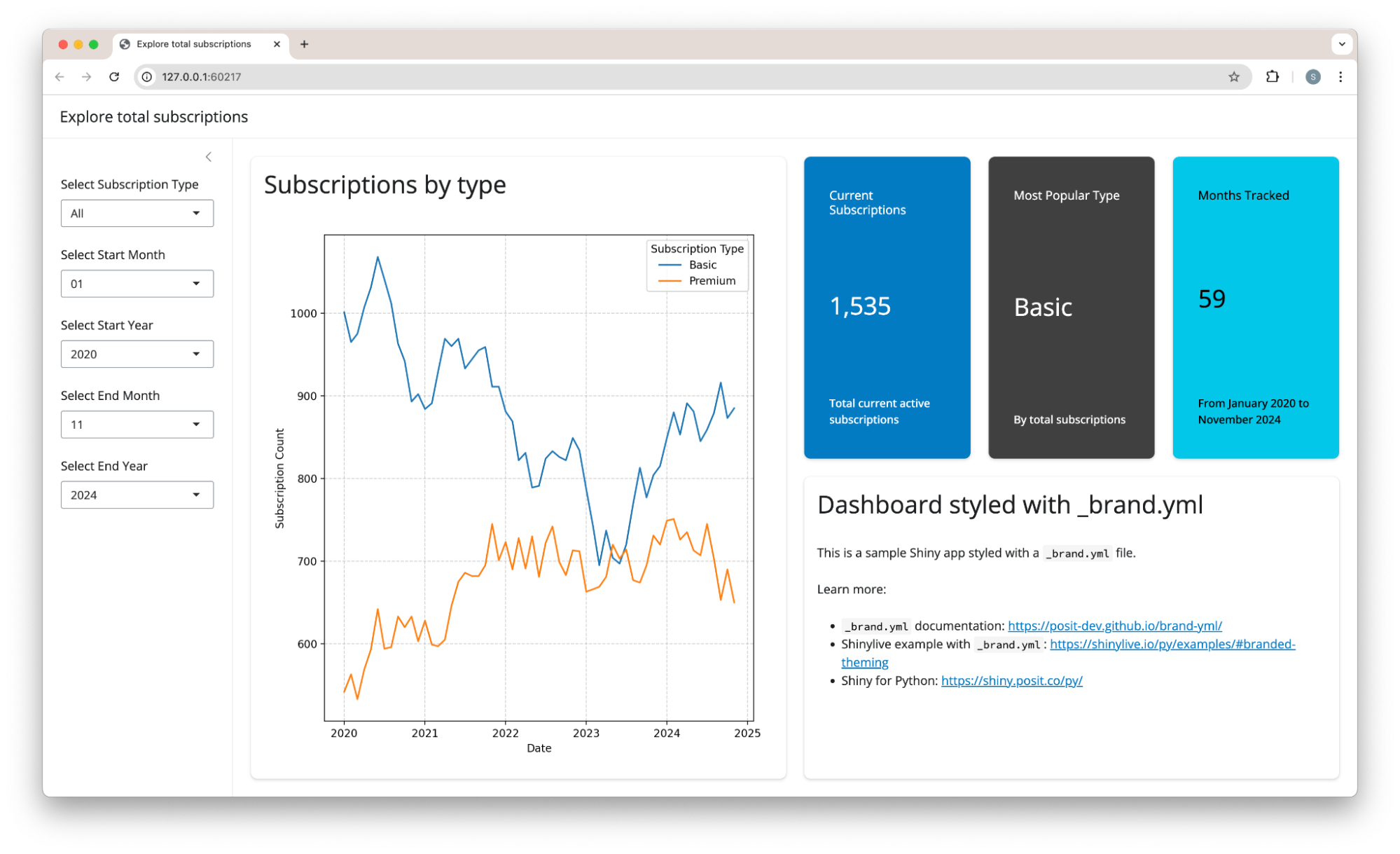
into this branded app:
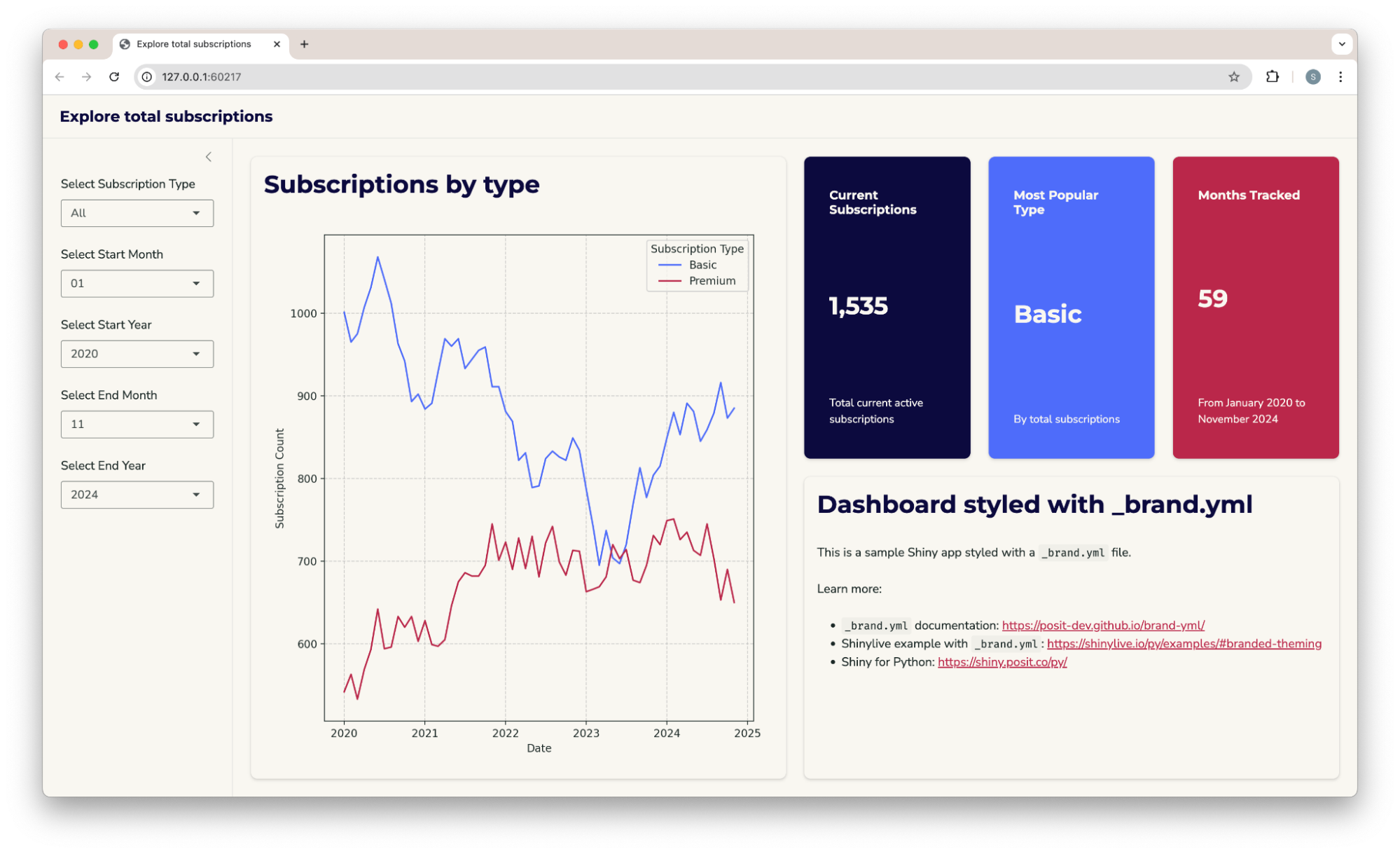
You can see the code for the app here.
To use brand.yml with Shiny for Python:
theme extra:pip install shiny[theme]Create a _brand.yml file in your project directory.
Use ui.Theme.from_brand() to create a custom Shiny theme from your _brand.yml.
from shiny.express import input, render, ui

ui.page_opts(theme=ui.Theme.from_brand(__file__))
from shiny import ui
app_ui = ui.page_fluid(
# app ui code
theme=ui.Theme.from_brand(__file__)
)Learn more here.
You can use the brand_yml Python package to read and apply the _brand.yml file. We used the Python package to write the function that creates the Matplotlib style sheet.
_brand.yml with an LLMReady to convert your brand guidelines into a _brand.yml file? You can use an LLM to substantially speed up the process. To learn more, take a look at Creating a brand.yml with an LLM.
Currently, Shiny for Python and Quarto support brand.yml. brand.yml is under active development. You can see a diagram of what we plan to support here.
For now, look forward to:
_brand.yml filebrand.yml enables unified branding for your dashboards, reports, and apps with a single file. Define your brand once and apply it seamlessly across projects, avoiding numerous manual updates and inconsistencies. Learn more and get started at https://posit-dev.github.io/brand-yml/.