Manage VS Code Extensions Like Packages with Posit Package Manager 2026.04.0



Package Manager simplifies R and Python package delivery, especially if you manage Posit Workbench and Posit Connect deployments. Your repositories are configured, your governance policies are in place, and your data scientists install what they need without opening a support ticket.
But what about VS Code extensions? Data scientists using any VS Code-based editor, whether Positron, Cursor, VS Code sessions in Workbench, or plain VS Code on a laptop, rely on extensions for language support, debugging, linting, and more. In Internet-restricted or fully air-gapped environments, getting those extensions to users has meant manually downloading .vsix files, matching versions to avoid dependency conflicts, and uploading them one by one. It works, but there is now an easier way to scale.
Posit Package Manager 2026.04.0 adds support for VS Code extensions from Open VSX and expands our MCP server with broader Python support. Together, these updates extend Package Manager's role as the foundation for your data science platform.
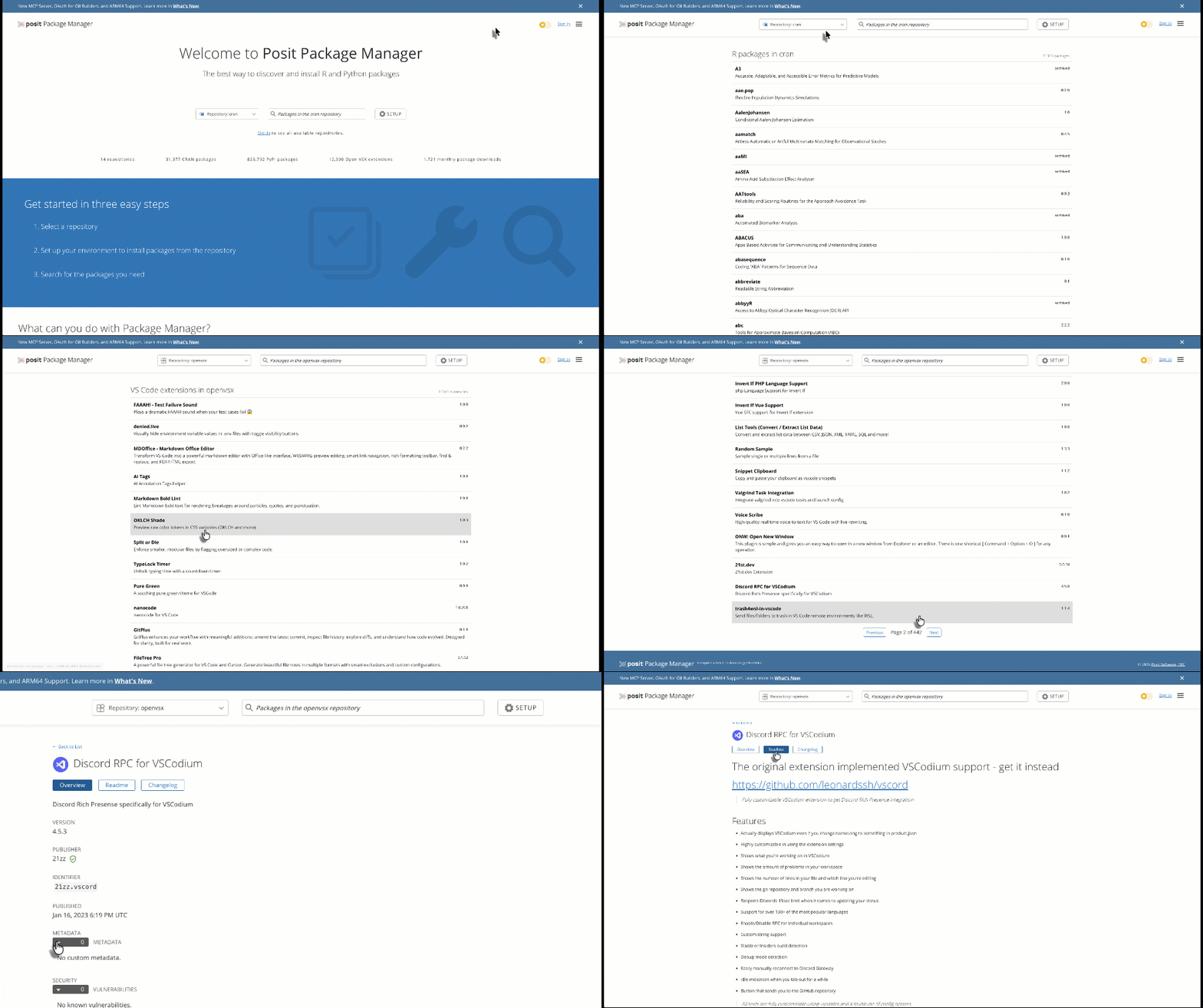
VS Code Extensions and Open VSX Mirrors
Many popular commercial and open-source IDEs are based on Code-OSS, Microsoft’s public fork of Visual Studio Code, including Positron, Cursor, Windsurf, VSCodium, and others. However, Microsoft restricts these forks from installing extensions from its Visual Studio Marketplace, instead forcing them to rely on the Eclipse Foundation’s Open VSX Registry.
Package Manager can now mirror and serve VS Code extensions from the Open VSX Registry. This gives you the same control, security, and availability for extensions that you already have for R and Python packages.
Any VS Code-based editor can be configured to use your Package Manager instance as its extension registry. Users browse and install extensions from the marketplace panel as if they were connected to the public registry, while Package Manager handles mirroring, versioning, and policy enforcement behind the scenes. For Workbench admins, the setup is even simpler: configure the extension registry once at the server level, and every Positron and VS Code session inherits it automatically.
This release includes support for:
- Full Open VSX mirrors: Create an internal mirror of the Open VSX registry, available to all users in your organization.
- Local extensions: Upload and share your own internally developed VS Code extensions alongside public ones.
- Air-gapped support: Use the offline downloader to bring extensions into isolated environments, the same workflow you already use for R and Python packages.
- Vulnerability blocking: Open VSX extensions are checked against the Open Source Vulnerability (OSV) database. Extensions with known vulnerabilities can be automatically blocked.
- Blocklist rules (Advanced tier): Block extensions based on name, version, or open-source license type, with exceptions when needed.
Open VSX mirroring is available to all Package Manager customers at the Enhanced or Advanced tier. Full curated repository features for Open VSX will be available in a future release, but manual curation through blocklist rules and by adding approved extensions to local repositories is available now.
Use case: a federal department in an air-gapped environment
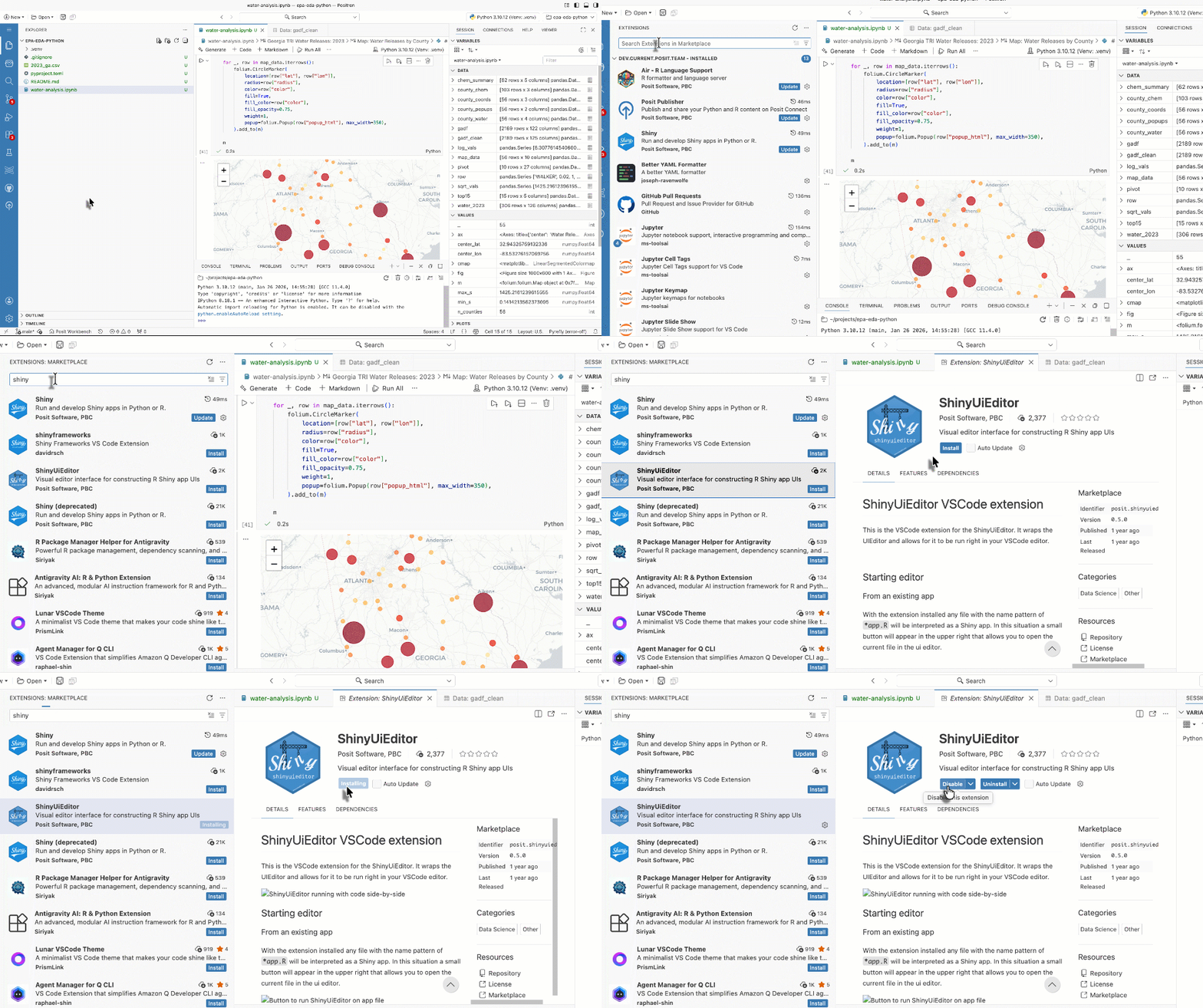
Let’s say you are a federal department using Posit Team in an air-gapped environment for analysis of sensitive economic data. Admins spend hours per update cycle on the manual download-and-upload process described above. With Package Manager's Open VSX support, your Positron and VS Code users in Workbench can now install extensions from the marketplace panel as if they were online, and those hours of admin work are recovered.
This pattern applies broadly. Any organization managing VS Code-based editors in a restricted network can use Package Manager to deliver extensions with the same governance model they already trust for packages.
Expanded MCP Server Capabilities
In December 2025, we introduced Package Manager's Model Context Protocol (MCP) server, a way for AI assistants to query your package repositories for accurate, up-to-date recommendations. That initial release focused on R packages. This release extends MCP support to Python and makes the server easier to integrate with a wider range of AI tools.
What's new:
- Python package documentation: AI assistants can now fetch and display documentation for Python packages hosted in your Package Manager repositories, not just R packages.
- Python package releases: A new tool lets AI assistants retrieve available versions for Python packages, so recommendations reflect what's actually in your repositories.
- Reorganized tools: We've split the previous get_status tool into three focused tools (get_server_info, get_supported_distros, and get_bioc_versions) that are easier for agents to discover and use.
Use case: Python recommendations from approved packages
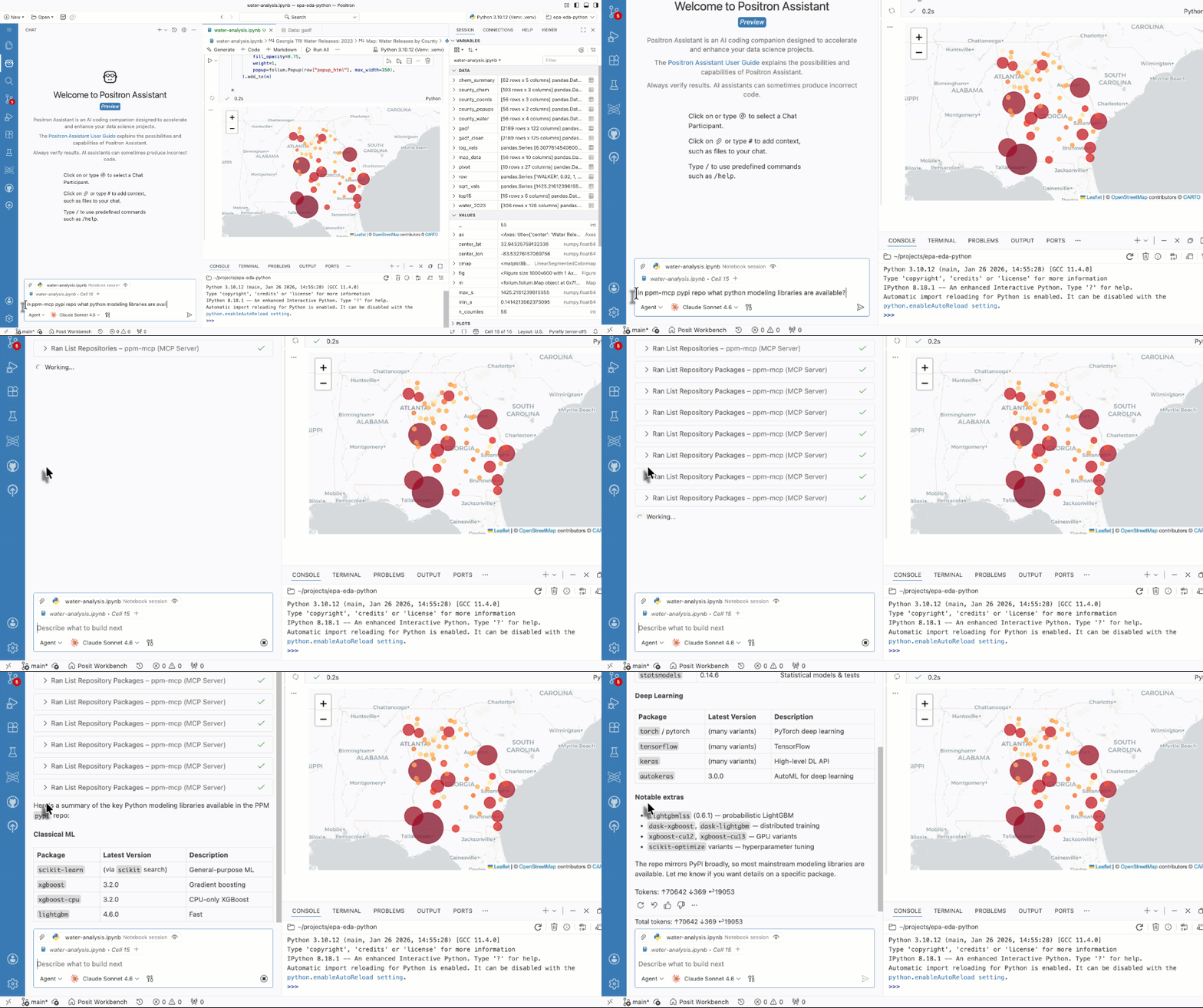
A data scientist using Positron Assistant asks for help choosing a visualization library for a project. With the expanded MCP server, the assistant can query their organization's Package Manager instance for available Python packages, return documentation, and suggest libraries that are actually approved and available, not just whatever is popular on public PyPI. If the organization blocks a package for licensing or vulnerability reasons, the assistant avoids recommending it.
For IT admins, this means AI assistants operating in properly configured Posit Team deployments stay within your governance boundaries for both R and Python, without additional configuration beyond what you've already set up in Package Manager.
Getting started
This release reflects ongoing investment in making Package Manager the central hub for managing the artifacts your data science teams depend on, from R and Python packages to VS Code extensions, with governance policies that IT teams can trust.
Existing customers can upgrade to 2026.04.0 through the standard upgrade process. For the complete list of changes, including improvements to package browsing and a new admin settings UI for token management, see the release notes.
New to Package Manager? Schedule a demo or visit the Package Manager documentation to learn more.

Jeremy Allen
