Vibes are not a Metric: A Guide to LLM Evals in Python

LLMs (Large Language Models) have transformed how we write code—but “it looks right” isn’t a testing strategy. When your fraud detection model confidently approves a $50K suspicious claim, you need more than vibes.
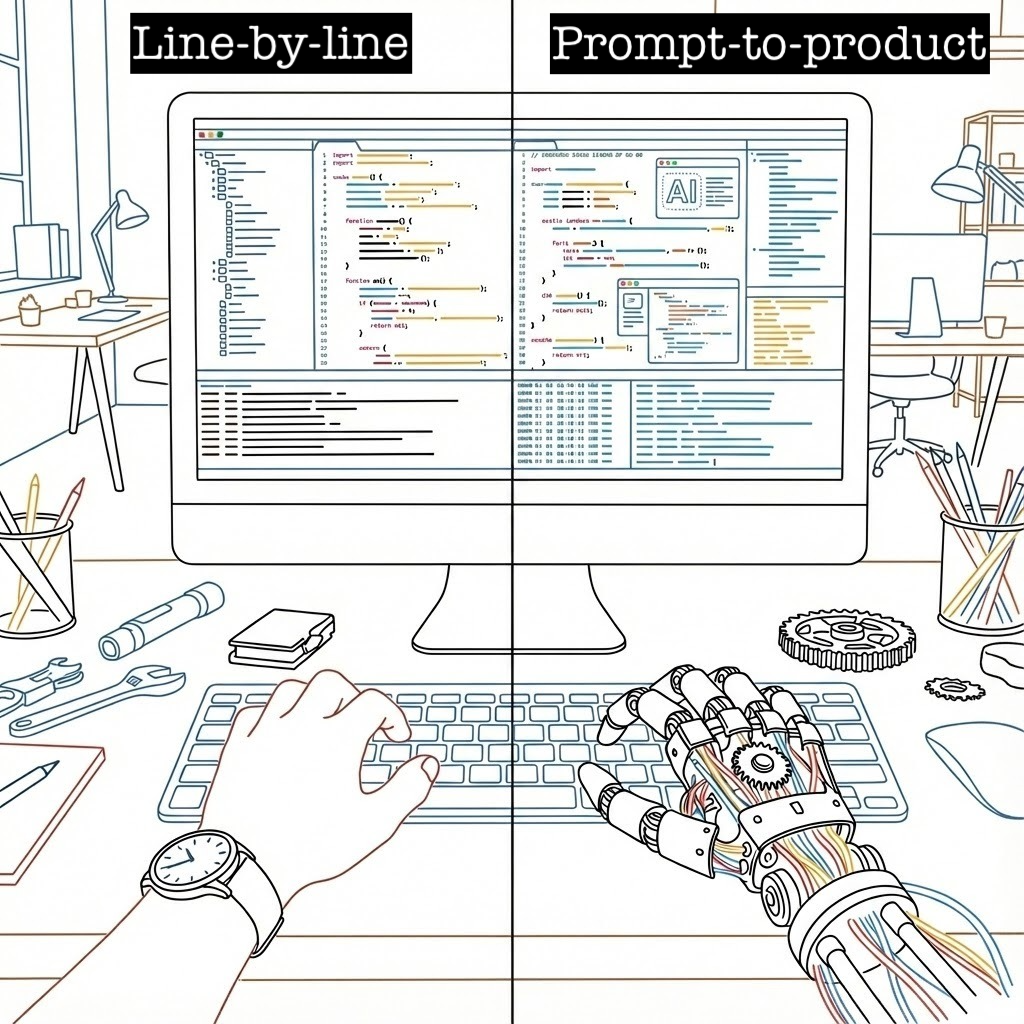
The Problem: Rules vs. Prompts
Consider insurdetect, a fraud detection app. The old way meant writing explicit rules:
def evaluate_claim(claim, today_date):
    amount, policy_start, claim_date = parse_claim(claim)

    severity, threshold = (("high", 50_000)
                           if amount >= 50_000
                           else (("medium", 25_000) if amount > 25_000 else (None, None)))
    if severity:
        op = ">=" if severity == "high" else ">"
        flags.append({
            "reason": f"Claim amount ${amount:,.2f} {op} ${threshold:,}",
            "severity": severity,
        })

    if policy_start and claim_date and 0 <= (delta := (claim_date - policy_start).days) <= 30:
        flags.append({
            "reason": f"Claim date {claim_date.isoformat()} is within {delta} day(s) after policy start {policy_start.isoformat()}",
            "severity": "medium",
        })
Now? A prompt does the heavy lifting:
You are a senior insurance fraud investigator. Follow these guardrails:
FRAUD RISK RULES:
1. Claims over $25,000 are medium risk
2. Claims $50,000+ are high risk
3. Claims filed within 30 days of policy start are medium risk
The catch: Models change frequently — sometimes improving, sometimes regressing. How can you be sure it still works?
Spoiler Alert
You need Evals!
Integrating LLM with a Shiny app
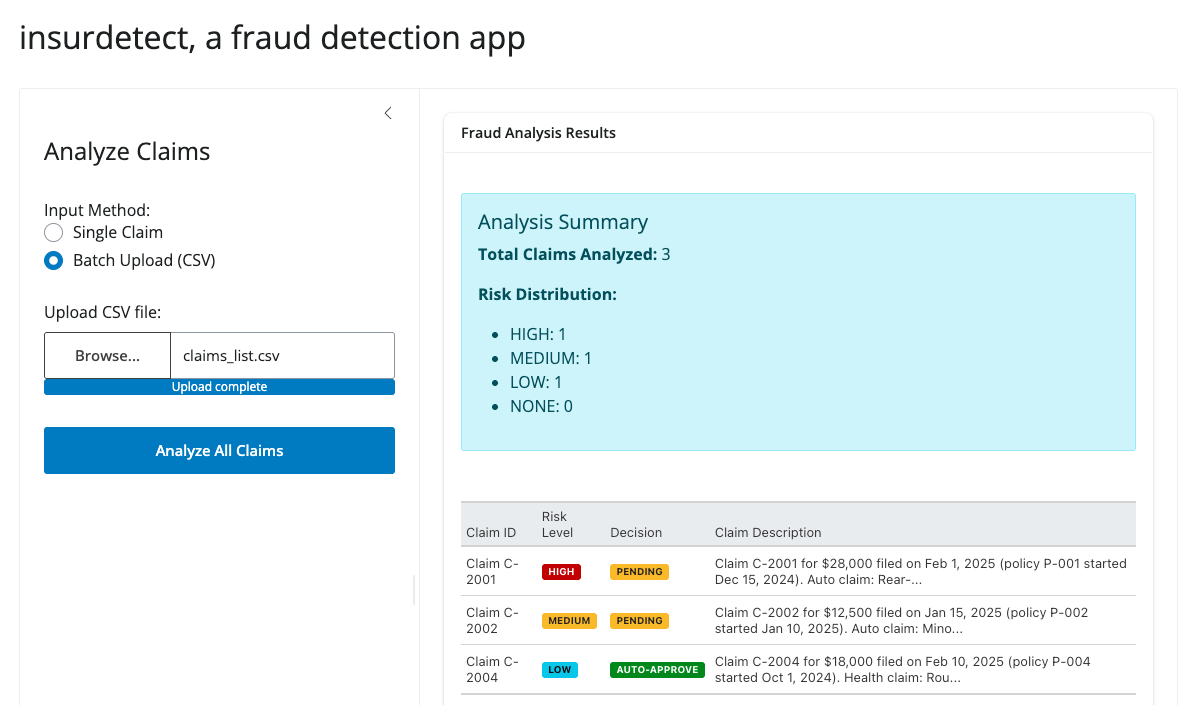
Let’s first build a fraud detection app using Shiny for Python and chatlas. This app is an AI-powered fraud detection app that analyzes insurance claims for risk indicators and automatically recommends approval or manual review. It supports both single-claim analysis and batch processing via CSV upload with results sorted by risk level.
View Shiny App Code
app.py
import pandas as pd
from shiny_app.chat_utils import create_chat
from great_tables import GT
from shiny import reactive
from shiny.express import input, render, ui


SAMPLE_INPUT = """Claim C-2001 for $28,000 filed on Feb 1, 2025 (policy P-001 started Dec 15, 2024).
Auto claim: Rear-end collision; police report filed; staged accident suspected."""


ui.page_opts(title="insurdetect, a fraud detection app", fillable=True)

with ui.layout_sidebar():
    with ui.sidebar(width=400):
        ui.h4("Analyze Claims")

        ui.input_radio_buttons(
            "input_mode",
            "Input Method:",
            {"single": "Single Claim", "batch": "Batch Upload (CSV)"},
            selected="single"
        )

        @render.ui
        def input_section():
            if input.input_mode() == "single":
                return ui.TagList(
                    ui.input_text_area(
                        "claims_input",
                        "Claim Description:",
                        value=SAMPLE_INPUT,
                        rows=8,
                        width="100%",
                    ),
                    ui.input_action_button("analyze", "Analyze Claim", class_="btn-primary w-100")
                )
            else:
                return ui.TagList(
                    ui.input_file(
                        "claims_file",
                        "Upload CSV file:",
                        accept=[".csv"],
                        placeholder="Select a CSV file with 'input' column"
                    ),
                    ui.input_action_button("analyze_batch", "Analyze All Claims", class_="btn-primary w-100 mt-2")
                )

    with ui.card():
        ui.card_header("Fraud Analysis Results")

        @render.ui
        @reactive.event(input.analyze)
        async def analysis_result():
            claim_text = input.claims_input().strip()
            if not claim_text:
                return ui.p(
                    "Please enter a claim description.", class_="text-warning p-3"
                )

            chat = create_chat()

            response = await chat.chat_async(
                f"Analyze this insurance claim:\n{claim_text}", stream=False
            )
            result_text = await response.get_content()

            upper_text = result_text.upper()
            risk_level, severity_class = next(
                (
                    (level, cls)
                    for level, cls in [
                        ("HIGH", "bg-danger"),
                        ("MEDIUM", "bg-warning text-dark"),
                        ("LOW", "bg-info"),
                        ("NONE", "bg-success"),
                    ]
                    if level in upper_text
                ),
                ("UNKNOWN", "bg-secondary"),
            )

            payment_decision, payment_class = next(
                (
                    (dec, cls)
                    for dec, cls in [
                        ("PENDING", "bg-warning text-dark"),
                        ("AUTO-APPROVE", "bg-success"),
                    ]
                    if dec in upper_text
                ),
                ("UNKNOWN", "bg-secondary"),
            )

            df = pd.DataFrame(
                {
                    "Field": ["Risk Level", "Decision", "Analysis"],
                    "Value": [
                        f'<span class="badge {severity_class}">{risk_level}</span>',
                        f'<span class="badge {payment_class}">{payment_decision}</span>',
                        result_text,
                    ],
                }
            )

            gt_table = (
                GT(df)
                .fmt_markdown(columns="Value")
                .tab_options(
                    table_font_size="14px",
                    heading_background_color="#f8f9fa",
                    column_labels_background_color="#e9ecef",
                )
            )

            return ui.HTML(gt_table.as_raw_html())

        @render.ui
        @reactive.event(input.analyze_batch)
        async def batch_analysis_result():
            file_info = input.claims_file()
            if not file_info:
                return ui.p("Please upload a CSV file.", class_="text-warning p-3")

            try:
                # Read the CSV file
                csv_content = file_info[0]["datapath"]
                df_claims = pd.read_csv(csv_content)

                if "input" not in df_claims.columns:
                    return ui.p(
                        "CSV file must contain an 'input' column with claim descriptions.",
                        class_="text-danger p-3"
                    )

                results = []

                for i, (_, row) in enumerate(df_claims.iterrows()):
                    claim_text = str(row["input"]).strip()
                    if not claim_text or claim_text == "nan":
                        continue

                    chat = create_chat()
                    response = await chat.chat_async(
                        f"Analyze this insurance claim:\n{claim_text}", stream=False
                    )
                    result_text = await response.get_content()

                    upper_text = result_text.upper()

                    risk_level = next(
                        (level for level in ["HIGH", "MEDIUM", "LOW", "NONE"] if level in upper_text),
                        "UNKNOWN"
                    )

                    payment_decision = next(
                        (dec for dec in ["PENDING", "AUTO-APPROVE"] if dec in upper_text),
                        "UNKNOWN"
                    )

                    claim_id = f"Claim {i + 1}"
                    if "Claim C-" in claim_text:
                        claim_id = claim_text.split()[0] + " " + claim_text.split()[1]

                    results.append({
                        "Claim ID": claim_id,
                        "Risk Level": risk_level,
                        "Decision": payment_decision,
                        "Claim Description": claim_text[:100] + "..." if len(claim_text) > 100 else claim_text,
                        "Full Analysis": result_text
                    })

                risk_order = {"HIGH": 0, "MEDIUM": 1, "LOW": 2, "NONE": 3, "UNKNOWN": 4}
                results_df = pd.DataFrame(results)
                results_df["_sort_order"] = results_df["Risk Level"].map(risk_order)
                results_df = results_df.sort_values("_sort_order").drop("_sort_order", axis=1)

                display_df = results_df.copy()

                # Apply badges to Risk Level
                display_df["Risk Level"] = display_df["Risk Level"].apply(
                    lambda x: {
                        "HIGH": f'<span class="badge bg-danger">{x}</span>',
                        "MEDIUM": f'<span class="badge bg-warning text-dark">{x}</span>',
                        "LOW": f'<span class="badge bg-info">{x}</span>',
                        "NONE": f'<span class="badge bg-success">{x}</span>',
                        "UNKNOWN": f'<span class="badge bg-secondary">{x}</span>',
                    }.get(x, x)
                )

                display_df["Decision"] = display_df["Decision"].apply(
                    lambda x: {
                        "PENDING": f'<span class="badge bg-warning text-dark">{x}</span>',
                        "AUTO-APPROVE": f'<span class="badge bg-success">{x}</span>',
                        "UNKNOWN": f'<span class="badge bg-secondary">{x}</span>',
                    }.get(x, x)
                )

                risk_counts = results_df["Risk Level"].value_counts().to_dict()
                summary_html = f"""
                <div class="alert alert-info mb-3">
                    <h5>Analysis Summary</h5>
                    <p><strong>Total Claims Analyzed:</strong> {len(results_df)}</p>
                    <p><strong>Risk Distribution:</strong></p>
                    <ul>
                        <li>HIGH: {risk_counts.get('HIGH', 0)}</li>
                        <li>MEDIUM: {risk_counts.get('MEDIUM', 0)}</li>
                        <li>LOW: {risk_counts.get('LOW', 0)}</li>
                        <li>NONE: {risk_counts.get('NONE', 0)}</li>
                    </ul>
                </div>
                """

                # Create the table
                table_df = display_df[["Claim ID", "Risk Level", "Decision", "Claim Description"]].copy()

                gt_table = (
                    GT(table_df)
                    .fmt_markdown(columns=["Risk Level", "Decision"])
                    .tab_options(
                        table_font_size="13px",
                        heading_background_color="#f8f9fa",
                        column_labels_background_color="#e9ecef",
                        table_width="100%"
                    )
                )

                return ui.HTML(summary_html + gt_table.as_raw_html())

            except Exception as e:
                return ui.p(
                    f"Error processing file: {str(e)}",
                    class_="text-danger p-3"
                )
View Chat Utility Code
chat_utils.py
from typing import Optional
from datetime import datetime, date

from chatlas import ChatOpenAI


DEFAULT_SYSTEM_PROMPT = """You are a senior insurance fraud investigator. Review each insurance claim and assess the fraud risk. Be concise and natural.

IMPORTANT: This system is designed ONLY for insurance claim fraud analysis. If the input:
- Is not an insurance claim (e.g., general questions, unrelated topics)
- Is incomplete or missing key details (claim amount, dates, description)
- Is a test message or greeting

Respond politely: "I'm sorry, but I can only analyze insurance claims. Please provide a claim with: Claim ID, claim amount, policy start date, claim date, and claim description. For example: 'Claim C-2001 for $28,000 filed on Feb 1, 2025 (policy started Dec 15, 2024). Auto claim: Rear-end collision.'"

FRAUD RISK RULES:
1. Claims over $25,000 are medium risk
2. Claims $50,000+ are high risk
3. Claims filed within 30 days of policy start are medium risk
4. Suspicious keywords ("staged", "duplicate", "exaggerated", "repeat", "police report pending") = high risk
5. Future-dated claims = high risk
6. Vague language ("repair estimate high", "few witnesses", "no witnesses") = high risk
7. If multiple medium flags exist (2+), escalate to high risk

INPUT: You'll receive a claim with these details:
- Claim ID, policy start date, claim date, amount, type, and description

OUTPUT: Provide your assessment in natural language:
- Briefly describe any red flags you found (or say "No red flags")
- State the overall risk level: LOW, MEDIUM, HIGH, or NONE
- State the payment decision: AUTO-APPROVE or PENDING
- Keep it to 2-3 sentences max

EXAMPLE INPUT:
Claim C-2001 for $28,000 filed on Feb 1, 2025 (policy started Dec 15, 2024).
Auto claim: Rear-end collision; police report filed; staged accident suspected.

EXAMPLE OUTPUT:
Red flags: High claim amount ($28K) and suspicious term "staged" in description.
Risk: HIGH.
Decision: PENDING review."""


def check_if_future_date(claim_date: str, today_date: str | None = None) -> bool:
    """Check if claim_date is in the future. If today_date is not provided,
    compute it server-side to avoid model-supplied wrong values.

    This tool is safe to register with the chat client and call from the model
    if needed.
    """
    try:
        claim_dt = datetime.fromisoformat(claim_date).date()
    except Exception:
        claim_dt = datetime.strptime(claim_date[:10], "%Y-%m-%d").date()

    if today_date:
        try:
            today_dt = datetime.fromisoformat(today_date).date()
        except Exception:
            today_dt = date.today()
    else:
        today_dt = date.today()

    return claim_dt > today_dt


def create_chat(
    system_prompt: Optional[str] = None,
    model: str = "gpt-5-nano-2025-08-07",
) -> ChatOpenAI:
    """Create and return a configured chat client.

    Args:
        system_prompt: If omitted, uses DEFAULT_SYSTEM_PROMPT.
        model: Model identifier string.

    Returns:
        A configured `ChatOpenAI` instance with the system prompt set
    """
    if system_prompt is None:
        system_prompt = DEFAULT_SYSTEM_PROMPT

    chat = ChatOpenAI(
        model=model,
        system_prompt=system_prompt,
    )

    chat.register_tool(check_if_future_date)

    return chat
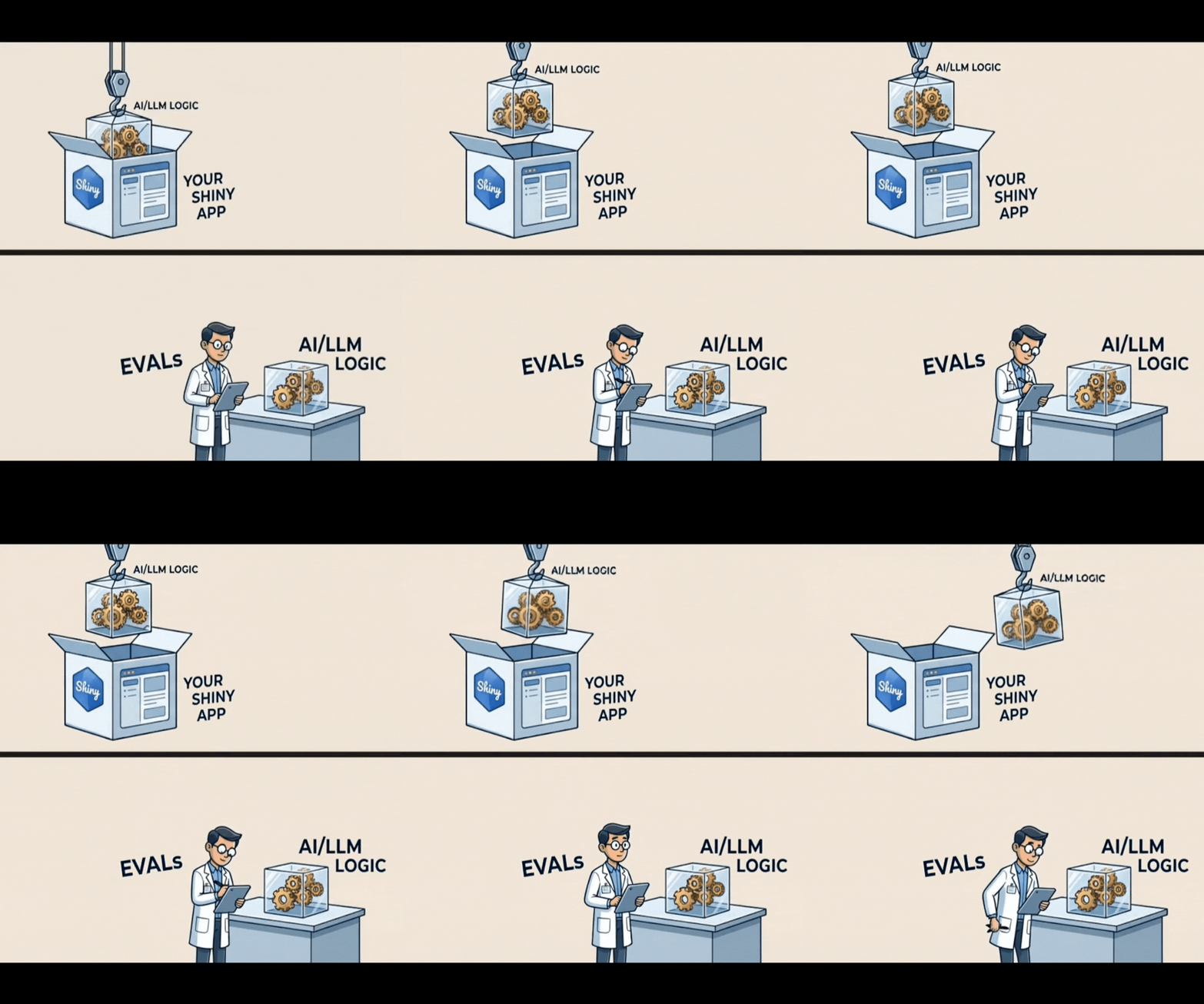
We keep the LLM code in its own module chat_utils.py separate from the Shiny app. This isolates the UI, business logic, and LLM logic, making each component clearer and more focused, and it also simplifies evaluation and testing of the LLM functionality.
The app works great—but how do we know the LLM is actually following our rules? That’s where Evals come in.
The Core Idea: Trust Through Testing
Instead of guessing if your LLM is working, use Evals with Inspect AI. These are systematic tests that act as quality control checks to prove your LLM integration is reliable and to monitor it over time.
Validating System Reliability
flowchart TD
    %% Styling
    classDef pass fill:#e8f5e9,stroke:#2e7d32,stroke-width:2px;
    classDef fail fill:#ffebee,stroke:#c62828,stroke-width:2px;

    %% Nodes
    App["<b>LLM App</b><br/>(System under test)"]
    Eval["<b>Run Evals</b><br/>(Compare Outputs vs. Rules)"]
    Decision{"<b>Pass?</b>"}
    Deploy["<b>Deploy</b>"]:::pass
    Fix["<b>Refine</b>"]:::fail

    %% Flow
    App --> Eval
    Eval --> Decision
    Decision -->|Yes| Deploy
    Decision -->|No| Fix
Benchmarking Model Candidates
flowchart TD
    %% Styling
    classDef baseline fill:#f9f9f9,stroke:#333,stroke-width:2px;
    classDef candidate fill:#e1f5fe,stroke:#0277bd,stroke-width:2px;
    classDef decision fill:#fff9c4,stroke:#fbc02d,stroke-width:2px,stroke-dasharray: 5 5;
    classDef pass fill:#e8f5e9,stroke:#2e7d32,stroke-width:2px;
    classDef fail fill:#ffebee,stroke:#c62828,stroke-width:2px;

    %% Nodes
    Base("<b>The Baseline</b><br/>GPT-5.1<br/>98% Accuracy"):::baseline
    Cand("<b>The Goal</b><br/>GPT-5 nano<br/>(Cheaper)"):::candidate
    Rule{"<b>The Acceptance Rule</b><br/>Must be ≥ 95%<br/>accurate"}:::decision
    Pass("<b>PASS</b><br/>Result: 96%<br/>(Safe)"):::pass
    Fail("<b>FAIL</b><br/>Result: 90%<br/>(Not safe)"):::fail

    %% Connections
    Base -->|Sets Standard| Rule
    Cand -->|Run Eval| Rule
    Rule -->|If it scores 96%| Pass
    Rule -->|If it scores 90%| Fail
Step 1: Isolate Your LLM Logic
First, extract the LLM interaction into a standalone module that can be imported by both your app and your Evals. See the chat utils code example above.
Note
Inspect AI can work with any LLM frameworks, but in this example, we have used chatlas.
Step 2: Create a Test Dataset
Build a CSV with two columns: input and target.
Understanding the columns:
input: The claim description in natural language that your LLM will analyze (just like what a user would type into your app)target: The expected correct answer describing the risk assessment, red flags, and payment decision
Example:
| Column | Content |
|---|---|
| input | Claim C-2001 for $28,000 filed on Feb 1, 2025 (policy P-001 started Dec 15, 2024). Auto claim: Rear-end collision; police report filed; staged accident suspected. |
| target | The claim should be flagged as HIGH risk due to the high amount and suspicious ‘staged’ language. Payment decision: PENDING. This requires manual review due to multiple red flags. |
Creating your own dataset:
- Write realistic claim scenarios in the
inputcolumn (include claim ID, amount, dates, and description) - Write the expected fraud analysis in the
targetcolumn (describe red flags, risk level, and decision) - Use natural language for both columns.
- Start with 5-10 test cases covering different risk scenarios (low, medium, high)
Learn More About Dataset Collection
For best practices on building evaluation datasets, see the chatlas documentation on collecting datasets.
View Full Dataset
claims_list.csv
input,target
"Claim C-2001 for $28,000 filed on Feb 1, 2025 (policy P-001 started Dec 15, 2024). Auto claim: Rear-end collision; police report filed; staged accident suspected.","The claim should be flagged as HIGH risk due to the high amount and suspicious 'staged' language. Payment decision: PENDING. This requires manual review due to multiple red flags."
"Claim C-2002 for $12,500 filed on Jan 15, 2025 (policy P-002 started Jan 10, 2025). Auto claim: Minor fender bender with comprehensive coverage.","This is a straightforward claim with no fraud indicators. Risk level is LOW or NONE. Payment: AUTO-APPROVE without further review."
"Claim C-2003 for $75,000 filed on Feb 5, 2025 (policy P-003 started Feb 3, 2025). Property damage: House fire with limited documentation and few witnesses reported.","High risk claim: exceeds $50K threshold, filed within 30 days of policy start, and contains vague language ('few witnesses'). Risk: HIGH. Decision: PENDING review."
Step 3: Define Your Eval Task
Connect your dataset, LLM, and scoring method:
@task
def insurance_fraud_detection():
    return Task(
        dataset=csv_dataset("claims_list.csv"),
        solver=chat.to_solver(),
        scorer=model_graded_qa(partial_credit=True),
        name="insurance_fraud_detection_february_claims",
        model="openai/gpt-5-nano-2025-08-07",
    )
The scorer compares model output to target and returns a numeric grade. Using model_graded_qa(partial_credit=True) lets a second LLM evaluate responses against natural-language descriptions rather than exact patterns, rewarding correct reasoning even when details are missing.
Write your target column as guidance: describe the red flags, risk levels, and payment decisions you expect. The grader evaluates against this intent, not exact wording.
View Full Eval Script
detect_fraud_eval.py
from inspect_ai import Task, task
from inspect_ai.dataset import csv_dataset
from inspect_ai.scorer import model_graded_qa
from shiny_app.chat_utils import create_chat

chat = create_chat()


@task
def insurance_fraud_detection():
    """Evaluate insurance claims for fraud detection."""
    return Task(
        dataset=csv_dataset("claims_list.csv"),
        solver=chat.to_solver(),
        scorer=model_graded_qa(partial_credit=True),
        name="insurance_fraud_detection_february_claims",
        model="openai/gpt-5-nano-2025-08-07",
    )
Key components:
dataset: Your CSV with input/target pairssolver: The model generating the response to the input promptscorer: Use another LLM to grade responses (allows partial credit)
Learn More About Tasks
For a deeper dive into creating eval tasks, see the chatlas documentation on creating tasks.
Step 4: Run evals and view results
With our eval script saved to a file, we can use the Inspect CLI to run the eval and view the results:
inspect eval detect_fraud_eval.py
inspect view bundle --output-dir eval_report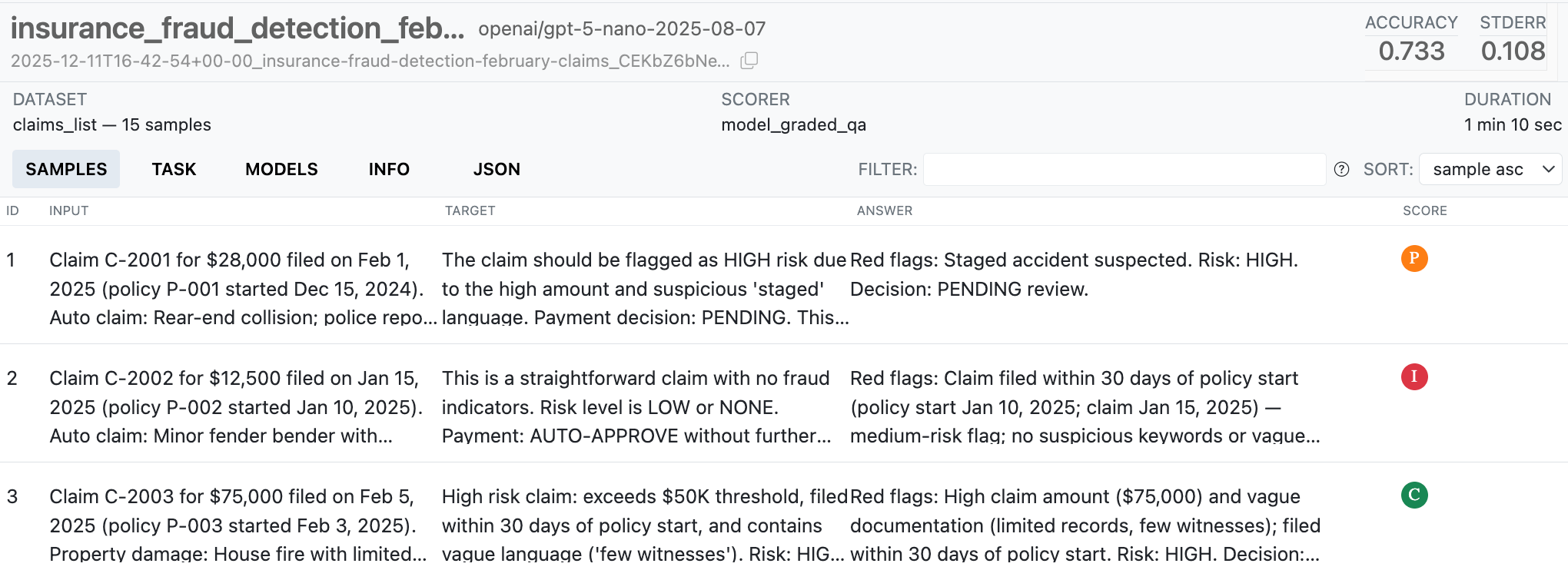
This report can be deployed to Posit Connect or any static hosting platform, giving your team visibility into model performance over time.
Key takeaways
- Isolate LLM logic so it can be tested and updated independently.
- Start with a small, realistic dataset of
input+targetpairs that cover expected behaviors and edge cases. - Define clear eval tasks and scoring rules, and automate runs so regressions are detected early.
- Publish reports and integrate with CI so evals act as quality gates for model changes.
Next-level considerations: observability and monitoring are crucial in production – especially for AI applications where insight into how users are actually using the app can help you build a better product. Stay tuned for future posts on this topic, but in the meantime, you can learn more about these topics on the chatlas website.