RStudio IDE and Posit Workbench 2025.05.0: What’s New


We’re excited to announce the latest update to Posit Workbench and RStudio, code-named “Mariposa Orchid.” We’ve designed this release to deliver tangible improvements to your daily data science work: ensuring the reliability of critical analyses, streamlining collaboration across languages, simplifying complex reporting, and making infrastructure management more intuitive.
This post highlights some of the improvements in the latest release. You can find more details in the Release Notes.
RStudio
Quarto 1.6 support
Quarto 1.6 is now bundled directly with Posit Workbench and RStudio, bringing powerful new features to enhance your reports, presentations, and dashboards.
Notable improvements include:
- Support for
brand.yml— a single file that defines your organization’s branding and style preferences across formats, making insights instantly recognizable and impactful for business stakeholders. - RevealJS updates, including the new navigation features: scroll mode and jump to slide, allowing you to build more engaging visualizations
- The
contentsshortcode for reordering your content, providing easy, flexible layout options landscapeblocks for placing content on a landscape page.- Improvements in how you can specify subpanels of cross-references from code blocks.
You can read about these new features and a couple of breaking changes in the Quarto 1.6 blog post. You can find all the changes in this version in the Release Notes.
We have also altered how memory is constrained per session on Posit Workbench to better support Quarto 1.6 and avoid memory problems. Please see the section below on Memory limit changes and Quarto 1.6.
Console printing improvements
RStudio now uses an alternate display for R errors, warnings, and messages. In addition, output on stderr (e.g., R messages) is colored the same as regular output on stdout (#2574). This helps distinguish proper errors or warnings from general messages or other output printed to the console.
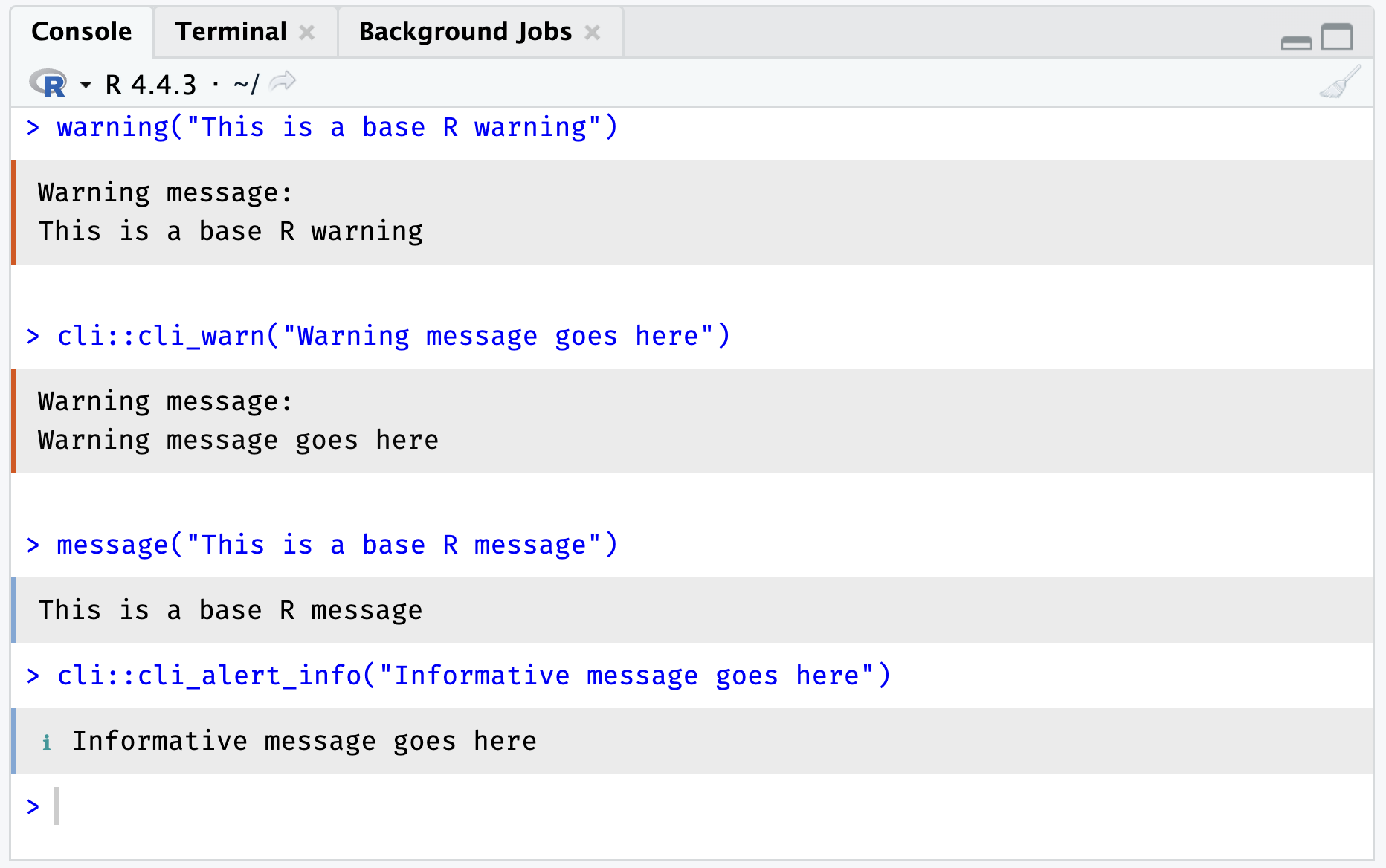
This is helpful in situations where an informative message is printed and previously might have been spuriously highlighted in red, leading users to believe something had gone wrong.
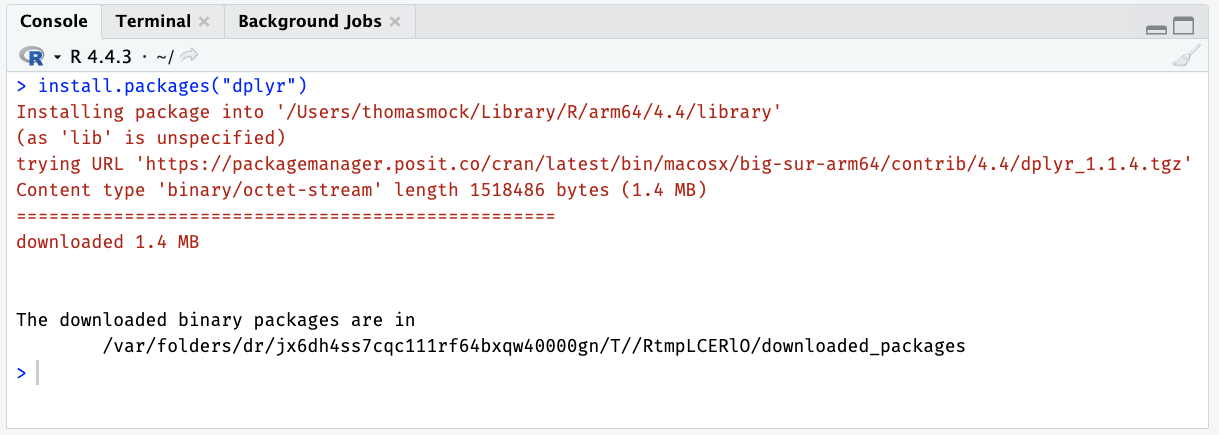
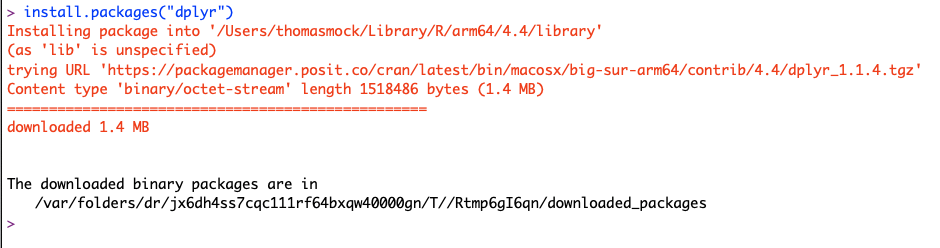
For example, see the output of install.packages() in RStudio 2025.05.0 vs 2024.12.0:
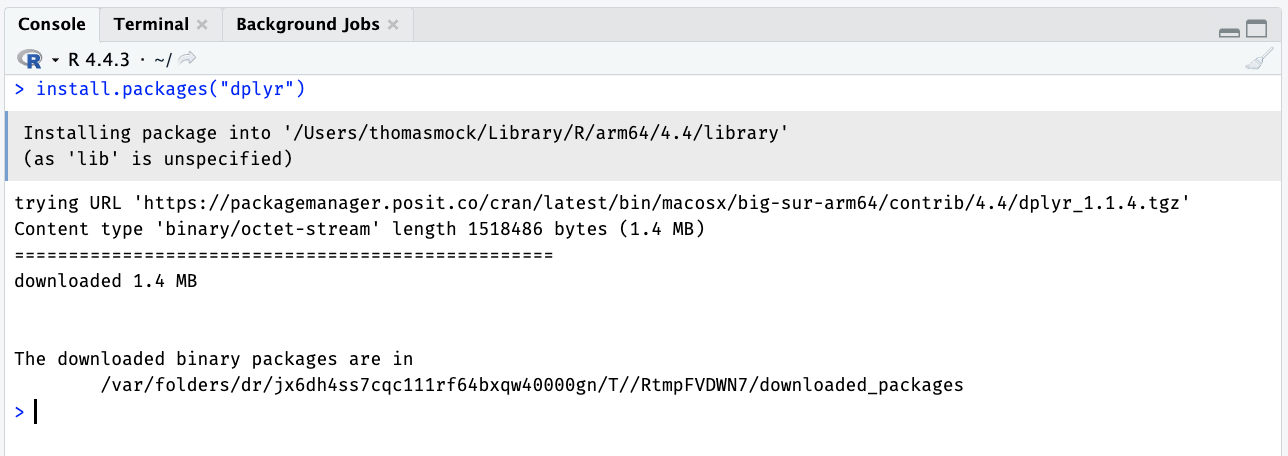
Compared to prior versions of RStudio and even the R console itself, users are less likely to incorrectly assume an arbitrary message is an error during normal activity.
GenAI integrations
We introduced GitHub Copilot inline completion support in RStudio 2023.09.0 and have reimplemented our GitHub Copilot integration via the new GitHub Copilot Language Server SDK. For users, this shouldn’t change any core behavior, but it does remove the reliance on Node for RStudio desktop and server. Lastly, RStudio now uses the RStudio project folder as the GitHub Copilot workspace root. Copilot suggestions are now more relevant, utilizing your project folder context.
Recently, GitHub Copilot introduced a new GitHub Copilot Free subscription, and RStudio now displays a message when the GitHub Copilot Free completion limit has been reached, helping manage usage.
Separately from inline completions, two new R packages, gander and chores, provide inline chat-like tools within RStudio.
- gander provides an Inline Chat experience and, importantly, can interface with the current R session for context, such as variable names, dataframe column names.
- chores provides a library of ergonomic LLM assistants that help you quickly complete repetitive, hard-to-automate tasks. It is also extensible via custom tasks.
Importantly, gander and chores are built upon the ellmer foundational package and thus have broad support for a wide variety of LLM model providers and architectures, including Anthropic, AWS Bedrock, Azure, Databricks, Google Gemini, OpenAI, Snowflake, and some support for self-hosted models.
Lastly, the chattr package provides a more persistent Chat interface via a Shiny widget in the Viewer pane of RStudio. Like gander, it has access to in-memory context such as variables or column names, and prompts can be customized like chores.
To learn more about Posit’s AI tools and packages, visit posit.co/ai.
Future-proofing the .Rproj ProjectId field
The “ProjectId” field of the .Rproj file was introduced in 2024.12.0 to support users in configuring the default .Rproj.user path in order to support .Rproj.user folder mapping outside of slow or networked drives. However, this led to some churn in version control when collaborating across users with different project IDs or versions of RStudio.
RStudio now only writes the “ProjectId” field within a project’s .Rproj file when required. Currently, this is for users who have configured a custom .Rproj.user location. RStudio will now preserve unknown fields in .Rproj files that are added by future versions of RStudio.
Quality of life improvements
- RStudio desktop now supports opening files via drag and drop. (#4037)
- RStudio for Windows binaries now have digital signatures. (rstudio-pro#5772)
Accessibility
- Fixed a WCAG 1.1.1 violation (unlabeled image in the Console toolbar) by marking it as cosmetic. (#15757)
- Fixed Material theme’s colors for selected word or text highlighting so they are more visible. (#15753)
Deprecated / Removed
- We no longer build RStudio Desktop or Desktop Pro for OpenSUSE 15, Ubuntu Focal (20.04), or RedHat 8. Posit Workbench and RStudio Server follow the standard Posit Platform Support. (rstudio-pro/#7445)
- We no longer bundle Node.js with RStudio Desktop, Desktop Pro, or RStudio Server. Node was previously a requirement for GitHub Copilot support, but that is no longer needed with the GitHub Copilot Language Server SDK. (rstudio-pro#7450)
Posit Workbench
Audited Jobs
Previously, it was possible to launch R and Python scripts as Workbench Jobs from RStudio Pro and VS Code sessions. This release introduces Audited Jobs for RStudio Pro, which give developers the ability to orchestrate “production” or “final runs” of their code while ensuring reproducibility and minimizing the risk of tampering after the fact.
When you designate a script run as an audited job, Workbench meticulously captures the script output, the precise execution environment (including OS, language, and package versions), and references to input data sources. Crucially, Audited Jobs artifacts are cryptographically signed so observers can verify outputs weren’t modified after the fact, minimizing the risk of tampering or accidentally modifying outputs.
The code running in an audited Workbench job can also write custom files to be included in the audit record. This allows users to customize auditing for their particular environment.
Here is an example script that captures a file called hello-world.txt:
path = Sys.getenv("AUDIT_DETAILS_PATH")
file_path = paste(path, "hello-world.txt", sep="/")
fileConn = file(file_path, "w")
writeLines(c("Hello World!"), fileConn)
close(fileConn)
Data professionals can now provide stakeholders with outputs that include more relevant and trustworthy environmental information. For business leaders, this means decisions can be based on verifiable, reproducible insights. For IT leaders, Audited Jobs enable the implementation of a secure, auditable execution framework for production-level code, directly within the managed Workbench environment.
For more information, please reference the Audited Jobs section of the admin guide.
Configuration Manager (Preview)
Administrators of Posit Workbench are primarily familiar with managing it through configuration files. In this release, we’re introducing preview support for a new Admin Configuration user interface so that admins can make quick and easy configuration changes to Workbench.
By making common configuration settings accessible via the new Admin Configuration UI, we’re making administering Workbench more convenient, improving the discoverability of options many admins did not know about, and making Workbench more informative by providing links to relevant documentation throughout the UI, as well as validating inputs to avoid accidentally misconfiguring specific capabilties.
The Configuration Manager in the 2025.05.0 release supports the management of Profiles, Resource Profiles, and Resource Limits for Local Launcher via Cgroups integration, as introduced in 2024.12.0.
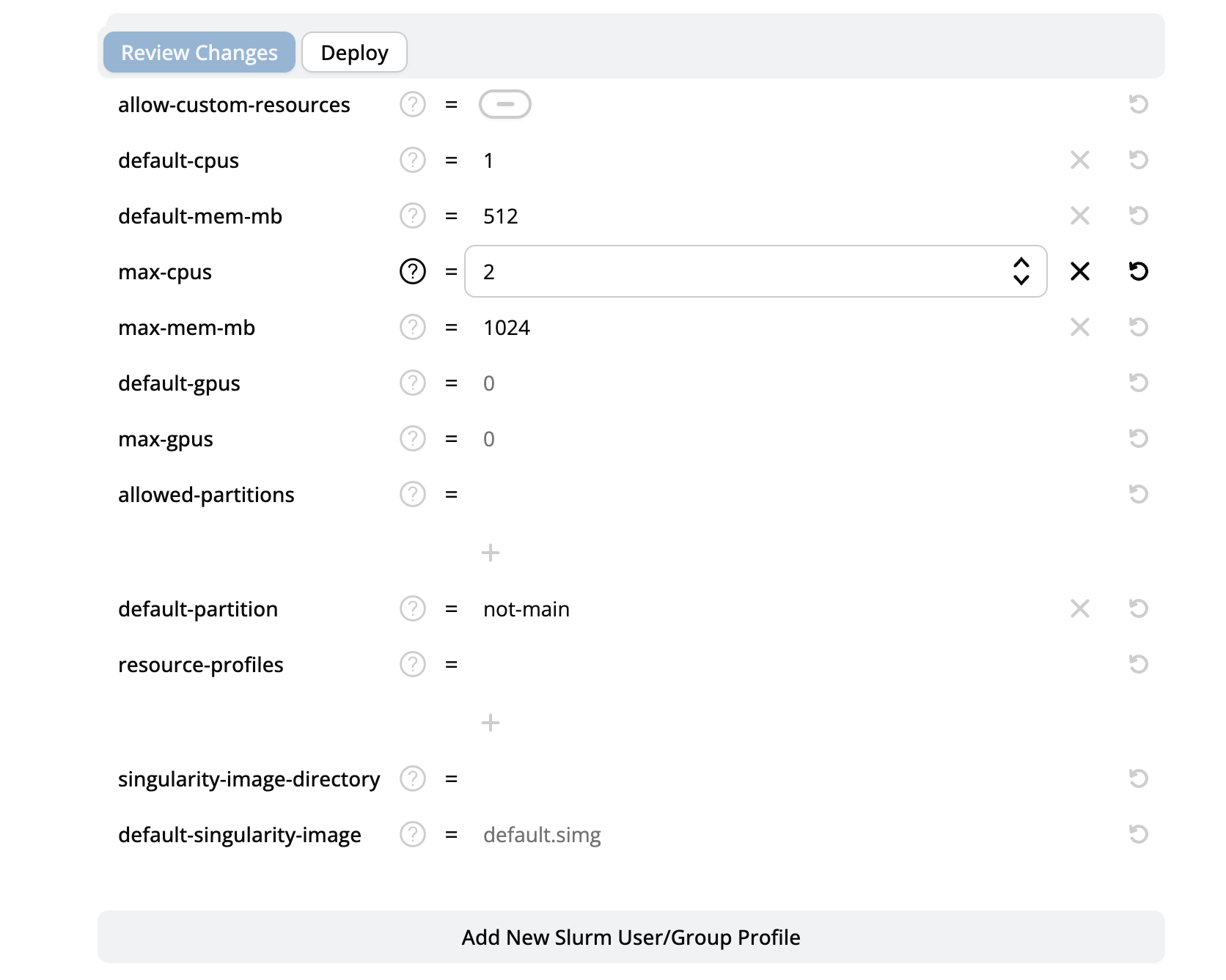
As we transition from Preview to General Availability in the future, we expect to address the below constraints.
The Configuration Manager is unavailable if Workbench is running behind a proxy.
The Configuration Manager is disabled if:
- Workbench is running in a container (e.g., Docker, Kubernetes, Singularity)
- Workbench is running in a load-balanced cluster
- Any of the files that the Configuration Manager can modify are read-only
For more information, please refer to the Configuration Manager section of the admin documentation.
Memory limit changes and Quarto 1.6
Posit Workbench 2024.12.0 and later supports setting global, user-level, or group-level resource limits and Resource Profiles that apply to individual sessions via a Cgroups integration. This provides a robust session-level method of setting session-level resource limits to improve server stability and reduce the risk of a small group of users overwhelming a server’s resources.
Older versions of Posit Workbench supported limiting memory enforcement via the “max-memory-mb” setting in /etc/rstudio/profiles. This setting was changed from limiting virtual memory (ulimit -v) to resident memory (ulimit -m) for more accuracy. This allows a session to run Quarto 1.6, which requires a large quantity of virtual memory due to its underlying virtual machine. Please be aware that resident memory is only enforceable at the kernel level in Linux versions that support Cgroups v2.
To compensate for the loss of kernel-level enforcement without Cgroups, RStudio warns the user and stops over-the-limit sessions. As previously mentioned, configure the Posit Workbench Local Resource Limits integration with Cgroups for more robust session memory limit enforcement.
SELinux support (Preview)
SELinux (Security-Enhanced Linux) reduces attack risks via fine-grained control of security settings integrated into the Linux kernel. A SELinux policy module is now available, allowing Workbench to run when enforcement is enabled.
Positron Pro (preview) update
Posit Workbench 2025.05.0 also includes Preview support for Positron Pro 2025.04.0. Positron is a brand new multilingual data science IDE from Posit and is currently in Public Beta.
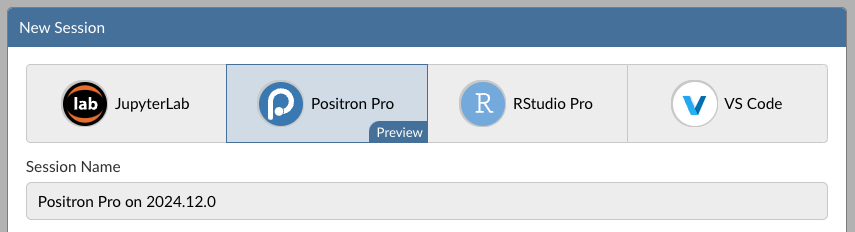
For more information about Positron or how to use it, please visit https://positron.posit.co or watch “Introducing Positron, a new data science IDE” on YouTube.
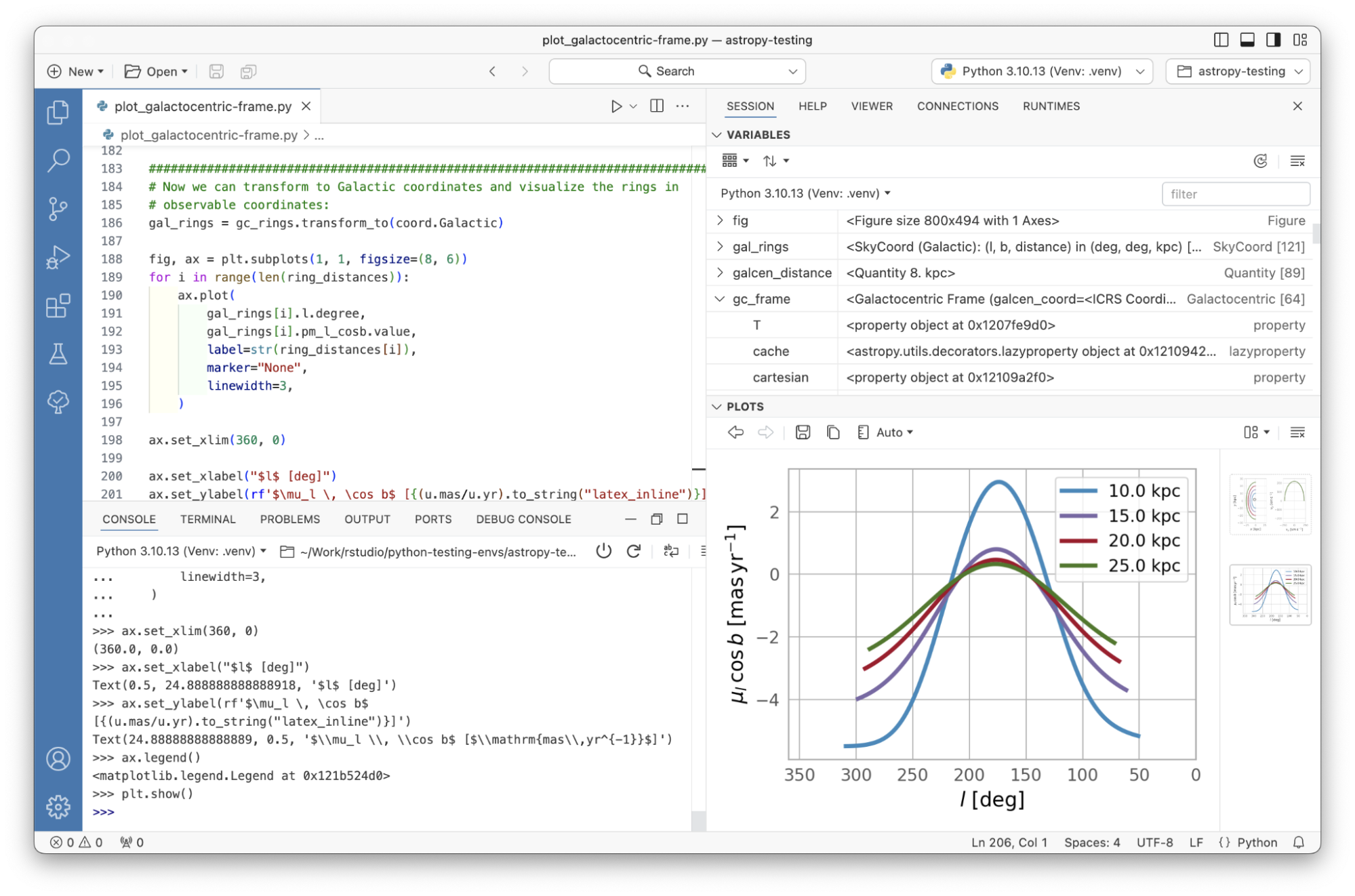
Public Preview support means that we recommend that the feature not be used in production work until it is in general availability (i.e., officially released as a full feature). To provide feedback, please email your Posit Customer Success representative. The Positron team would love to talk to you!
Positron Startup and Configuration
Positron Pro 2025.05.0 introduces much better support for Python and R interpreter discovery, as well as settings to control default, included or excluded interpreters.
Installations of Python /opt/python and R in /opt/r are now discovered properly and no longer identified as “Unknown”. Positron also now identifies uv environments. Lastly, runtime discovery and startup performance have been improved across the board.
Posit Workbench also includes support for User and Group profiles for Positron Pro sessions. This helps administrators customize their users’ experiences, including the available versions of Python and R, or disabling languages for certain user groups.
For more information, please reference the Positron Profiles section of the Admin Guide.
Publisher extension
Positron now includes the stable Posit Publisher extension. Posit Publisher is a code-first tool with a push-button user interface for deploying the things you build in Python and R to Posit Connect.
To get started, open the extension by clicking the Posit Publisher icon in the sidebar.

Create a new deployment by clicking the Add Deployment button.
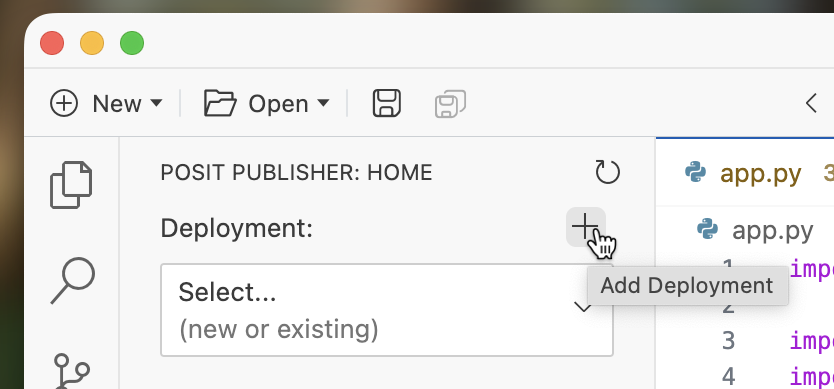
For more information, reference the Posit Publisher User Guide.
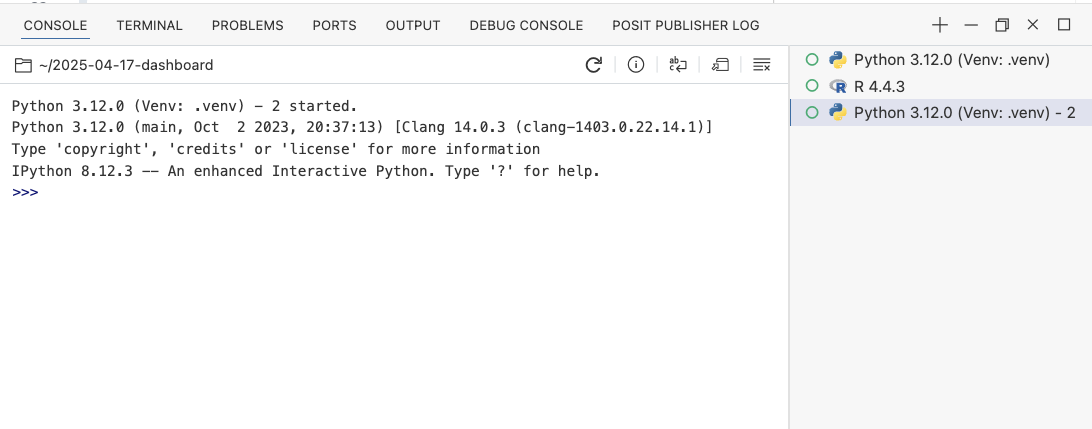
Experimental support for multiple console sessions
You’ve been asking for the ability to have more than one console session in Positron (#3173), and we’ve been hard at work making this happen! The ability to have multiple console sessions for different runtimes or environments is now ready for testing from a larger audience. We’d love for you to try it and let us know what you think!
For now, the ability to have more than one console session is disabled by default. To try out the feature, go to Positron’s settings and search for console.multipleConsoleSessions.
For more information, see the Positron discussion board.
Data Explorer
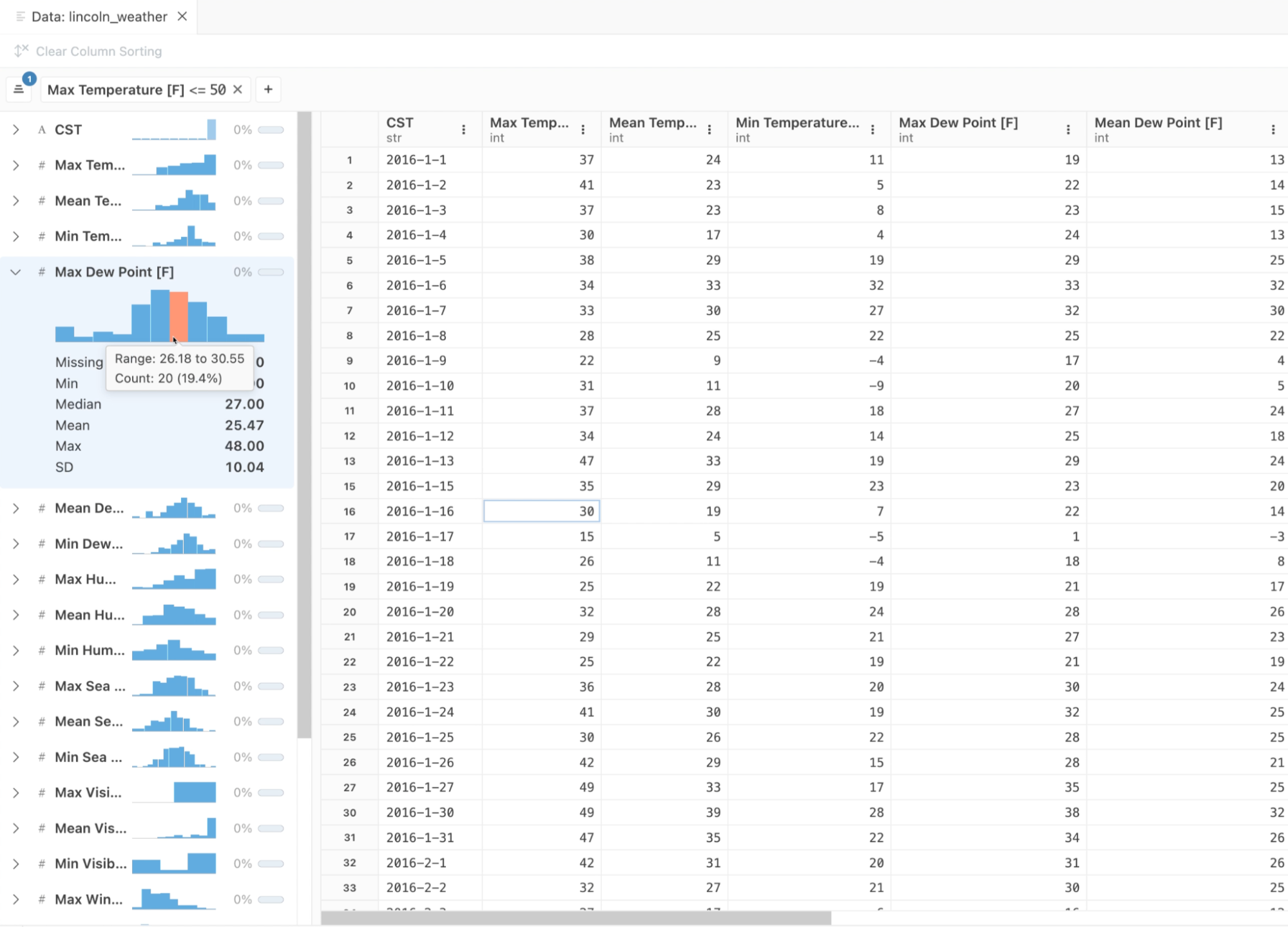
The Data Explorer primarily offers support for in-memory R and Python dataframes, but also now supports directly opening files on disk (CSV/TSV, Parquet). There is also a new UI affordance in the Data Explorer toolbar to open files on disk in the text editor.
The Data Explorer summary panel has also improved. It now displays a loading indicator for the small histogram/frequency table sparkline plots. This release also introduces tooltips, including an explanatory tooltip when hovering over the null percentage graphic in the summary pane of the Data Explorer. In the grid, tooltips with the full data are displayed for truncated data when hovering over a data cell.
View plots in an editor tab
There is a new action menu button in the Plots view to open a plot for viewing in an editor. The default action opens the plot in a new window. Plots in an editor tab are rendered separately from the Plots view so they can have their own sizing policy.
Included extensions
Positron bundles a number of extensions that were previously bundled as @builtin. This limited the discoverability and ease of updates of some of these extensions. We now package extensions that were previously shipped as built-in extensions as user managed “bootstrapped” extensions that are installed on first launch. Notable extensions such as Quarto, Publisher, and Ruff can now be easily upgraded out of sync with Positron.
Build updates
Update Electron to version 34.5.0. (#15450)
Update Quarto to version 1.6.42. (#15460)
Bundled GitHub Copilot Language Server SDK 1.300.0 in RStudio. (rstudio-pro#7450)
Updated Node in VS Code and Positron Pro sessions to 20.18.2. (rstudio-pro#7612)
Learn more
There’s lots more in this release, and it’s available for download today. You can read about all the features & bug fixes in the Posit Workbench and RStudio 2025.05.0 “Mariposa Orchid” release in the RStudio/Posit Workbench Release Notes. We’d love to hear your feedback about the new release on our community forum.
To be notified of product updates, patches, etc., please subscribe to the Products email list from the Posit Subscription Management page.

Tom Mock
Related Content

Introducing Positron on Amazon SageMaker

Dear Past Me: A Data Analyst's Letter on Moving Beyond Spreadsheets to...
