Introducing gander


Get our email updates
Interested in learning more about Posit + AI tools? Join our email list.

I’m stoked to share about the release of gander, a coding assistant that knows how to describe the objects in your R environment. Providing large language models (LLMs) with information about the data you’re working with, like column names, types, and distributions, results in much more effective coding assistance.
gander followed up on the initial release of ellmer, a package that makes it easy to use LLMs from R. The package connects ellmer to your source editor in RStudio and Positron, making for a high-performance and low-friction chat experience.
Example
The motivation for gander came from my frustration with other language-agnostic coding assistants. Since those tools only have access to your code as context, and not the R objects themselves that the code represents, models are missing out on many pieces of important context.
For example, imagine I have the following source file in my editor.
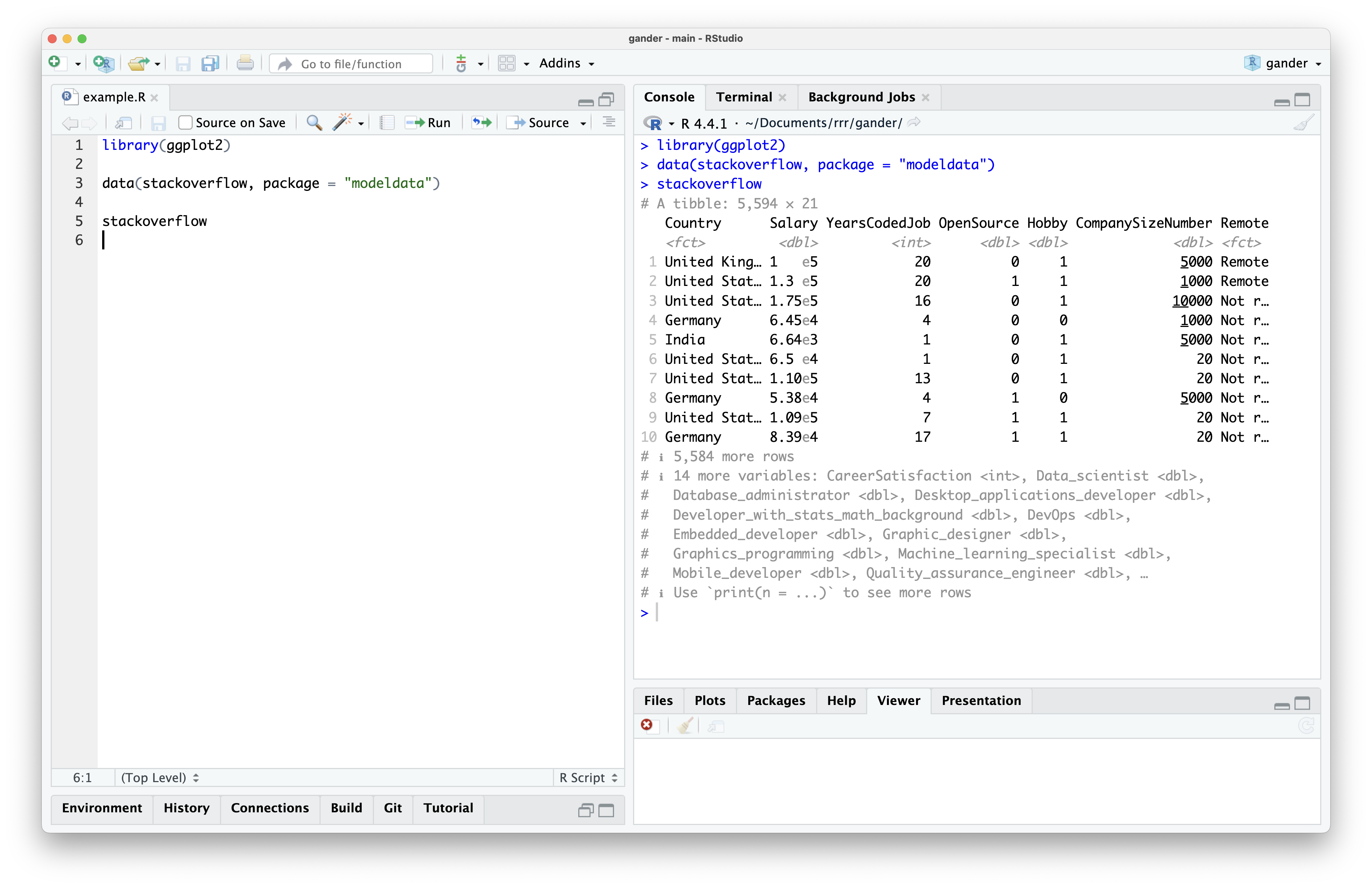
I’ve loaded the ggplot2 package as well as the stackoverflow data, a data set from the modeldata package containing responses to the annual StackOverflow developer survey. Each point represents a given developer’s response to the survey and contains information on their location, role, and programming experience.
Imagine I want to create a plot of salary vs. years experience. Using a language-agnostic tool, I might type “plot salary vs experience” and wait for a completion:
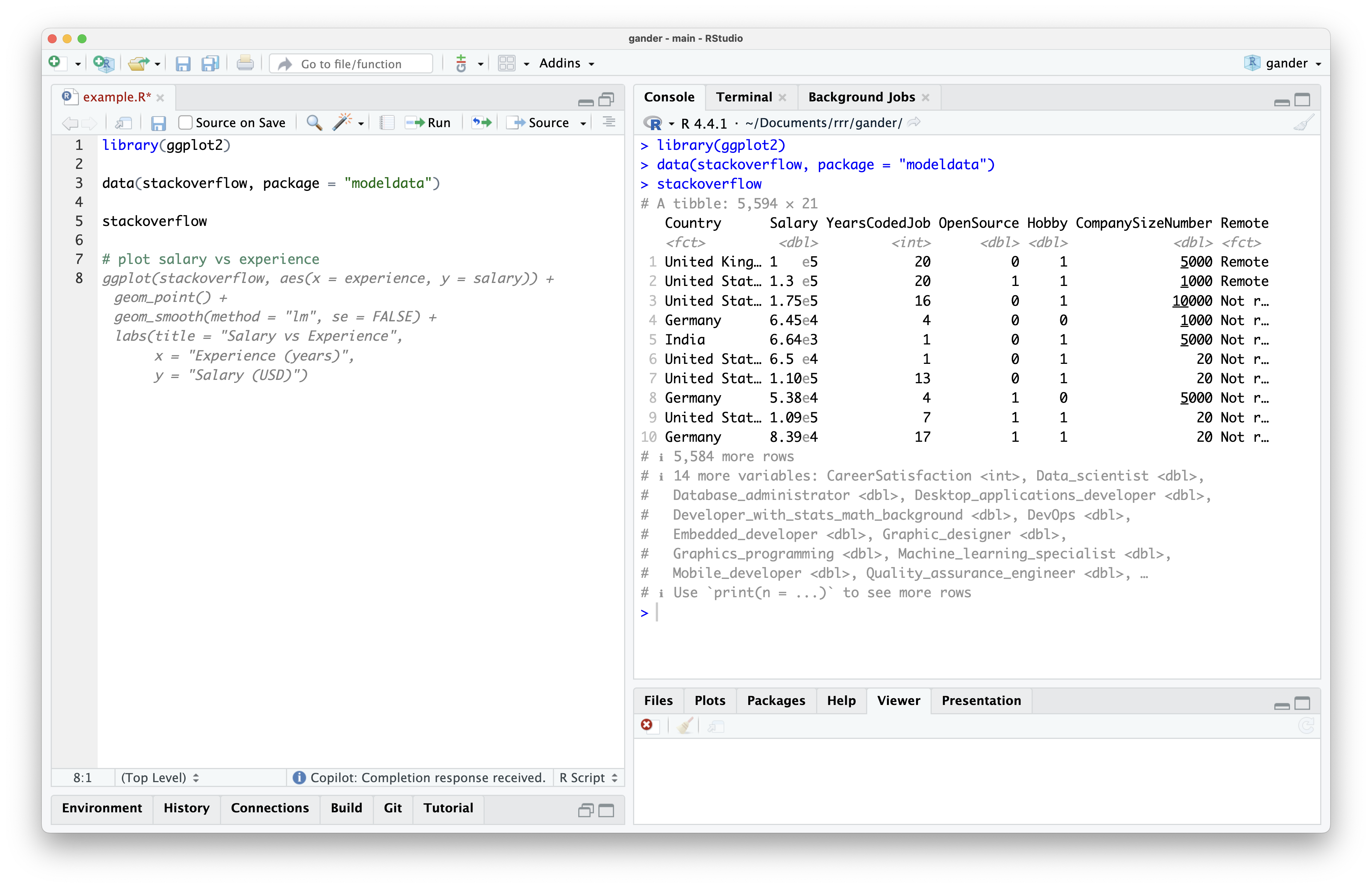
The completion is valid R code, and it seems to use the stackoverflow data and ggplot2, so we can Tab to accept the completion. The model knows to write R code using those two objects because they’re contained in the lines of my example.R file. However, if I try to run the code, I see an error:
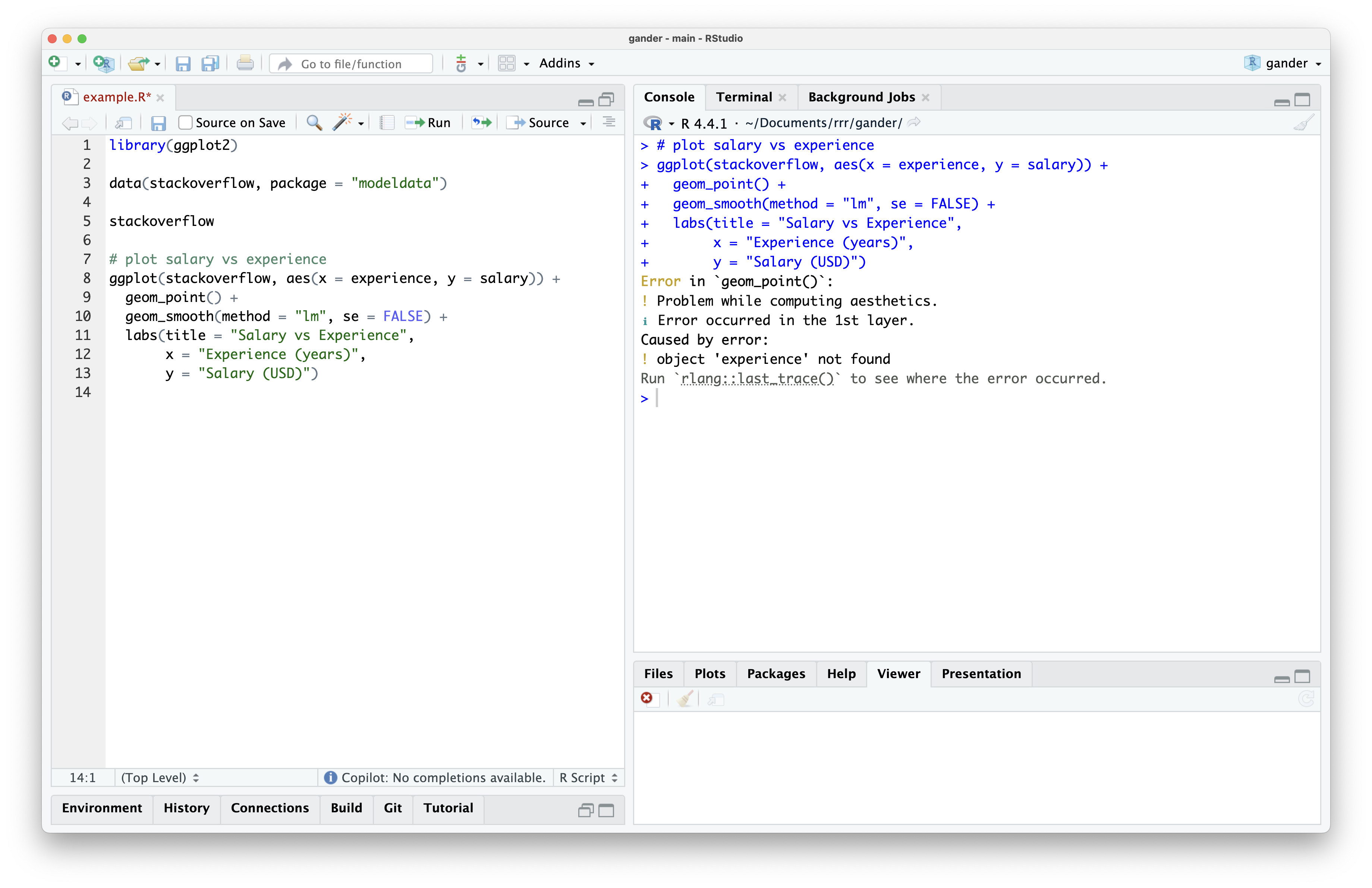
While the model knew the name of my data frame and which plotting framework to use from the surrounding lines, it has no way of knowing the column names inside of my data. Since I typed salary and experience, it guessed that the corresponding column names were identical. However, the corresponding columns are actually called Salary and YearsCodedJob.
If I want to use this suggestion, I’ll need to go back and edit the column names in the code. Further, there are several additions to this code, beyond the bare-bones plotting code, that are superfluous and will probably end up deleted. This type of friction was frustrating enough to me, as a user, that I’ve seldom used completion tools like that shown above.
But what if, instead, these tools had some way to “see” the data that I’m working with? The introduction of the ellmer package made this idea within reach; since I could easily interact with LLMs using R code, I can also run whatever R code I want before passing the prompt off to a model. So, the user hovers on a line reading stackoverflow and types “plot salary vs experience.” I can inspect that prompt and infer that, for a model to effectively respond to that request, it probably needs to see what the stackoverflow data looks like. Along with the request itself, I print the data out, capture the printed output, and pass that output to the model.
This is how gander works. With the package installed, if I select the stackoverflow line and press a keyboard shortcut, a dialog box pops up where I can type my request:
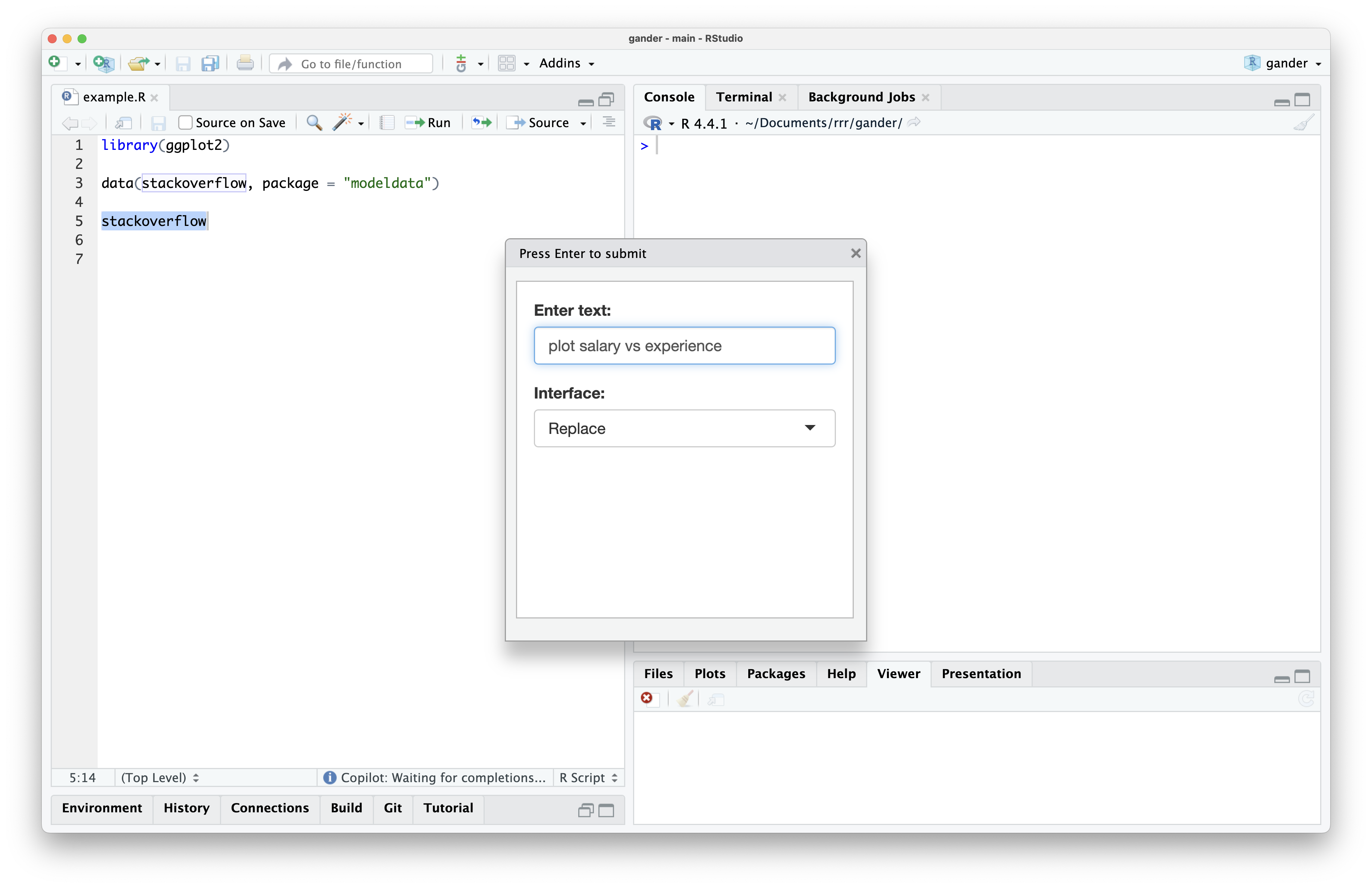
At that point, the dialog box closes and code begins streaming into my source editor. When the code completes streaming, it’s highlighted, allowing me to run it easily once I’ve verified it visually. This code looked good to me, so I ran it and saw the following plot:
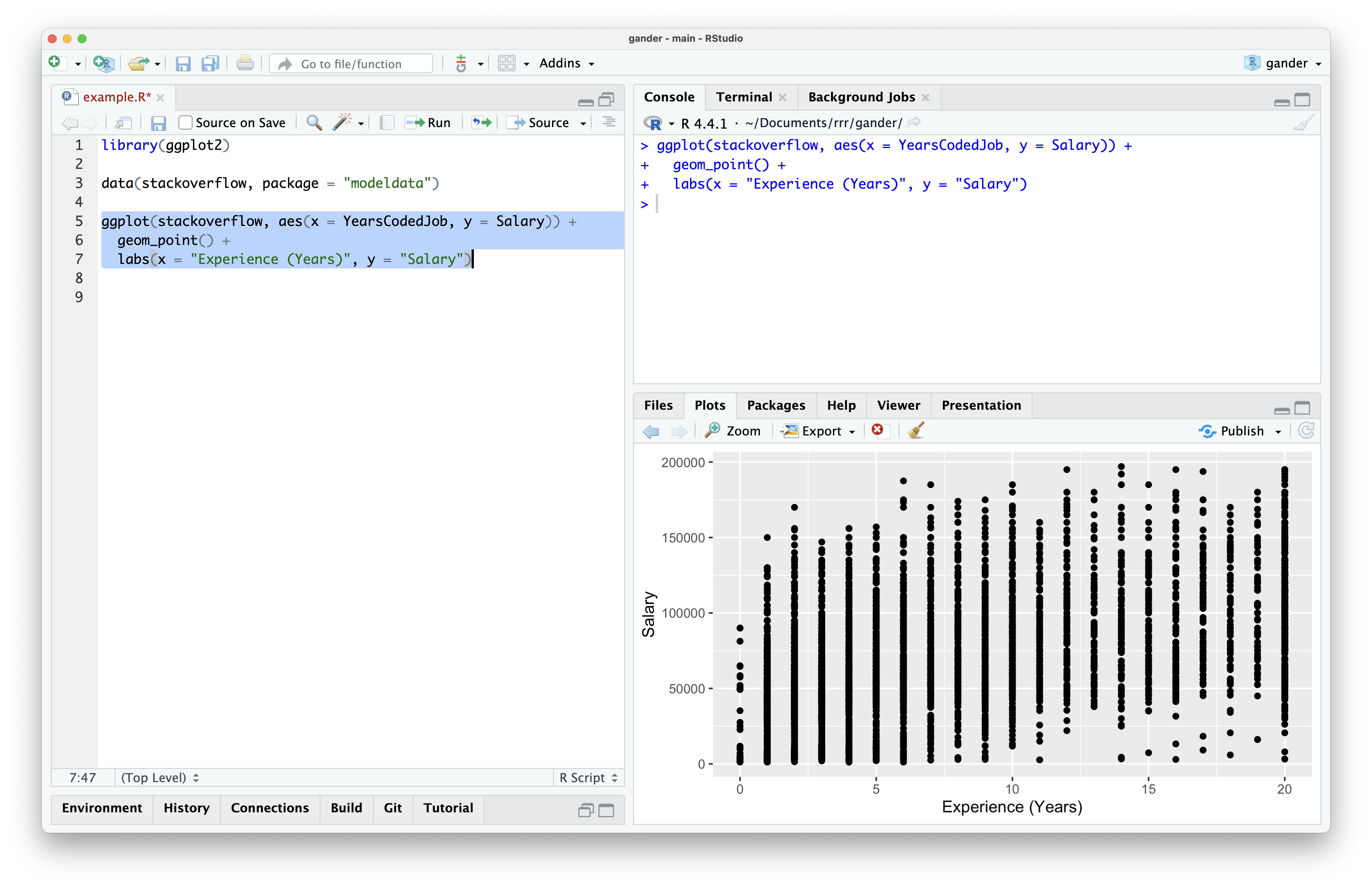
gander provided the model with enough information to provide runnable code using the correct column names. Further, it doesn’t have the additional geom_smooth() hoopla that I didn’t ask for; by default, gander encourages models to provide the most minimal viable response.
Through writing directly to the editor, replacing the current selection by default, and selecting code once it’s been streamed in, gander allows for rapid iteration on code. In the following video, I ask gander for a modification to the plotting code, run it once it returns, and ask for another modification based on what I see:
If you’re interested in giving gander a try, check out the package website. You can also read about two sister packages to gander—chores and ensure—in a post on the tidyverse blog. gander is now on CRAN, so you can install it with install.packages("gander").
Other ellmer delights
Personally, ellmer opened up a lot of doors for me in terms of understanding the power of LLMs. Hooking these models up to R code and providing them with the right pieces of context allows for some incredibly powerful tools. It’s been great to a similar sentiment among others in the #rstats community, too, and I wanted to highlight a couple of those I’ve come across.
A couple months back, Sharon Machlis shared a Mastodon-post-length Shiny app that launches a simple chat interface:
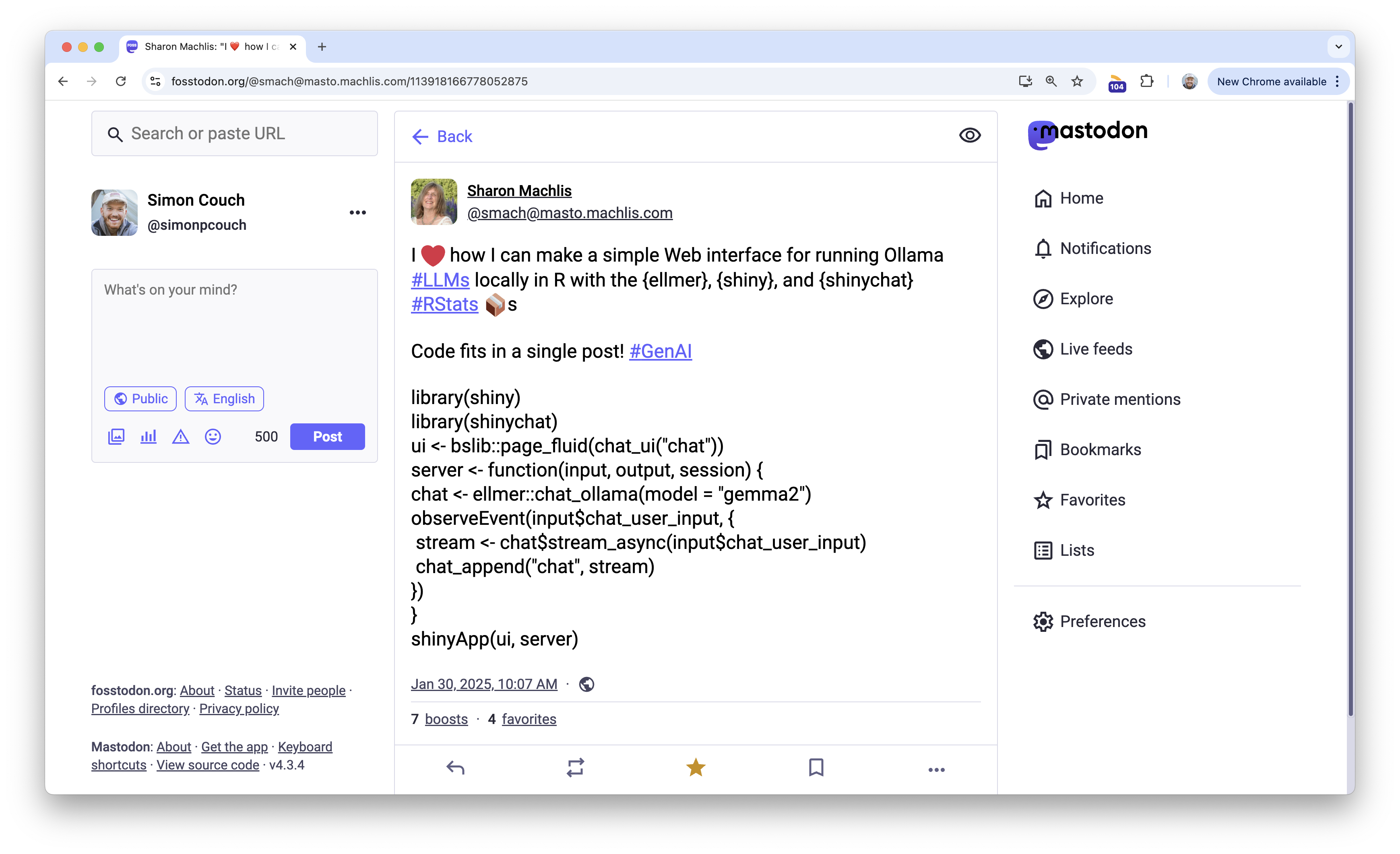
I loved this post and keep a slightly modified version of this app in a function in my .Rprofile so that it’s ready to go every time I start R.

Another package extending ellmer that I’ve found super neat is kuzco by Frank Hull. The package includes some nice wrappers to extract text and classify objects from images using LLMs. The package hex is pretty stellar, too.🙂
Lastly—even though this one isn’t a tool per se—I’ve enjoyed keeping an eye on Luis D. Verde Arregoitia’s “Large Language Model tools for R” Quarto guide. An ongoing roundup of LLM-based tools in R, the guide (as well as Luis’ social media) is a great place to keep a finger on the pulse of what’s happening at the intersection of LLMs and R.
There’s still all sorts of untapped potential in applications of ellmer, and I’m excited to see where we head next.

Simon Couch
Related Content

Don't bring a spreadsheet to a data fight

Snowflake Native Apps vs. Connected Apps for financial services
