How to use natural language data science with RStudio and Amazon SageMaker


Introduction
Data scientists and analysts often work within the R ecosystem for statistical computing and data visualization. As Large Language Models (LLMs) become increasingly vital for various tasks, integrating them into R workflows is crucial. This post will explore how to leverage the gander R package to seamlessly access Amazon Bedrock LLMs directly from RStudio running on SageMaker. Running RStudio on SageMaker provides a convenient way for R developers to work in a managed environment directly in AWS, relieving your IT team of the burden of installing and configuring on-prem software.
What is gander?
gander is an open-source R package from Posit designed to provide a low-friction chat experience for R developers. Its main function is a chat box that enables developers to make natural language requests and get R code in response. Behind the scenes it uses ellmer to interface with a variety of foundational LLMs, including those available on Amazon Bedrock. This enables users to incorporate powerful natural language processing capabilities into their R projects without leaving the familiar RStudio environment.
Bedrock and SageMaker
Within SageMaker, each RStudio session can securely access other AWS services and resources thanks to the instance profile associated with it. This instance profile can be used to query and interact with Bedrock models via the ellmer R package. Since Bedrock supports a large catalogue of foundational models, developers can choose the model best suited for a given task.
Setting up your environment
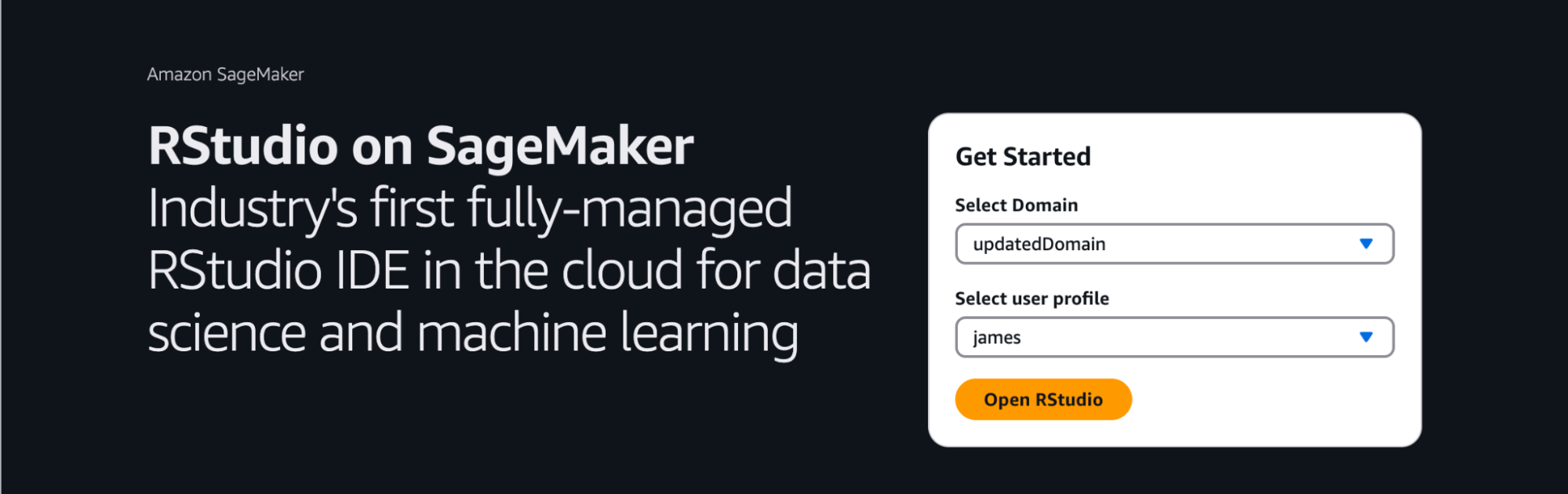
- Launch RStudio on SageMaker: Launch an RStudio session from a SageMaker AI domain.
Install necessary packages: In your RStudio console, install the gander and ellmer R packages:
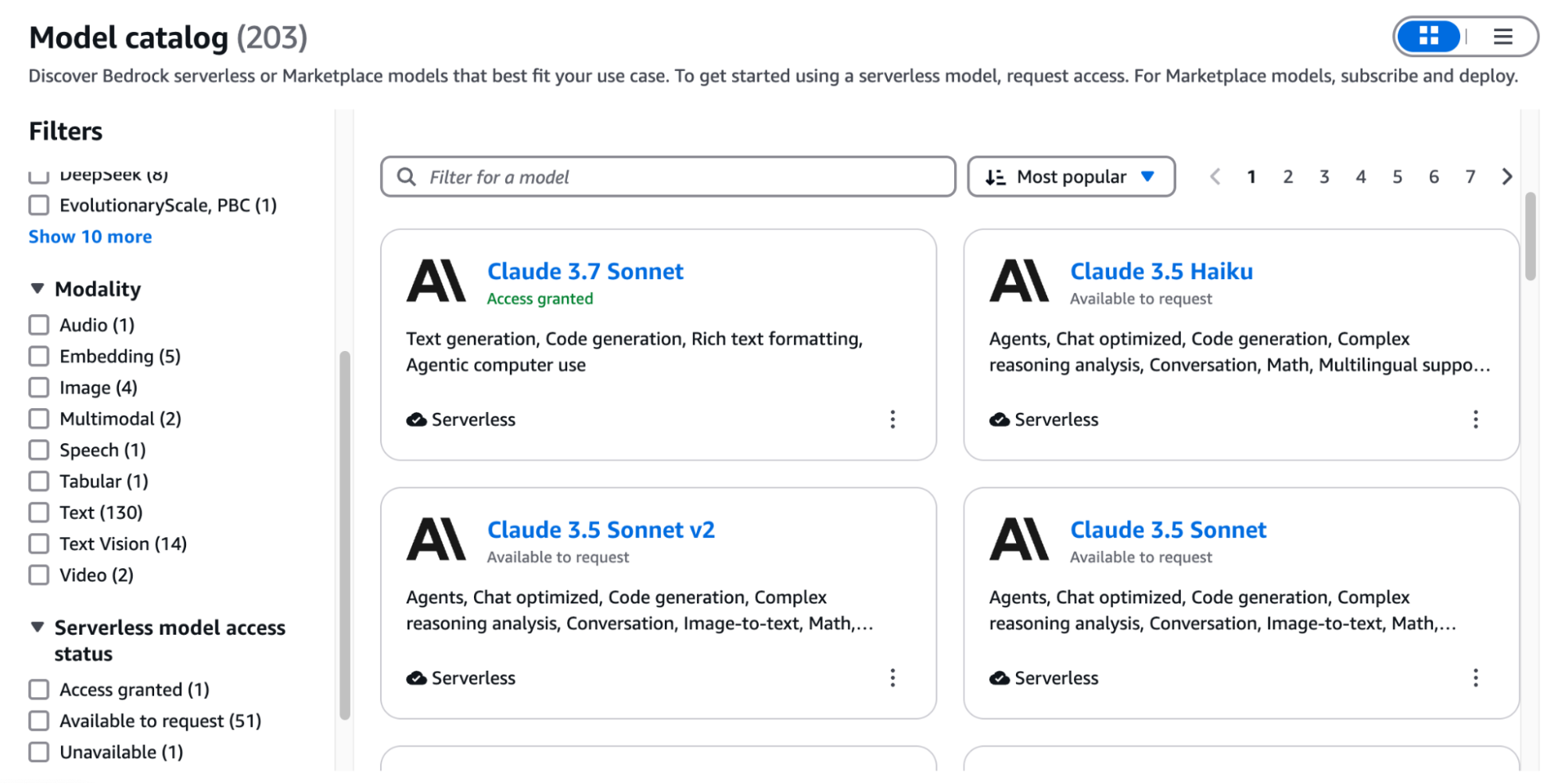
install.packages(c("gander", "ellmer"))Configure access to Amazon Bedrock: You can configure access to Amazon Bedrock foundational models by following the instructions here. Once access has been configured, visiting Bedrock in the AWS console should show a list of available models and indicate which are currently accessible:
- Connect to a Bedrock model: Using the ellmer package, create a chat session with a Bedrock model. In this example, we use the
us.anthropic.claude-3-7-sonnet-20250219-v1:0model:
> chat <- chat_bedrock(model = "us.anthropic.claude-3-7-sonnet-20250219-v1:0")
> chat$chat("who are you?")
I'm Claude, an AI assistant created by Anthropic. I'm designed to be helpful, harmless, and honest in my interactions. I can assist with a wide range of tasks like answering questions, providing information, creative writing, summarizing content, and having thoughtful conversations. While I have been trained on a broad dataset of information, my knowledge has a training cutoff date, and I don't have the ability to browse the internet or access personal information about users unless it's shared in our conversation. How can I help you today?- Configure gander to use Bedrock: Once gander is installed and we’ve confirmed we have access to the Bedrock model of our choice, we can configure gander to use that model:
options(.gander_chat = ellmer::chat_bedrock(model = "us.anthropic.claude-3-7-sonnet-20250219-v1:0"))- Natural language exploratory data analysis. Now that gander has been configured, it can be accessed via the “Addins” menu within RStudio:
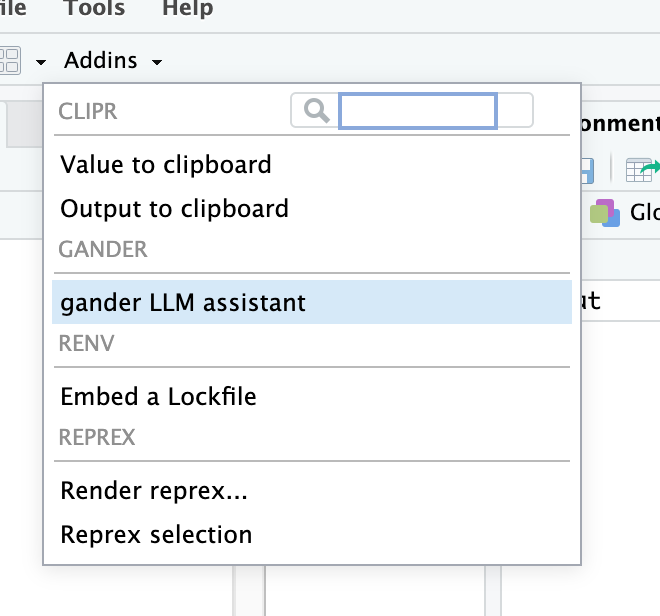
Selecting this will open a dialogue box where you can use natural language to describe the code you want to create:
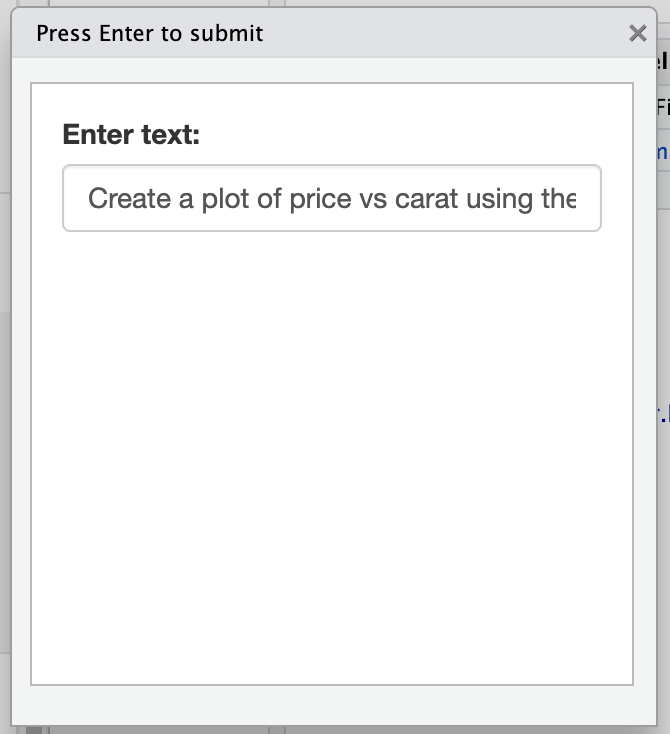
After pressing Enter, the generated R code will be returned to your editor window:
ggplot(diamonds, aes(x = carat, y = price)) +
  geom_point(alpha = 0.3) +
  labs(title = "Diamond Price by Carat",
       x = "Carat",
       y = "Price (USD)") +
  theme_minimal()
You can continue to iterate by selecting the generated code and once again launching the gander chat box. You can now select whether you want new code to be added at the beginning or end of the existing code, or to replace it entirely:
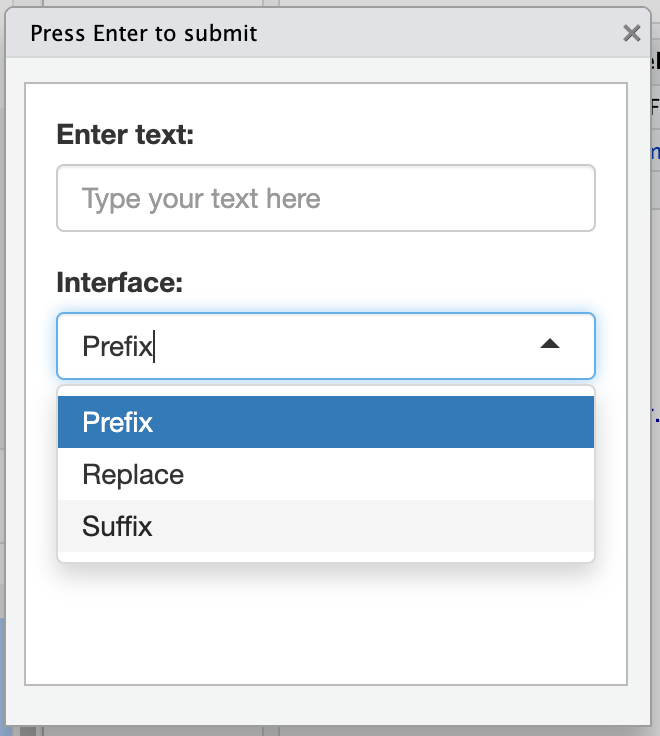
This iterative process allows you to quickly access the full power of Bedrock LLMs for your day-to-day analysis work, all without ever needing to leave the RStudio IDE.
Benefits of integration
- Seamless Workflow: Data scientists can seamlessly interact with Bedrock LLMs to enhance their daily workflows.
- Secure LLM Access: IAM Instance Profiles are used to access Bedrock models. Users do not need to worry about authentication to Bedrock.
- AWS Native: In this example, all the services used from RStudio to Bedrock are native to AWS and can operate directly within your AWS account, ensuring data privacy and security.
- Choice of Models: Bedrock’s diverse offering allows users to choose the LLM that best fits their specific requirements.
Conclusion
The gander R package simplifies the integration of Amazon Bedrock LLMs into RStudio on SageMaker, empowering data scientists with advanced natural language processing capabilities. By following the steps outlined in this post, you can enhance your data science workflows and unlock new insights from your data all from the comfort of RStudio on SageMaker. Get started today.

James Blair
Related Content

Don't bring a spreadsheet to a data fight

Snowflake Native Apps vs. Connected Apps for financial services
