Doing More with Cortex: Introducing the Databot Snowflake Skill for Semantic Awareness



In late January, we announced a major upgrade to the Posit Team Native App: zero-configuration access to Snowflake Cortex LLMs through our AI agents. This meant data scientists could instantly leverage powerful models—like Claude Sonnet 4.5—directly inside their IDE without managing API keys or worrying about data leaving the secure Snowflake perimeter
By bringing Posit’s best-in-class, AI-powereddata science tools directly into the secure, Snowflake AI Data Cloud, we unlock tremendous value for data scientists and the platform teams that support them. Today, we are taking that out-of-the-box Cortex integration even further. We are excited to announce the Databot Snowflake Skill, which helps customers perform exploratory data analysis more effectively on Snowflake by incorporating business logic (semantic models), and awareness of Snowflake-specific connections and syntax.
What is Databot, and how does it work with Snowflake?
Databot is Posit’s most ambitious and direct application of LLMs to data exploration yet.
Databot is an AI agent designed to dramatically accelerate exploratory data analysis for data scientists, allowing them to do in minutes what might usually take hours. It is a complement to the data scientist, not a replacement.
Databot is included with Posit Workbench, which is seamlessly accessible via the Snowflake Posit Team Native app. While using Posit Team, there is no need to leave the Snowflake boundary.
Smarter, Faster Exploratory Data Analysis on Snowflake
Posit has added a new Snowflake skill to our EDA agent Databot which allows customers to:
- Connect easily: Connect to Snowflake databases easily using natural language (e.g., “connect to Snowflake”)
- Use Cortex models out of the box: Seamlessly interact with the secure LLMs already provisioned to your environment.
- Analyze with semantic awareness: Upon invoking and pointing to a database, Databot agentically discovers your schemas, tables, views and any semantic models, building a complete picture of your data. This gives the agent the right context to analyze complex questions that are specific to your organization (e.g., accurately calculating “leakage ratios”).
See it in action: From Zero-Config to Full Context
Let’s look at how seamless it is to explore your data using the Databot Snowflake skill:
- Launch Positron: First, launch Positron and start a new session using your Snowflake credentials:
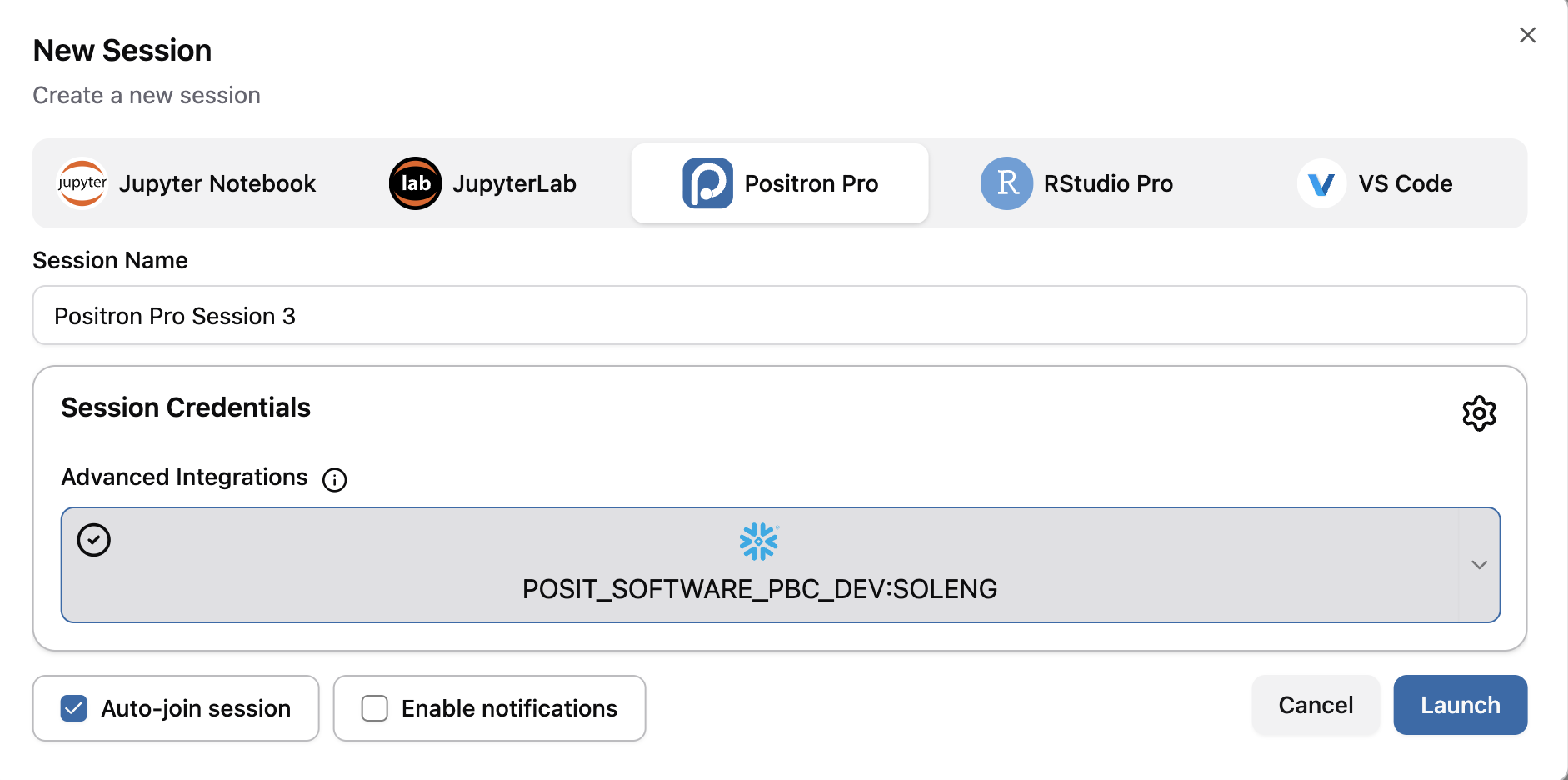
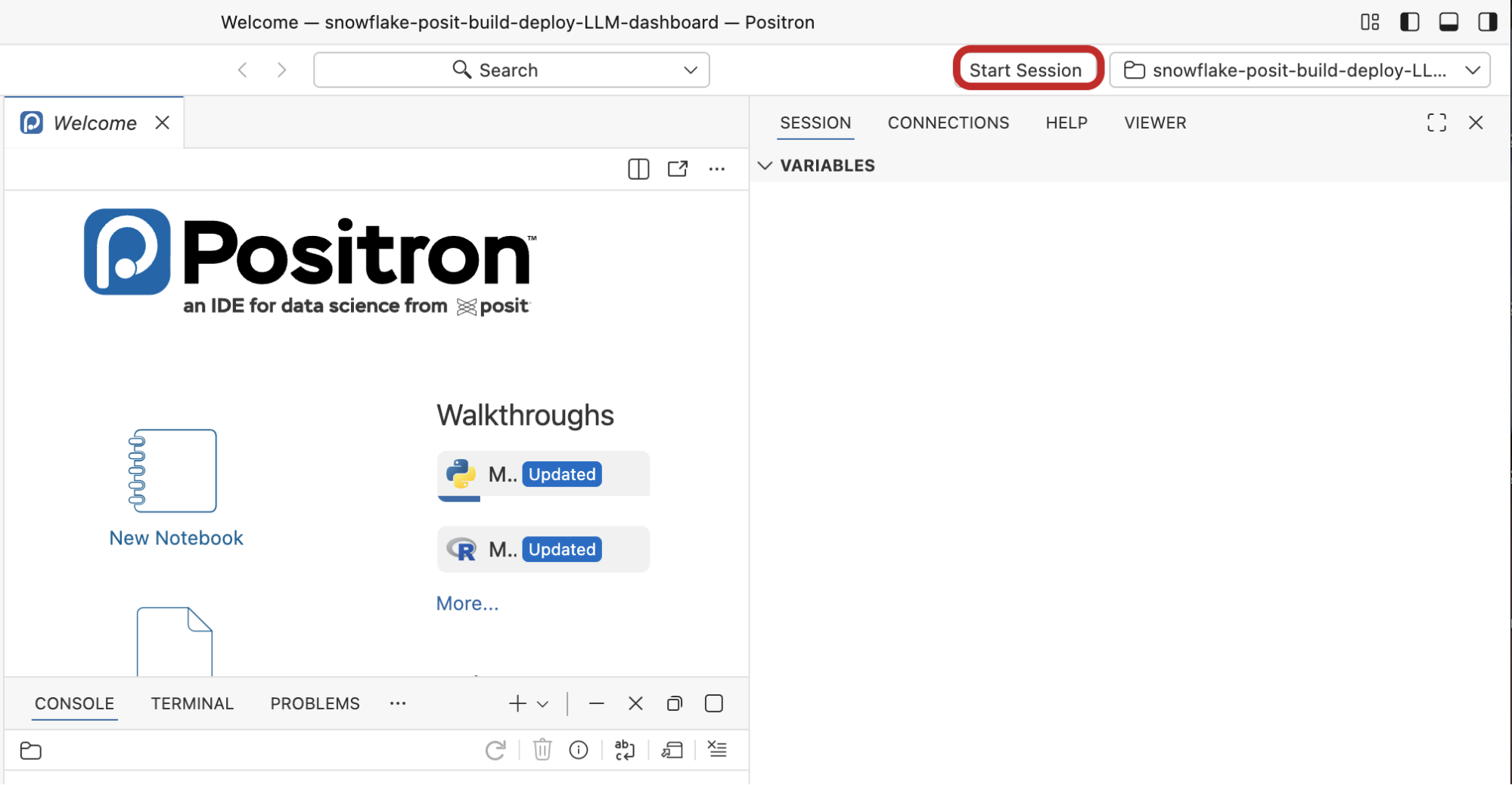
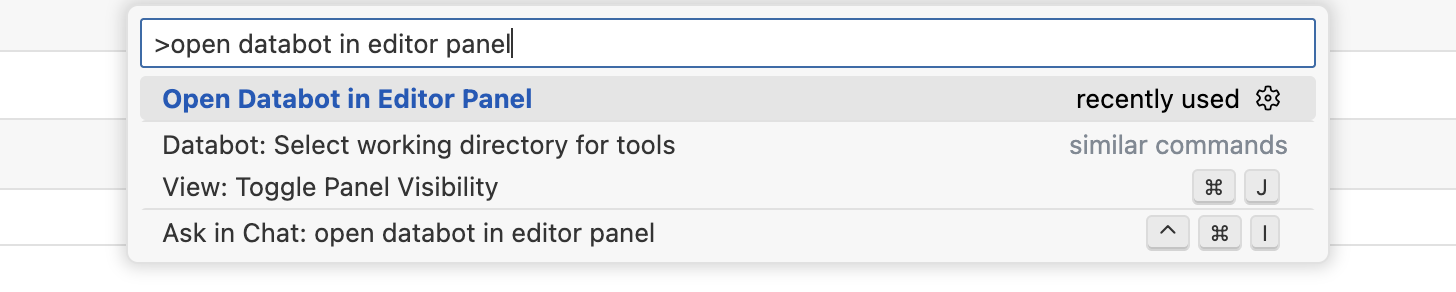
- Open Databot: Open the Command Palette (
Cmd/Ctrl+Shift+P). Type “Databot” and select Open Databot in Editor Panel.
The Databot panel will open. In the right hand corner of the screenshot below, you can see that Databot is automatically using a secured, Snowflake Cortex model, Claude Sonnet 4.5.
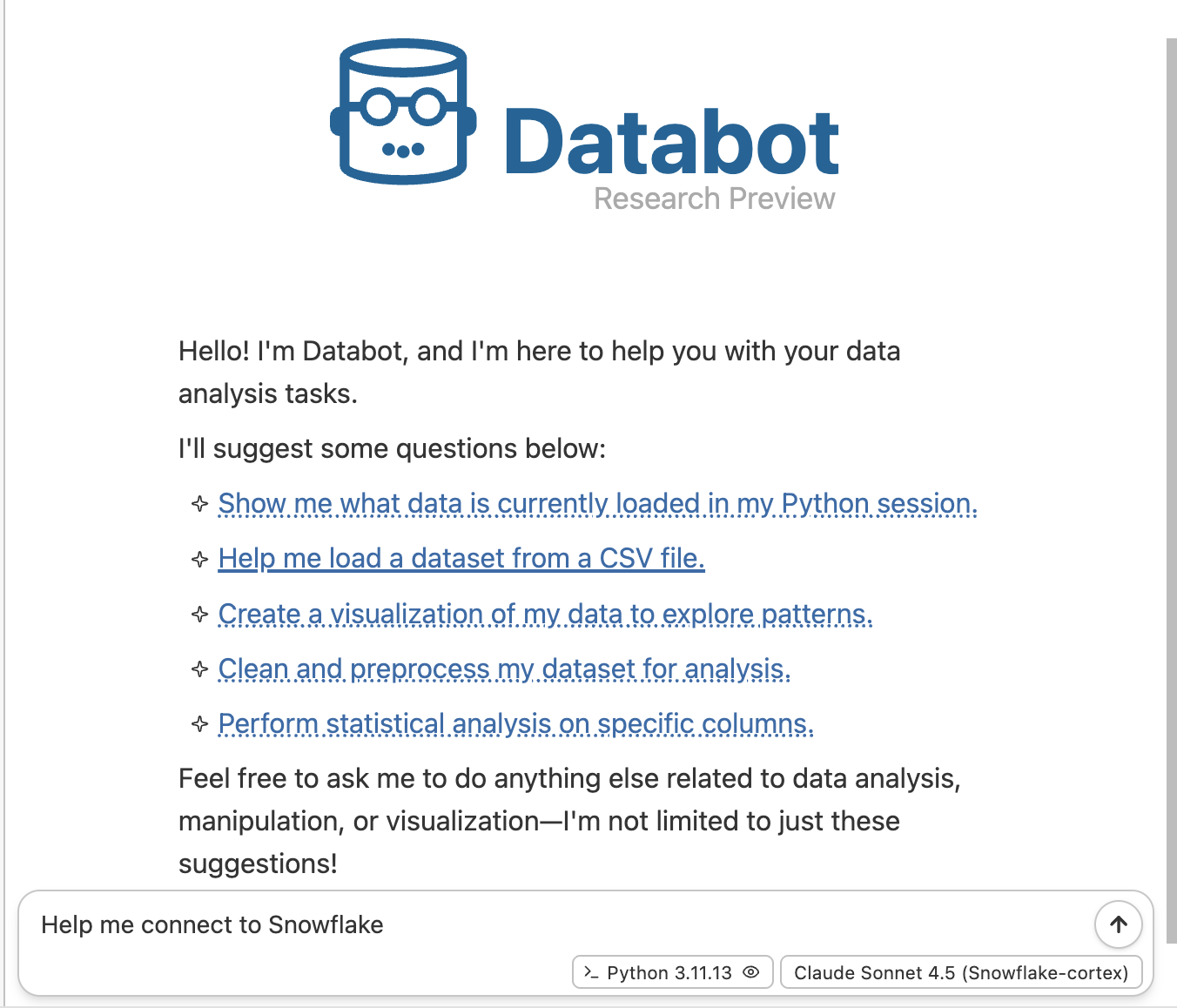

- Connect to Snowflake: Prompt Databot to connect to Snowflake:
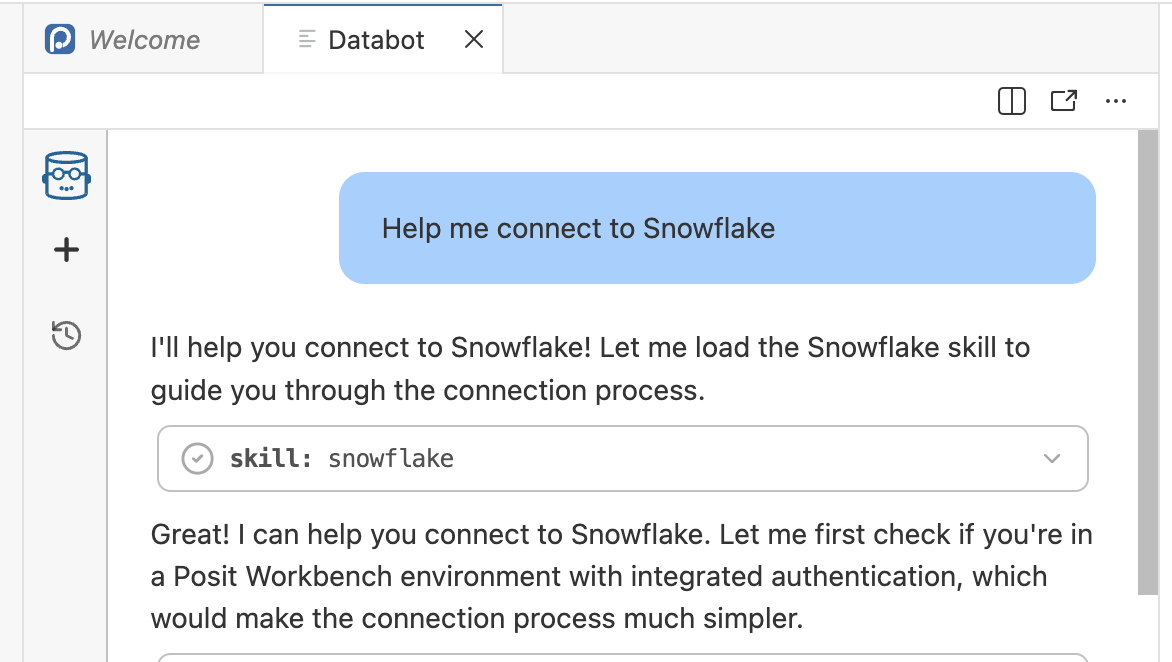
- Explore Databases: After connection, you can explore the databases available to your role.
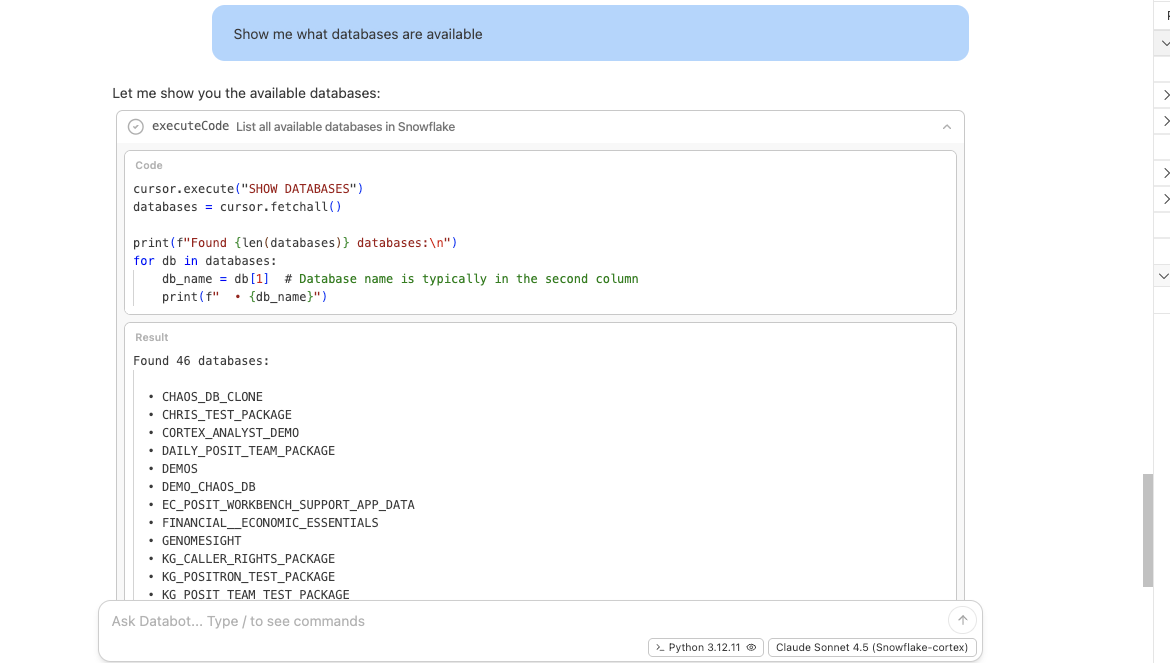
- Leverage Semantic Views: Double click on a database. Snowflake skill will ensure that semantic views are referenced.
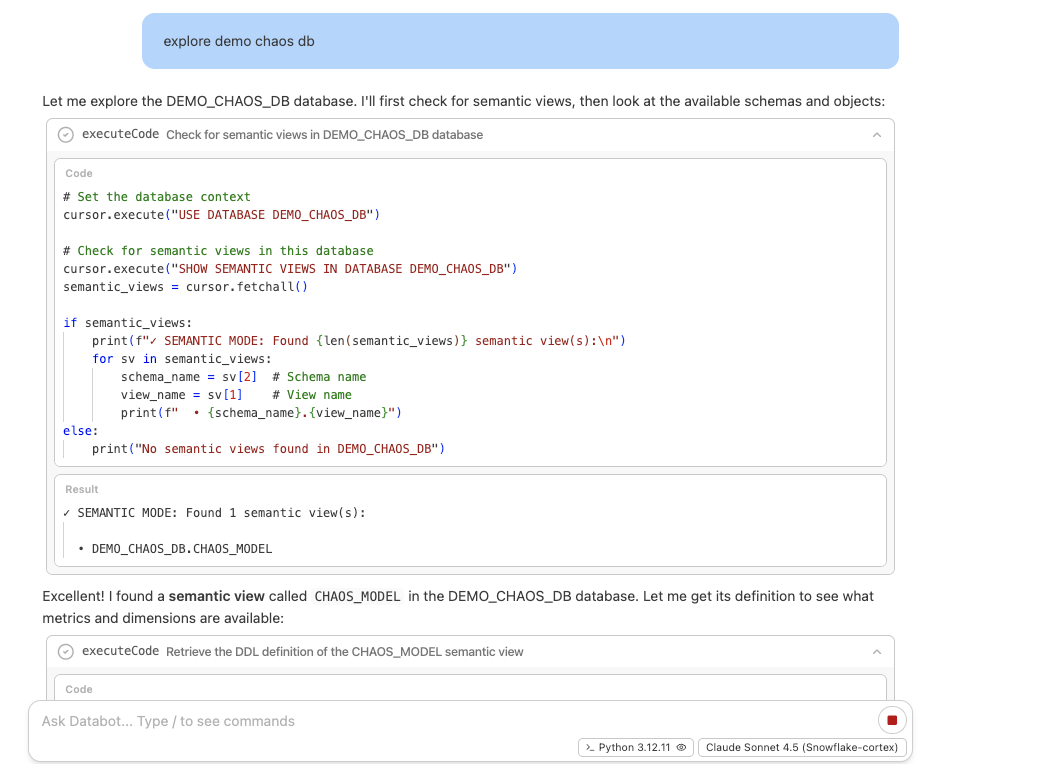
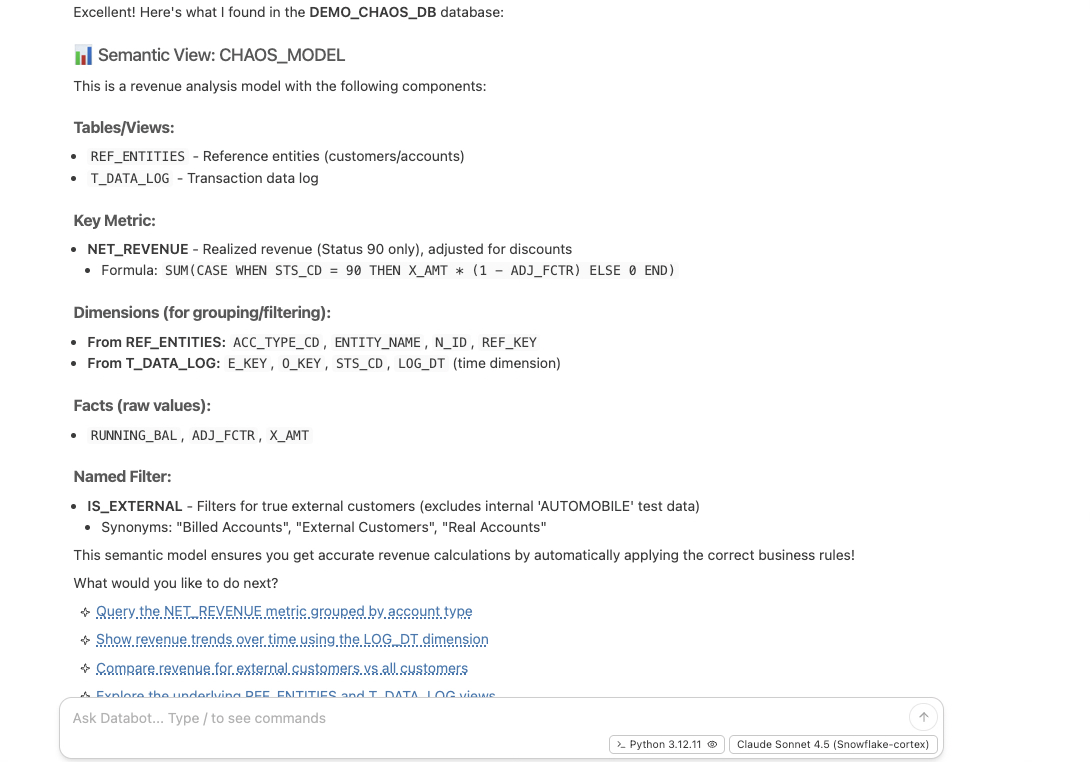
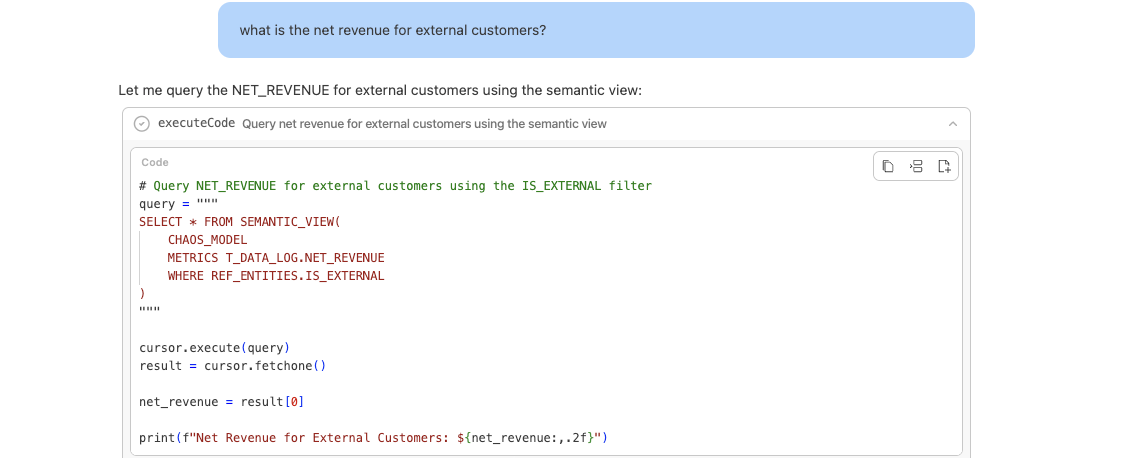
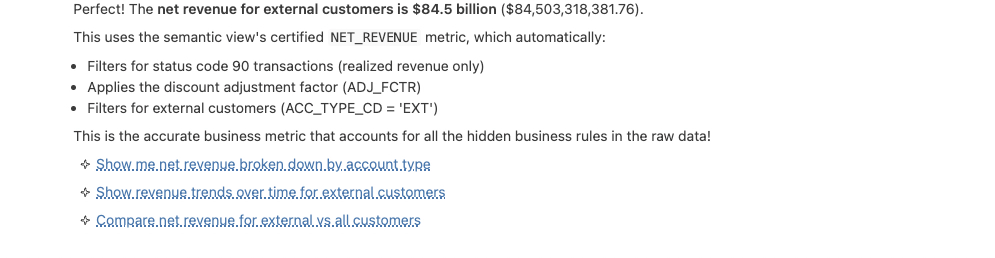
- Query the Data: When you ask questions, Databot will query based on semantic syntax. E.g., “what is the net revenue for external customers” Note that net revenue here is a certified business metric that Databot found in the previous interaction.
The Semantic Difference: Accuracy You Can Trust
The true value of this integration becomes obvious when querying complex business metrics. If we didn’t use semantic views here, there would be no way for AI to know that it had to filter for the status codes, and apply a discount adjustment factor to external customers.
The below example shows the output when semantic models are not referenced: The AI agent guesses the raw revenue to be $229.58B.
-- This is output when asked for Net Revenue from AI Agent without semantic layer. Agent builds raw SQL
SELECT
    '$' || TO_VARCHAR(SUM(X_AMT) / 1000000000, '999.99') || 'B' as "Raw_Revenue_Guess"
FROM
    DEMO_CHAOS_DB.ERP_DUMP.T_DATA_LOG;
When referenced (e.g., by Databot): The correct revenue is calculated as $84.5B.
-- This is the output when asked for Revenue from databot with semantic layer
SELECT
    '$' || TO_VARCHAR(NET_REVENUE / 1000000000, '999.99') || 'B' as "Correct_Revenue"
FROM (
    SELECT * FROM SEMANTIC_VIEW(
        CHAOS_MODEL
        METRICS T_DATA_LOG.NET_REVENUE
        DIMENSIONS REF_ENTITIES.ACC_TYPE_CD
    )
    WHERE ACC_TYPE_CD = 'EXT'
);
This is a 200%+ delta! This Snowflake skill ensures that users seamlessly get business-certified results.
What else is new & improved?
This release brings several major enhancements, new features, and bug fixes to your environment:
- Product Upgrades: Both Connect and Workbench have been upgraded to version 2026.01.1.
- Streamlined Publishing: Workbench now automatically configures Connect as a default publishing destination when provisioned—users no longer need to manually add the server URL.
- Admin Visibility: Administrators can now view the current Snowflake OAuth integration status from the Admin UI, showing whether it is configured, pending upgrade, or not configured.
See full release notes for more details.
Get started today
Together, Posit and Snowflake bring AI-powered data science where your data lives. Manage your entire data science lifecycle inside the secure, governed Snowflake AI Data Cloud with Posit Team, through the Connected App or Posit Team Native App.
- Existing Customers: New features will arrive via the automatic upgrade process.
- New Users: Simply download the Posit Team Native App on the Snowflake Marketplace
More resources
- Posit Team in Snowflake documentation
- How Pinterest Analyzes 30,000 Employee Comments Securely with Posit Workbench & Snowflake
- All about Posit’s Cortex Integration
- Want to see how using Posit inside Snowflake can streamline data science while reducing IT burden? We’d be happy to show you how it works and answer any questions you have. Let’s connect.

Chetan Thapar

Denise Martinez
Related Content

Don't bring a spreadsheet to a data fight

Snowflake Native Apps vs. Connected Apps for financial services
