FOR EDUCATORS, RESEARCHERS, AND STUDENTS
Data science tools for your classroom and your lab
A lot of the data scientists we meet learned R or Python in a classroom like yours. We want to make that class easier to teach, and the research that comes after it easier to share. Our open-source tools are free, and our professional tools are free for teaching and 25% off for research.

Universities that teach and research with Posit


The tools
Free tools for teaching and research
Students can keep using them after the course ends.

RSTUDIO: Free and Open Source
The IDE for R
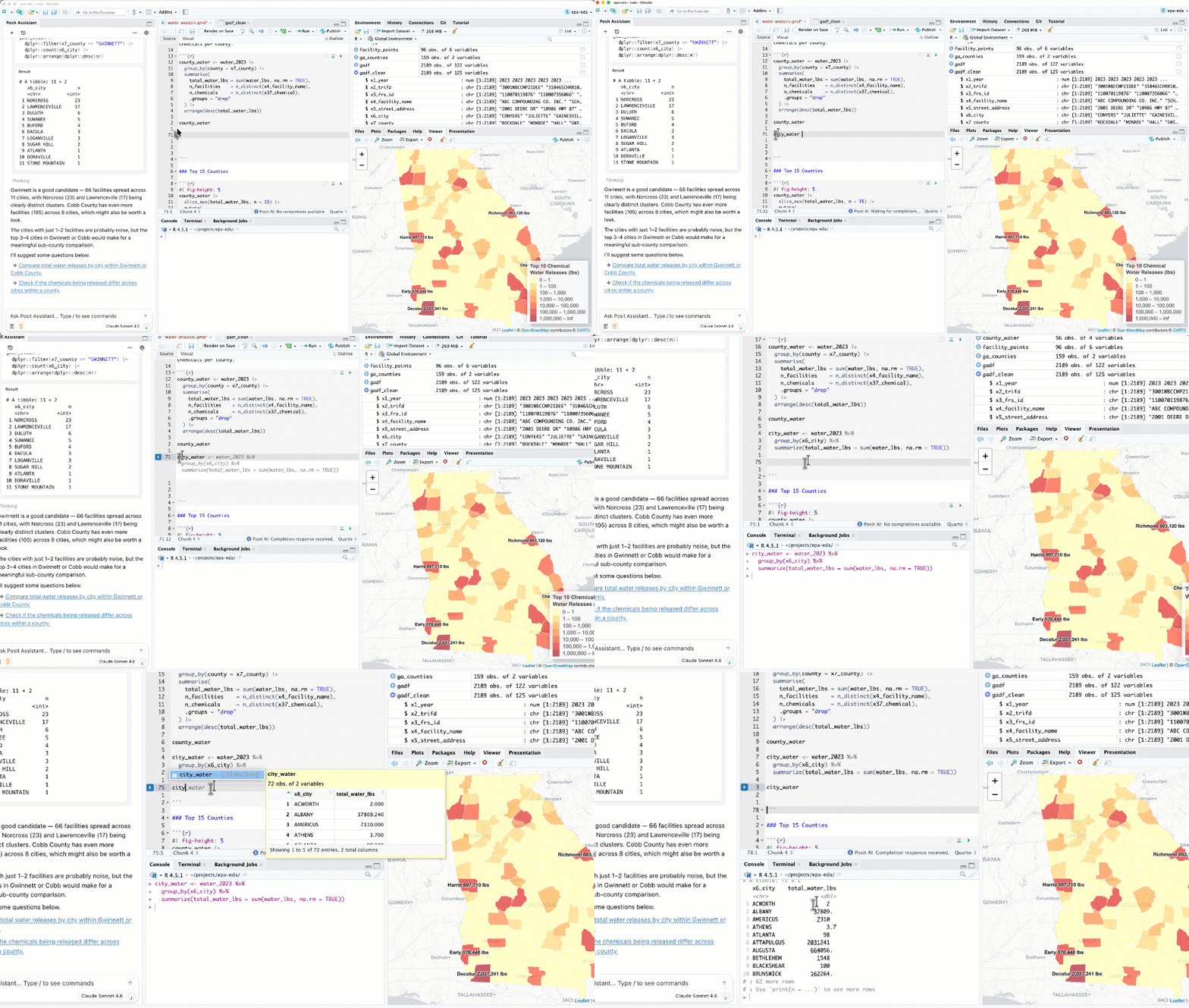
RStudio is the world's most popular IDE for R. It runs on student laptops, in Posit Cloud, and on Posit Workbench, so students get the same interface wherever they work.
- For teaching. One set of course instructions and screenshots works on laptops, in Posit Cloud, and on your university's servers.
- For research. Write Quarto and R Markdown documents, track your project in Git, and record package versions with renv.


POSITRON: FREE AND SOURCE-AVAILABLE
A data science editor for R and Python
Positron is a free code editor built for data science, with full support for both R and Python. It fits courses and research that use both languages.
- For teaching. The Data Explorer shows students the data they loaded, and Import Data writes the code that loads the file.
- For research. When a project has a uv.lock or pixi.lock file, Positron offers to recreate the Python environment, so collaborators work in the same setup.

Quarto: Free and open source
Papers, theses, and course materials from your code
Quarto is an open-source publishing system. You write text and code in one document, and Quarto renders it to PDF, Word, HTML, slides, or a website. When the data changes, every number and figure updates.
- For research. A Quarto manuscript produces a website, PDF, and Word version of a paper, links each figure to the notebook that made it, and builds a MECA bundle for journal submission.
- For theses. Journal templates cover PLOS, Elsevier, ACM, JASA, and more, many maintained by the community. Theses work as Quarto books, with citations and cross-references.
- For teaching. Build lecture slides and course websites from the same code you run in class.


Shiny: Free and open source
Interactive web apps in R or Python
Shiny turns an analysis into a web app that people can explore without reading the code.
- For teaching. Build demos where students change an input, like a sample size, and see the result. Shinylive runs apps in the browser, so you can embed them in a course website or Quarto document without a server.
- For research. Share an interactive version of your results. Oxford's Interactive Data Network builds Shiny apps that pull data from Zenodo and Figshare.
Where it runs
Choose where your students and lab work
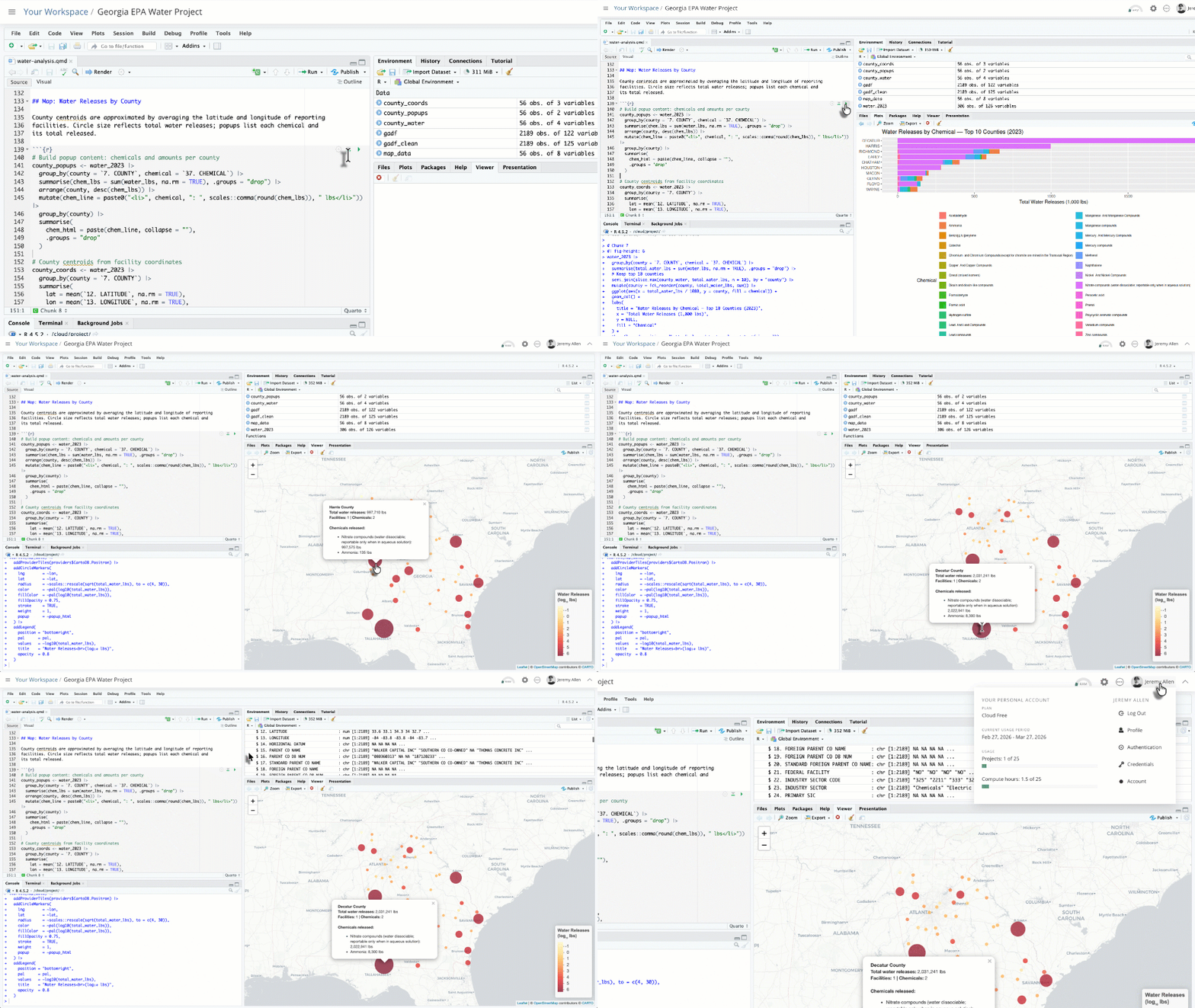
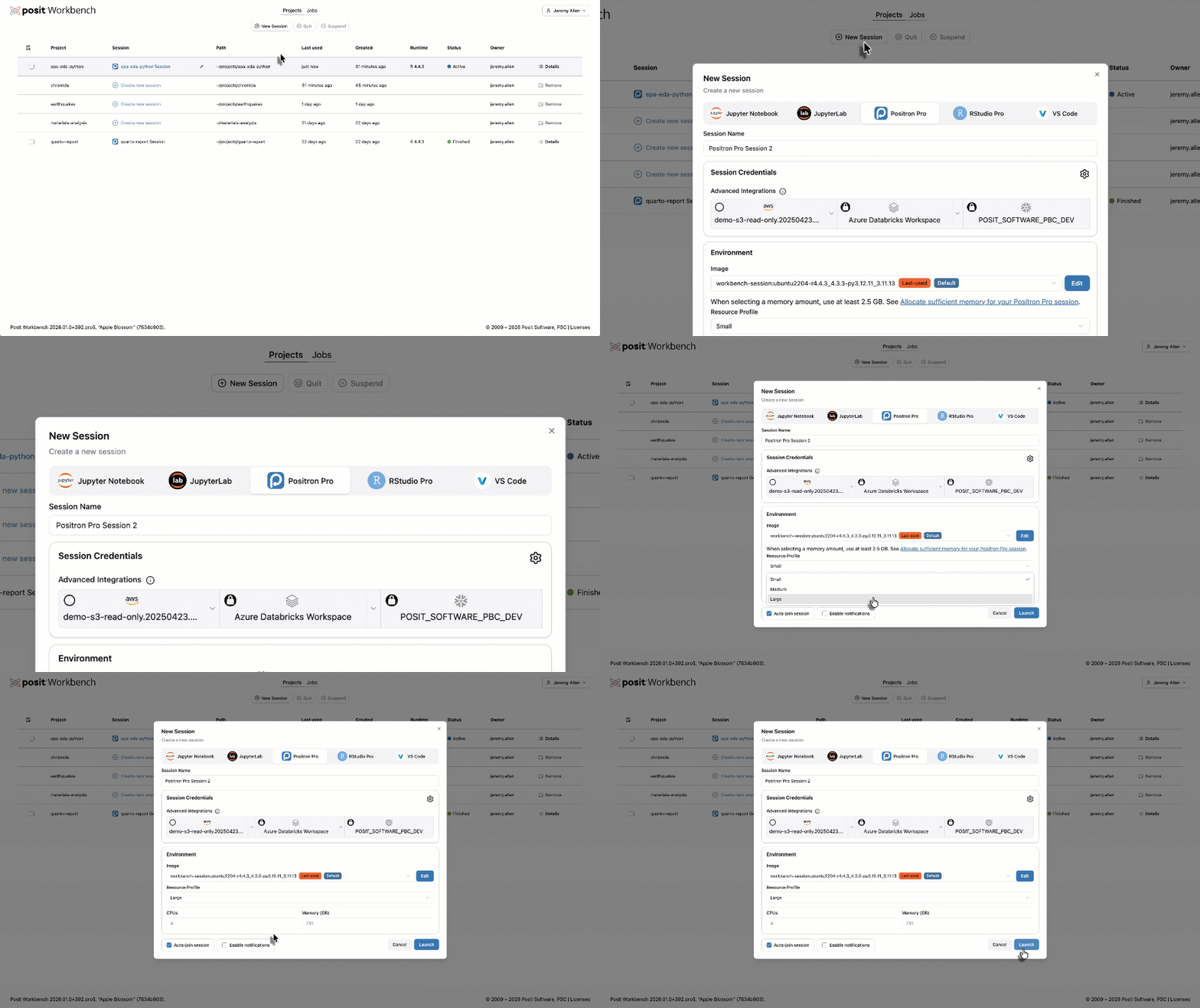
The same tools run in three places. Choose based on who should install and maintain the software, and what you want to spend.


Posit Assistant: Free with your own model provider
Optional AI assistance, with controls for instructors
Posit Assistant is an AI assistant for data analysis in RStudio, Positron, and the terminal. It reads the live R or Python session, so its answers are based on the data and errors in front of the student.
- Turn it off. In Positron, including Positron Server, setting ai.enabled to false turns off every AI feature, and administrators can enforce it. On Posit Workbench, administrators can turn off Posit Assistant for everyone, a group, or a single user. In Posit Cloud, it stays off until the account owner turns it on.
- Explanations only. /ask lets students get explanations without Posit Assistant editing files or running code.
- Sensitive data. Connect a local model through Ollama or LM Studio so prompts stay on your machine.
- A record of the work. /report turns a session into a Quarto document.
If you don't want to bring your own provider, Posit AI Pass starts at $20/month.
Posit Connect Cloud: Free plan
Free hosting for apps and documents
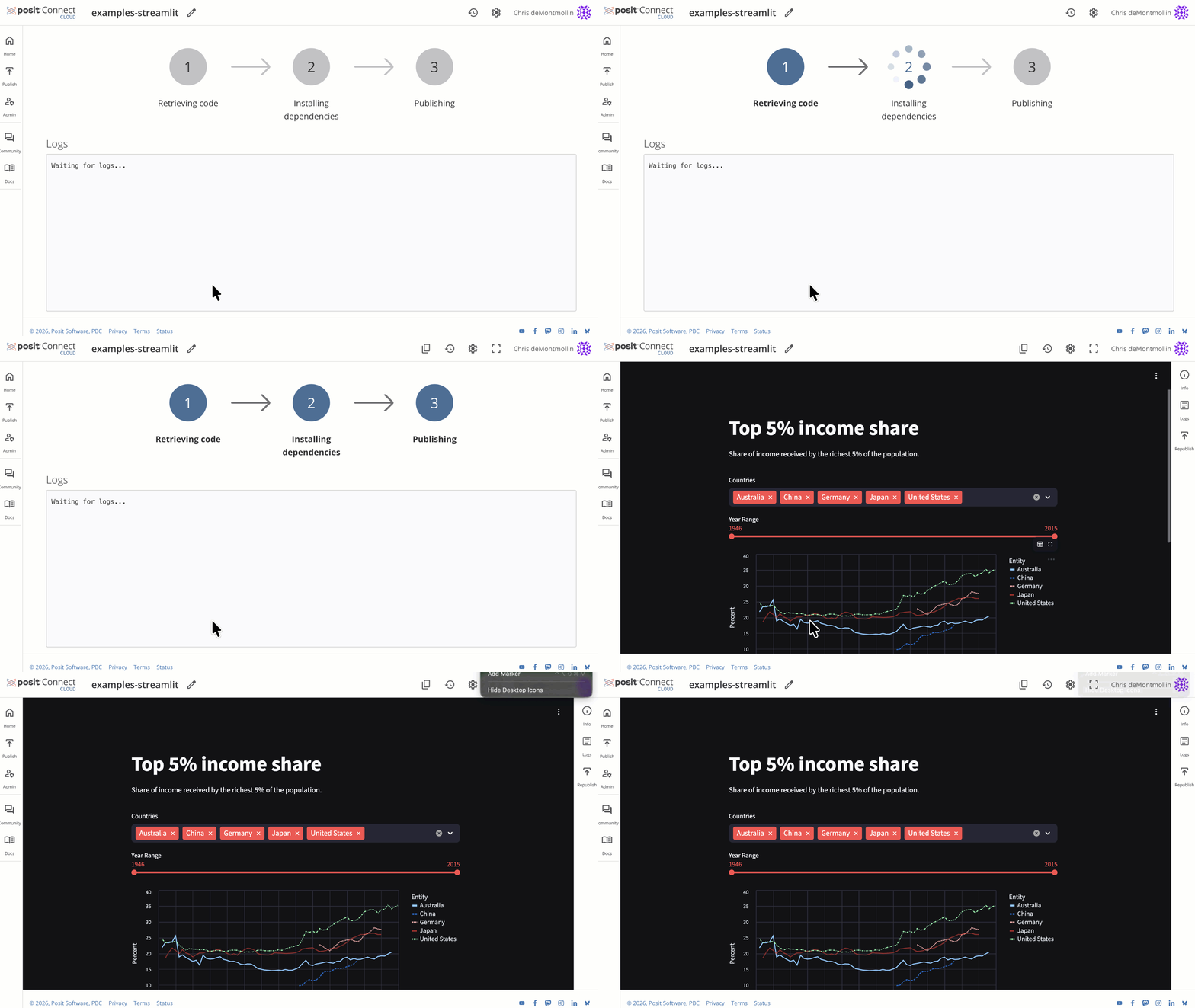
Connect Cloud publishes Shiny, Streamlit, Dash, Quarto, and Jupyter content from GitHub or directly from Positron. The free plan includes up to five apps and unlimited documents, enough for a course project or a student portfolio. Connect Cloud is the hosted service. Posit Connect is the version your university runs on its own servers.
Quarto Pub stops accepting new content on Dec 31, 2026, and RPubs on June 30, 2027. Connect Cloud replaces both.

Public Package Manager: Free
Install the package versions an analysis used
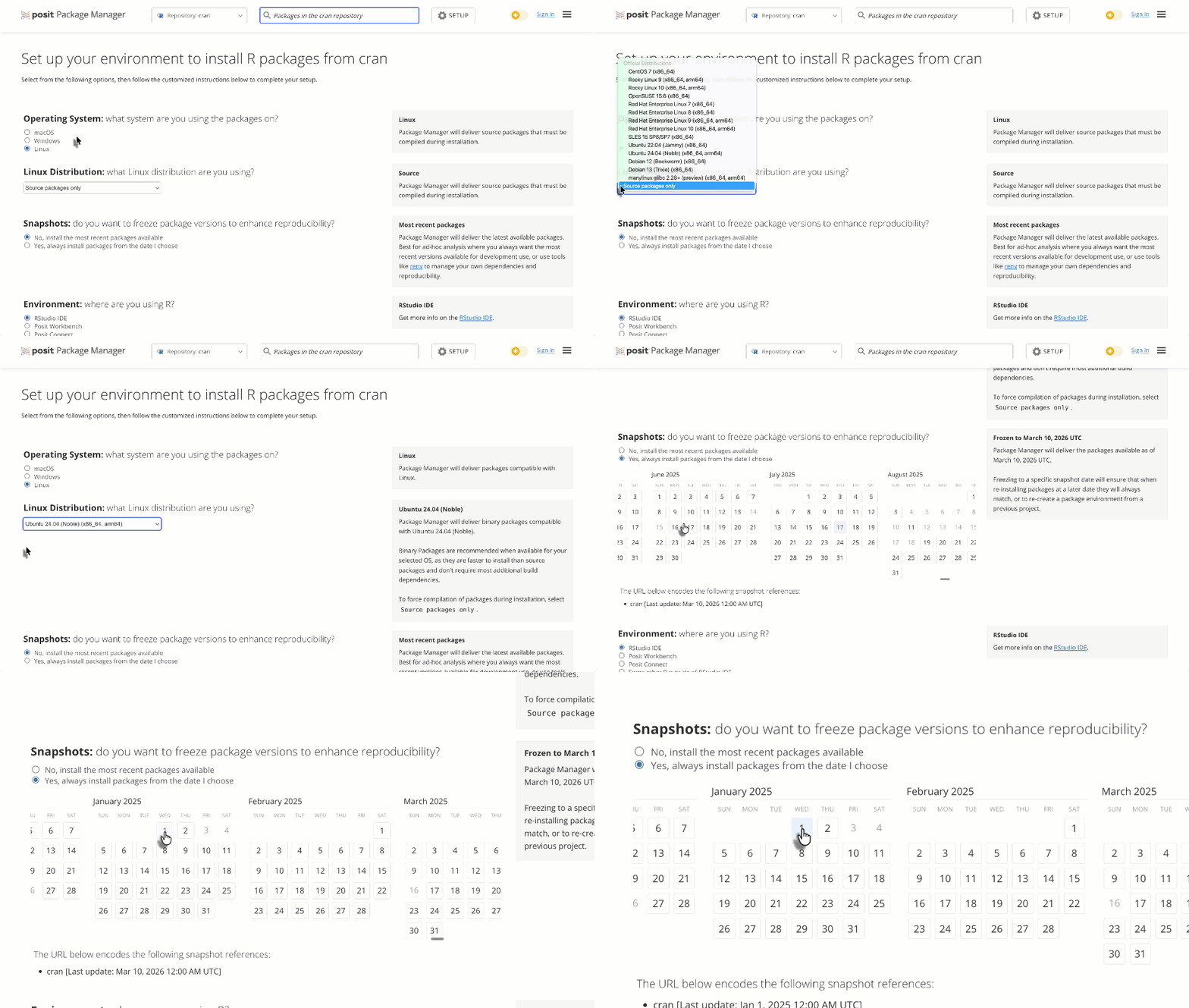
Public Package Manager serves CRAN, PyPI, and Bioconductor packages from dated snapshots. Point R or Python at a snapshot URL and you get the versions available on that date. It's free and needs no account. Labs that want their own repository can license Posit Package Manager at academic pricing.
Academic pricing
Academic pricing
Academic pricing applies to Posit's professional products. The open-source tools are always free. You'll need a qualified academic institution email address, and for a teaching license, your course syllabus or a short description of your research.
Posit Cloud plans for courses
Instructors choose how students pay. Students can buy their own Student plans, the instructor can pay a flat fee per student, or metered billing can keep students on Free accounts.
How to get an academic license
We process license requests up to two months before a semester starts. Licenses last 12 months from the start date you choose.
1. Check eligibility
2. Email us
3. Install


Courses, guides, and help for teaching and research

Learn on Posit Academy
Frequently asked questions
I'm a student. What can I use for free?
RStudio, Positron, Quarto, and Shiny are free downloads. The Posit Cloud Free plan gives you 25 compute hours a month in the browser, and the Connect Cloud free plan publishes up to five apps and unlimited documents. Posit Academy has free courses on R, Python, Git, and Positron.
Is RStudio still free for students?
Yes. RStudio Desktop is free and open source, and so are Quarto, Shiny, and the tidyverse.
Can I use Positron for my research?
Yes. Positron Desktop is free for any use, including research. If you want to host Positron for a lab or department, research licenses are 25% off.
What do I send to get a teaching license?
Email academic-licenses@posit.co from your institution email address with your course syllabus. We may ask for other teaching credentials.
Does the teaching license cover research?
No. The teaching license covers instruction only. Research has its own license at 25% off.
When should I apply?
Up to two months before your semester starts. Licenses run 12 months from the start date you choose.
Can my department pay instead of each student paying $5?
Yes. On the Posit Cloud Instructor plan you can pay a flat fee per student or use metered billing, and students stay on Free accounts. See the teaching guide.
Can I turn off AI for my course?
Yes. In Positron, including Positron Server, setting ai.enabled to false turns off every AI feature, and administrators can enforce it. On Posit Workbench, administrators can turn off Posit Assistant for everyone, a group, or a single user. In Posit Cloud, Posit Assistant stays off until the account owner turns it on.
Is there an education discount for Posit AI Pass?
While we don't have an education discount at this time, we are actively exploring how to provide more value to the academic community. Posit Assistant is free with your own model provider.
What's the difference between Posit Cloud and Positron Server?
We host Posit Cloud, so you sign up and start a course with no setup. Positron Server runs on your university's own JupyterHub, and your IT team manages it.
Find your data people
Meet other people who teach and research with R and Python.

Data Science Hangout

Data Science Lab

Institutional Research Showcase

