Text Summarization, Translation, and Classification using LLMs: mall does it all

About the author
Camila Lívio is a research professional at the Center for International Trade and Security at the University of Georgia. She holds a PhD in Linguistics-Romance Languages and uses computational text analysis, natural language processing, and corpus linguistics to study energy and energy security in social science research. For this project, she collaborated with Zarina Jones, Lindsay Rappe, and Larissa Lozano.

Mall is a new package by Posit designed to seamlessly integrate large language models (LLMs) into everyday data processing, facilitating accurate predictions on the data with ease and without having to interact with external programs. Some of the key features of Mall include sentiment analysis, text summarization, text classification, information extraction, text translation, and custom prompting.
Below, I demonstrate how I’ve recently incorporated some of Mall’s core capabilities into a text-intensive research project.
Research project background
Our team has compiled the final reports from the Conference of the Parties (COP) spanning from 1995 to 2023. The COP serves as a key conference for global leaders to negotiate and implement strategies aimed at addressing climate change. These PDF reports are often dense, containing internal references, complex numbering systems, codes, and specialized language, which can make them challenging to navigate and interpret.
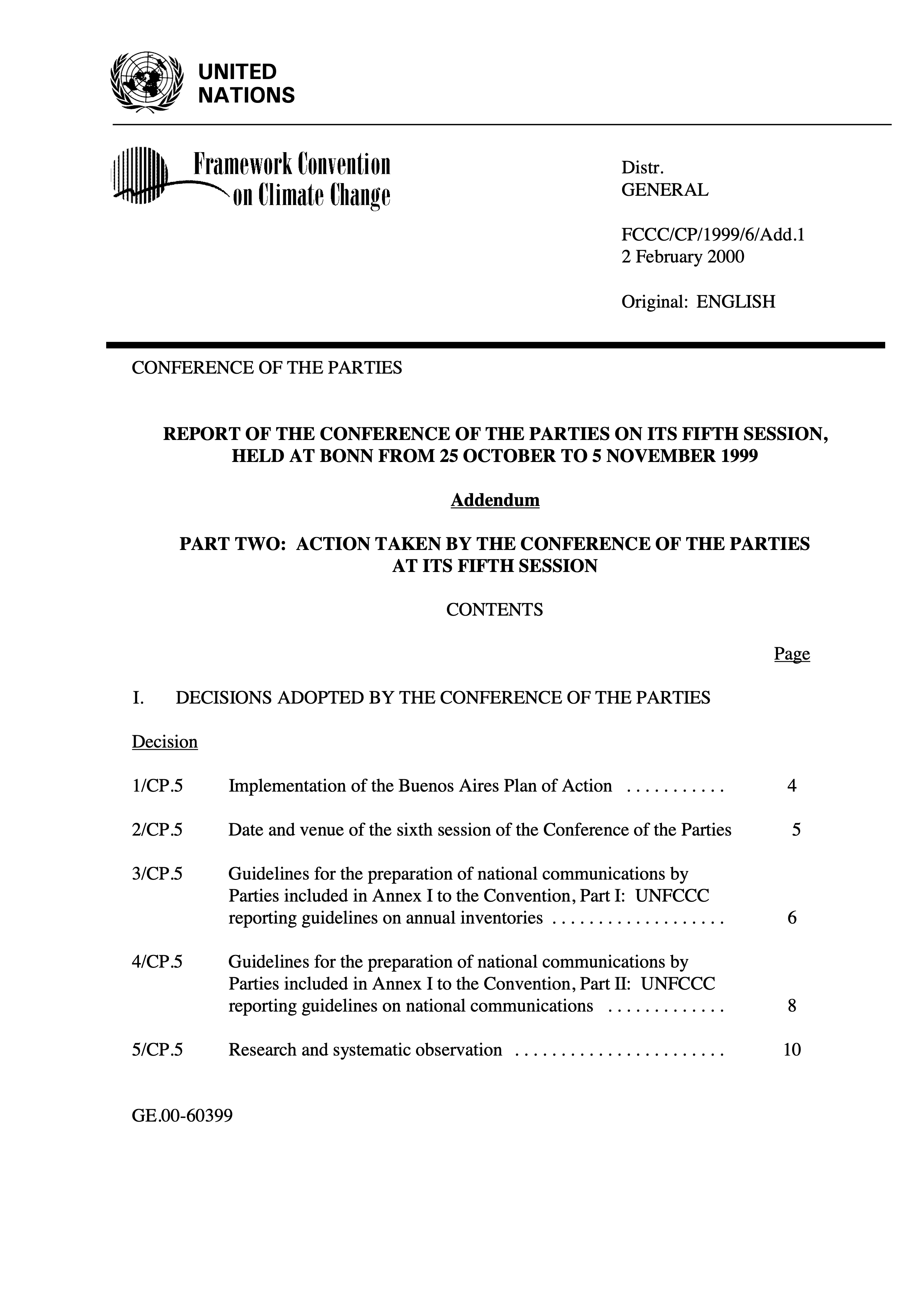
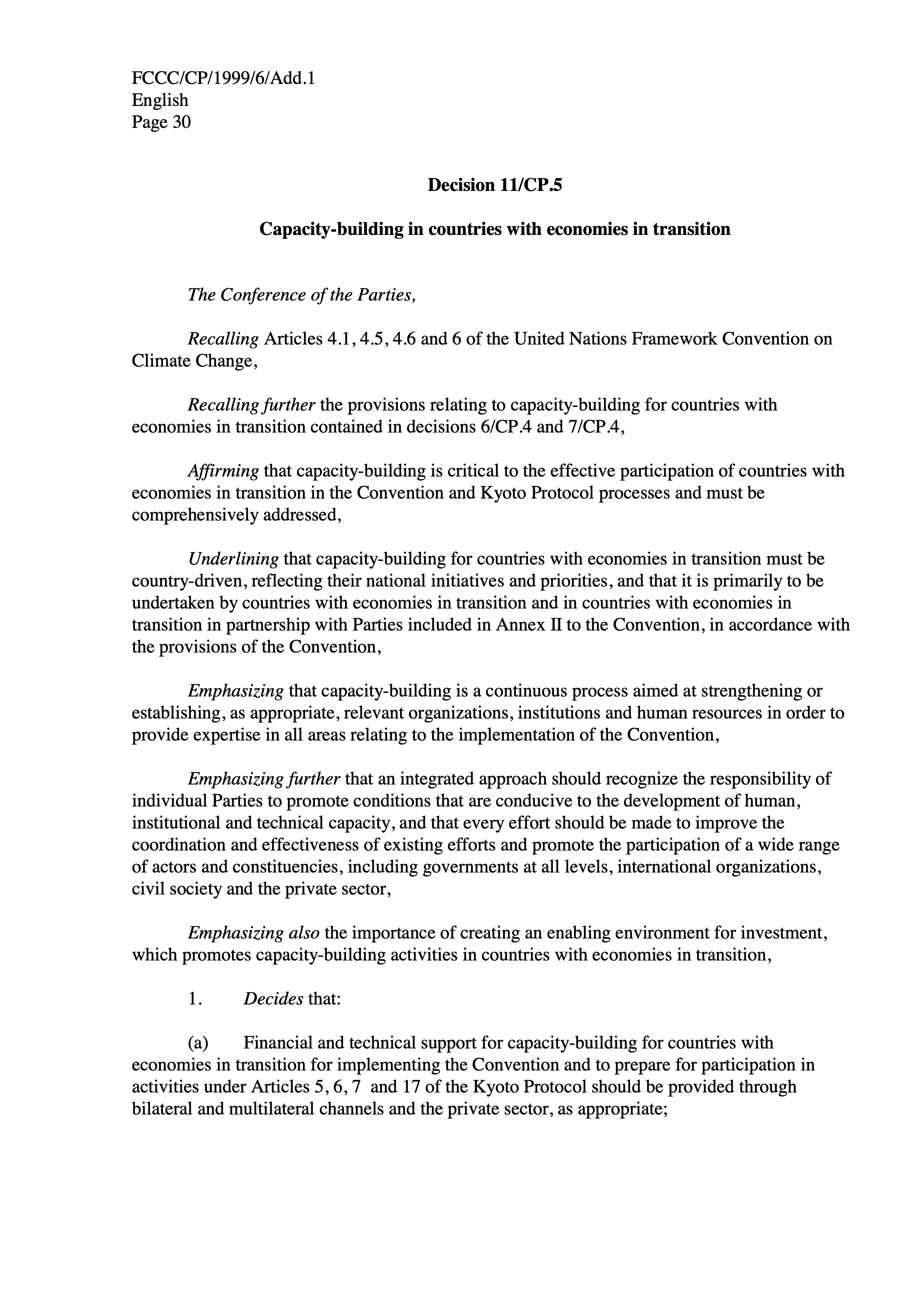
One of our key objectives is to analyze how the term energy transition has been used across these documents and trace its evolution over time, specifically examining how it has been translated into actionable policies. For this demo, we’ll be using five reports to showcase some of Mall’s core capabilities in action.
Loading the data
The data comes from PDF files, which I have preprocessed and saved as a CSV file. Even after initial cleaning, the texts remain difficult to read.
library(readr)
library(dplyr)

#### Download the cop_reports.csv data
cop_data <- read_csv("https://posit.co/wp-content/uploads/2025/03/cop_data2.csv")

#### Check structure and preprocessed text
glimpse(cop_data) |>
  select(3)
Rows: 5
Columns: 3
$ Document <chr> "Bali_13.pdf", "Bonn_23.pdf", "BuenosAires_10.pdf", "Cancu…
$ Text <chr> "UNITED\n NATIONS\n\n …
$ CleanedText <chr> "unite nation distr general fccc kp awg february original …
# A tibble: 5 × 1
CleanedText
<chr>
1 "unite nation distr general fccc kp awg february original english ad hoc work…
2 "unite nation fccc cp distr general february original english conference of t…
3 "unite nation distr general fccc cp add april original english conference of …
4 "unite nation fccc cp add framework convention on distr general march climate…
5 "unite nation distr general fccc cp add march original english conference of …Text summarization
Let’s now apply Mall’s text summarization feature (llm_summarize()) to generate a new column in our dataset, where we will store a summary of each text. The best part is that you can add a prompt to specify what the LLM should focus on. In this case, “Summarize the key points from these reports from the Conference of the Parties (COP)…”.
library(mall)

#### **Make sure you install Ollama in your machine!**
#### https://hauselin.github.io/ollama-r/#installation

#### Start Ollama and choose a version
ollamar::pull("llama3.2")

cop_summary <- llm_summarize(
  cop_data, #data
  CleanedText, #column
  pred_name = "cop_summary", #name of new column
  additional_prompt = "Summarize the key points from these reports from the Conference of the Parties (COP). Organize the summary into three categories: (1) Commitments made by countries or organizations, (2) Policies discussed or implemented, and (3) Recommendations for future action. Ensure clarity and conciseness in each section, highlighting major themes and trends."
)

#### Check output
cat(cop_summary$cop_summary[3])
This is a draft of decisions made by the Conference of the Parties (COP) to the United Nations Framework Convention on Climate Change (UNFCCC). The text appears to be a comprehensive summary of decisions and actions taken during a meeting of the COP, likely at its 11th session.
Here are some key points extracted from the document:
**Decision-making process**
* Decisions were made by consensus whenever possible.
* In cases where consensus was not reached, decisions were made by a show of hands, with each country voting in favor or against a proposal.
**Climate change mitigation and adaptation**
* The Conference recognized the urgent need to address climate change and its impacts on human health, food security, water resources, and economic stability.
* Developed countries agreed to provide financial support to developing countries for climate change mitigation and adaptation efforts.
* The Conference also emphasized the importance of technology transfer, capacity building, and education/training in supporting developing countries' efforts to address climate change.
**Emissions reduction**
* Developed countries agreed to reduce their greenhouse gas emissions by at least 30% below 1990 levels by 2012.
* Developing countries committed to reducing their emissions and increasing their use of clean energy sources.
**Financial support**
* Developed countries agreed to provide $10 billion per year in climate change finance for developing countries from 2008 to 2017.
* The Conference established a framework for financial support, including the use of carbon credits and other mechanisms.
**Capacity building and technology transfer**
* The Conference recognized the importance of capacity building and technology transfer in supporting developing countries' efforts to address climate change.
* Developed countries agreed to provide technical assistance and training to help developing countries build their capacity to address climate change.
**Disaster risk reduction**
* The Conference emphasized the importance of disaster risk reduction and management in addressing climate change impacts.
* Countries agreed to work together to reduce vulnerability to natural disasters and promote sustainable development.
**International cooperation**
* The Conference recognized the importance of international cooperation in addressing climate change.
* Countries agreed to work together to develop a global response to climate change, including through the establishment of regional and subregional initiatives.
**Implementation and review**
* The Conference agreed to establish a process for implementing and reviewing the decisions made during the meeting.
* A reporting framework was established, requiring countries to submit regular reports on their progress in addressing climate change.Voilà! We’ve added a new column to the dataset (cop_summary) that provides the summary for each document. This initial summary can be very helpful in understanding what the different sections look like and how you might explore them in more detail.
Text extraction
The report summaries are now stored in a new column (cop_summary), making them much easier to navigate. We can now run the LLM against these summaries to identify concepts and phrases related to the topics we are interested in learning more about. Let’s practice by asking the LLM to help us extract a specific entity from these summaries: ‘energy transition’ using llm_extract().
cop_summary <- llm_extract(
  cop_summary, #data
  cop_summary, #column
  labels = "energy transition", #the entity to be extracted
  additional_prompt = "Return keywords related to energy transition.",
  pred_name = "extract_energy_trans" #new column
  )

cop_summary |>
  select(extract_energy_trans)
# A tibble: 5 × 1
extract_energy_trans
<chr>
1 renewable energy
2 renewable energy
3 renewable energy
4 energy transition
5 solar energy In text extraction, the labels are the most important part: this is where you prompt the model to fetch specific information for you. In plain English, it’s like asking Mall: “Hey Mall, please inspect each row of the summaries and bring back any content that relates to the label” (a.k.a. what you’re looking for). The great thing about this approach is that the LLM doesn’t just extract direct mentions of the content you’re looking for, but it also picks up on synonyms or related terms.
This is particularly useful in text mining because it allows you to ask the model what to look for, rather than having to define the pattern from the start using word/phrase-matching techniques. In other words, you can skip the step of manually defining patterns and variations in your search. If we’re interested in learning about energy transition, we’re also interested in phrases like ‘decarbonization efforts’ or ‘shift to renewable energy.’
Next, let’s visualize the frequency of keywords related to energy_transition. Since we’re examining only five documents, the list of keywords is relatively short, with the term renewable energy being the most frequently associated with energy transition.
library(ggplot2)
library(tidyr)

#### Count occurrences of each keyword
keyword_counts <- cop_summary |>
  select(extract_energy_trans) |>
  separate_rows(extract_energy_trans, sep = ";|\n") |>
  count(extract_energy_trans, sort = TRUE) |>
  filter(extract_energy_trans != " ")

#### Plot as a bar graph
ggplot(keyword_counts, aes(x = reorder(extract_energy_trans, n), y = n)) +
  geom_col(fill = "steelblue") +
  coord_flip() +  # Flip for readability
  labs(title = "Keywords Related to *Energy Transition*",
       x = "Keyword",
       y = "Count") +
  theme_minimal()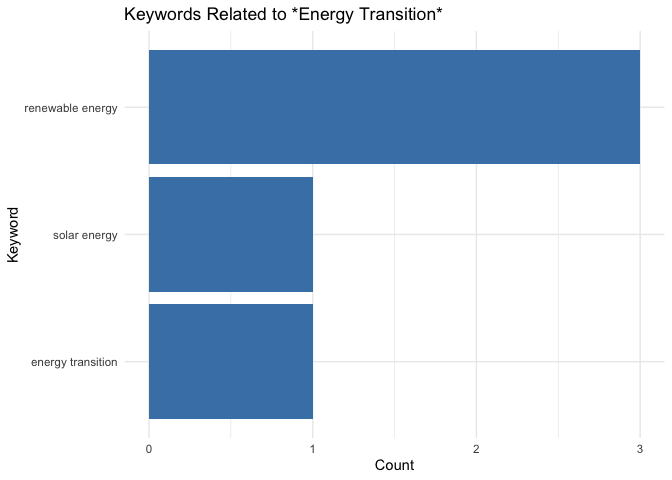
Finally, you can build your own custom prompt in Mall and run it against your dataset using tidyverse syntax.
##### Create your prompt
prompt <- paste(
  "Answer the following question using 'yes' or 'no'.",
  "The question is: Does this text mention challenges in the energy transition?"
)

##### Pass the prompt to the LLM to run it on each text entry. This operation will add another column to the dataset where the LLM's predictions will be stored
cop_summary <- cop_summary |>
  llm_custom(cop_summary, prompt)

##### Check output
cop_summary |>
  select(.pred)
# A tibble: 5 × 1
.pred
<chr>
1 No.
2 Yes.
3 Yes.
4 No.
5 No. In conclusion, integrating the Mall package into our data processing pipeline has significantly simplified the task of utilizing a large language model for text summarization, extraction, and analysis. The package made the integration seamless, allowing us to focus on higher-level analysis rather than dealing with complex external tools.
However, we did encounter some challenges in fine-tuning the LLM prompts to achieve accurate and relevant summaries for each document, which required multiple rounds of testing and manual verification. Despite these challenges, the flexibility of the package in handling diverse tasks—such as summarization and keyword extraction—makes it an invaluable tool for anyone working with text-heavy datasets. I highly encourage others to explore and incorporate Mall into their workflows for efficient and robust text processing!
Note
While the data utilized in this post is open access, please be aware that the outcomes of the operations presented have not undergone rigorous validation. These examples are primarily intended for illustrative purposes.
Related Content

How to secure your organization's agent plugins in Posit Package Manag...

How Posit Team governs AI for enterprise data science and research
