RStudio IDE and Posit Workbench 2024.12.0: What’s New


This post highlights some improvements in the latest RStudio IDE and Posit Workbench release 2024.12.0, code-named “Kousa Dogwood”. You can find more details in the Release Notes.
RStudio
Quarto improvements
One of the areas of focus for 2024.12.0 was improving the overall Quarto experience in RStudio, with highlights called out below. Quarto version 1.5.57 is bundled in RStudio and Posit Workbench.
- Quarto now respects the DPI option for generating plots interactively in RStudio as well as for rendering the final output. (#11649)
- Rename in Scope now operates across chunks within R Markdown and Quarto documents (#4961)
- Improved support for highlighting of nested chunks in R Markdown and Quarto documents (#10079)
- The “Insert Chunk” button now acts as a menu to select a language in Quarto documents as well as R Markdown documents. (#14785)
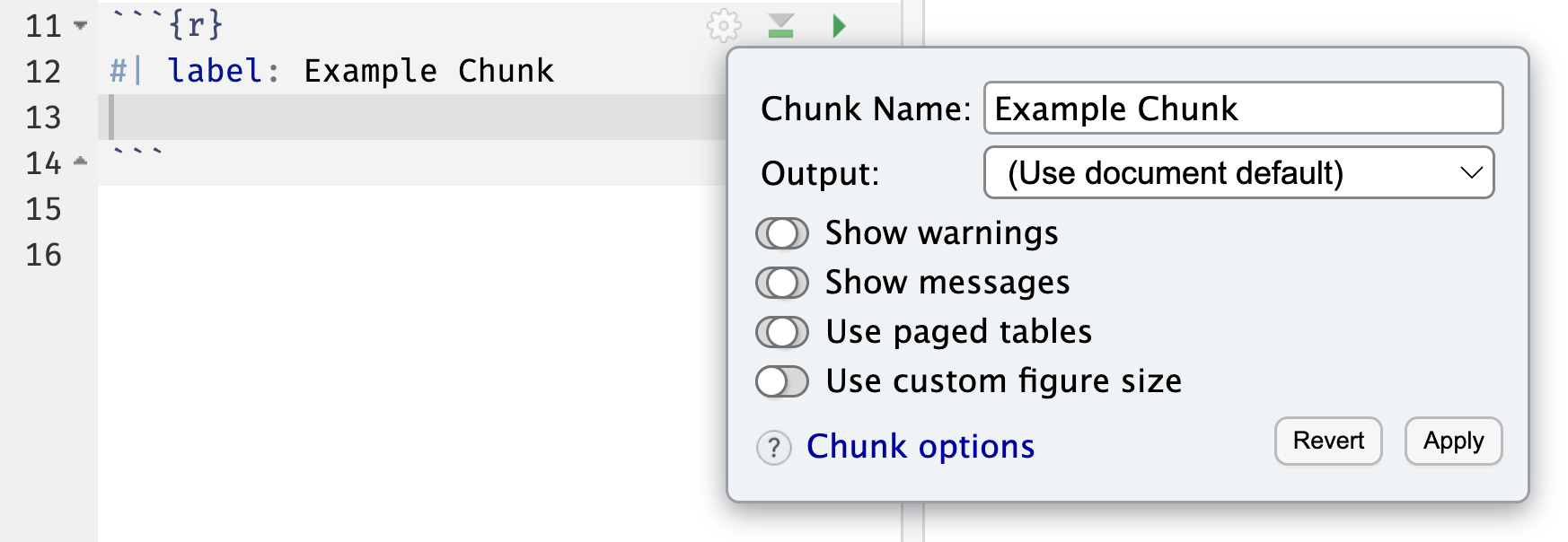
Quarto documents now have a gear icon for editing cell (chunk) options, providing UI for toggling various options on or off. (#11745)
Global control of .Rproj.user location
In the 2024.09.0 release, we made it possible to configure the location of the project .Rproj.user folder to help alleviate performance problems or issues that arise when placing projects on a slow drive. In the 2024.12.0 release, the .Rproj.user folder location can now be customized globally both by users and administrators of Workbench.
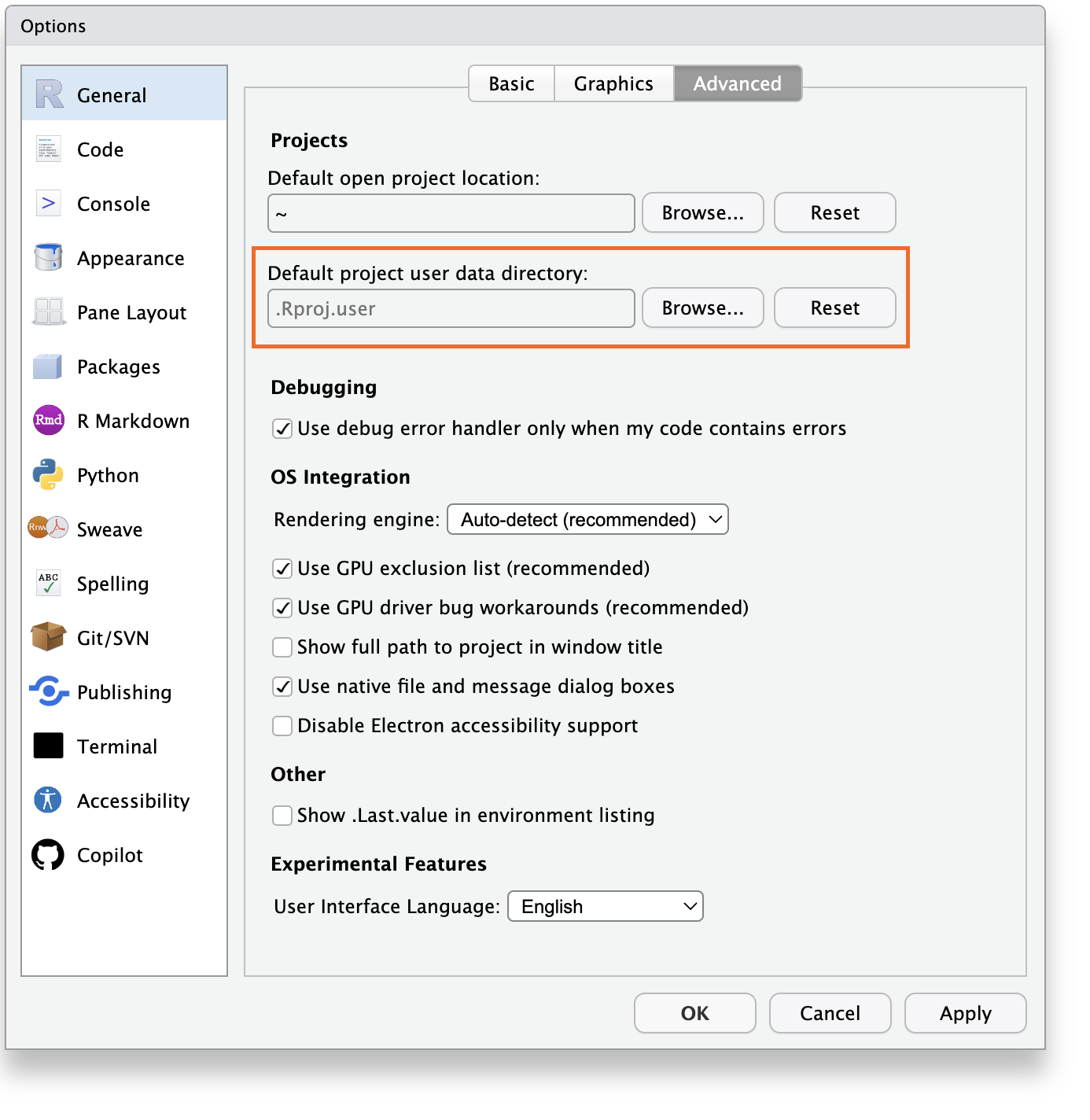
Users can customize the default project user data directory location in the General / Advanced section of Global Options.
For RStudio Server and Workbench, administrators can specify a global location for all users using the session-project-user-data-dir setting in /etc/rstudio/rsession.conf.
The session-allow-project-user-data-dir-override setting is also available for administrators to control whether users can override the default global setting with their own user preferences. If not specified, users are able to override the global setting.
To support this feature, RStudio projects will now include a ProjectId field within the project’s .Rproj file. When a custom user data directory is set, project-specific data is stored within a sub-directory of the declared user data directory, named using the aforementioned ProjectId.
Code formatting via styler
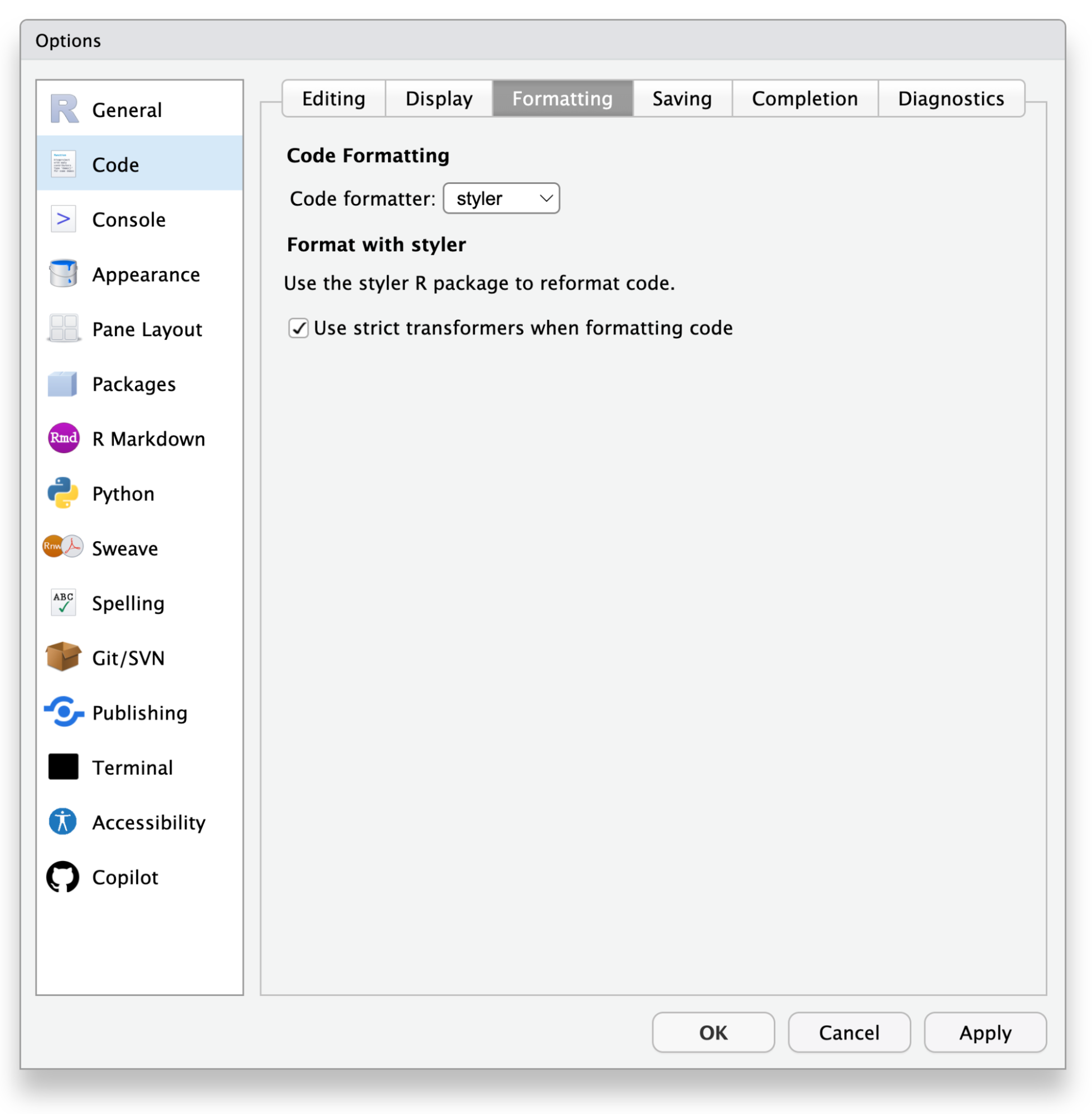
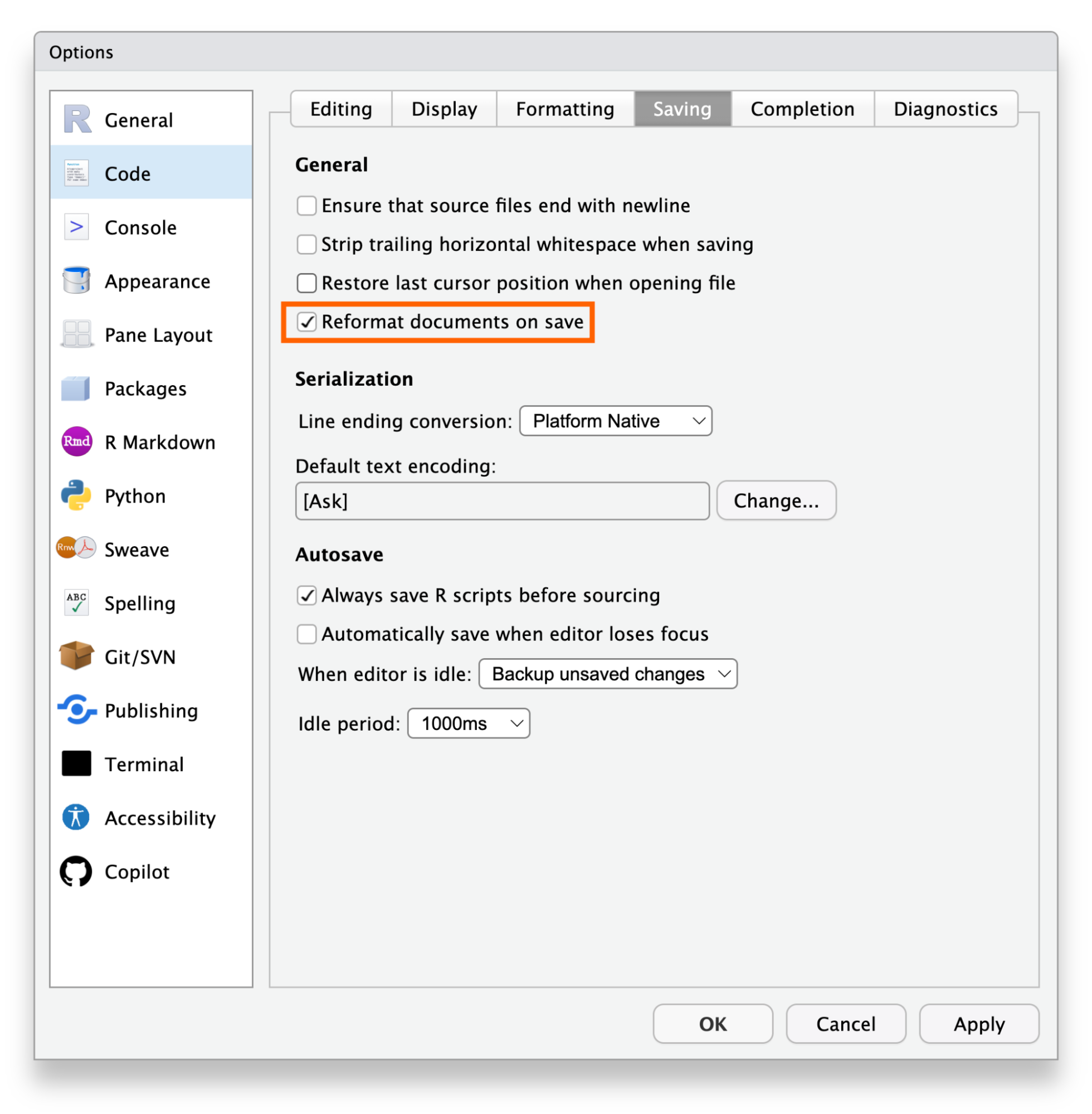
RStudio now supports code formatting using the styler R package and other external applications. This can optionally be enabled to reformat code on save and automatically format code throughout development.
Publishing improvements
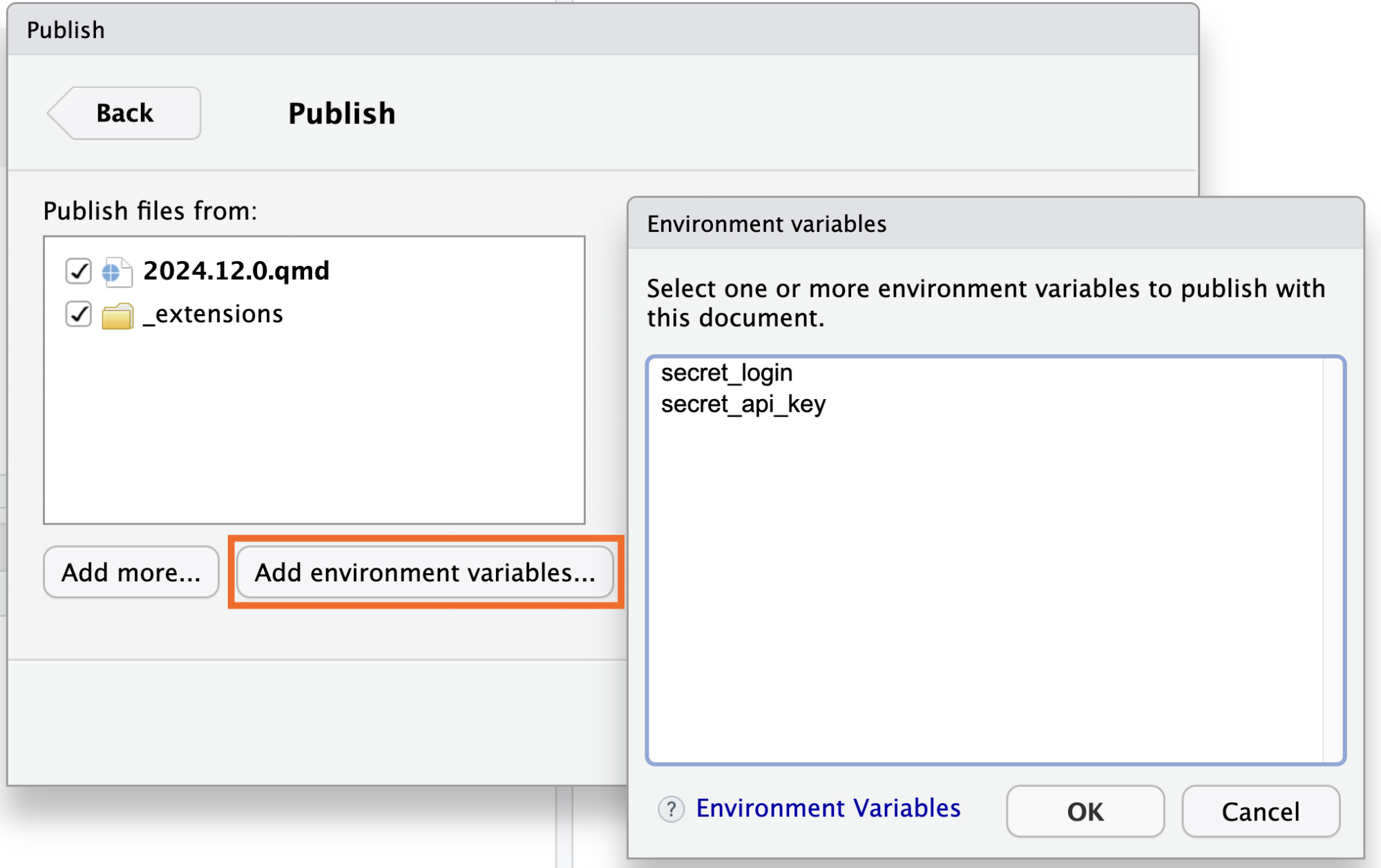
RStudio now displays the label “Publish” or “Republish” next to the Publish icon on the editor toolbar when there is sufficient space. RStudio also now supports the inclusion of environment variables defined in the user/project .Renviron file when publishing content to Posit Connect.
Support for new R graphics engine features
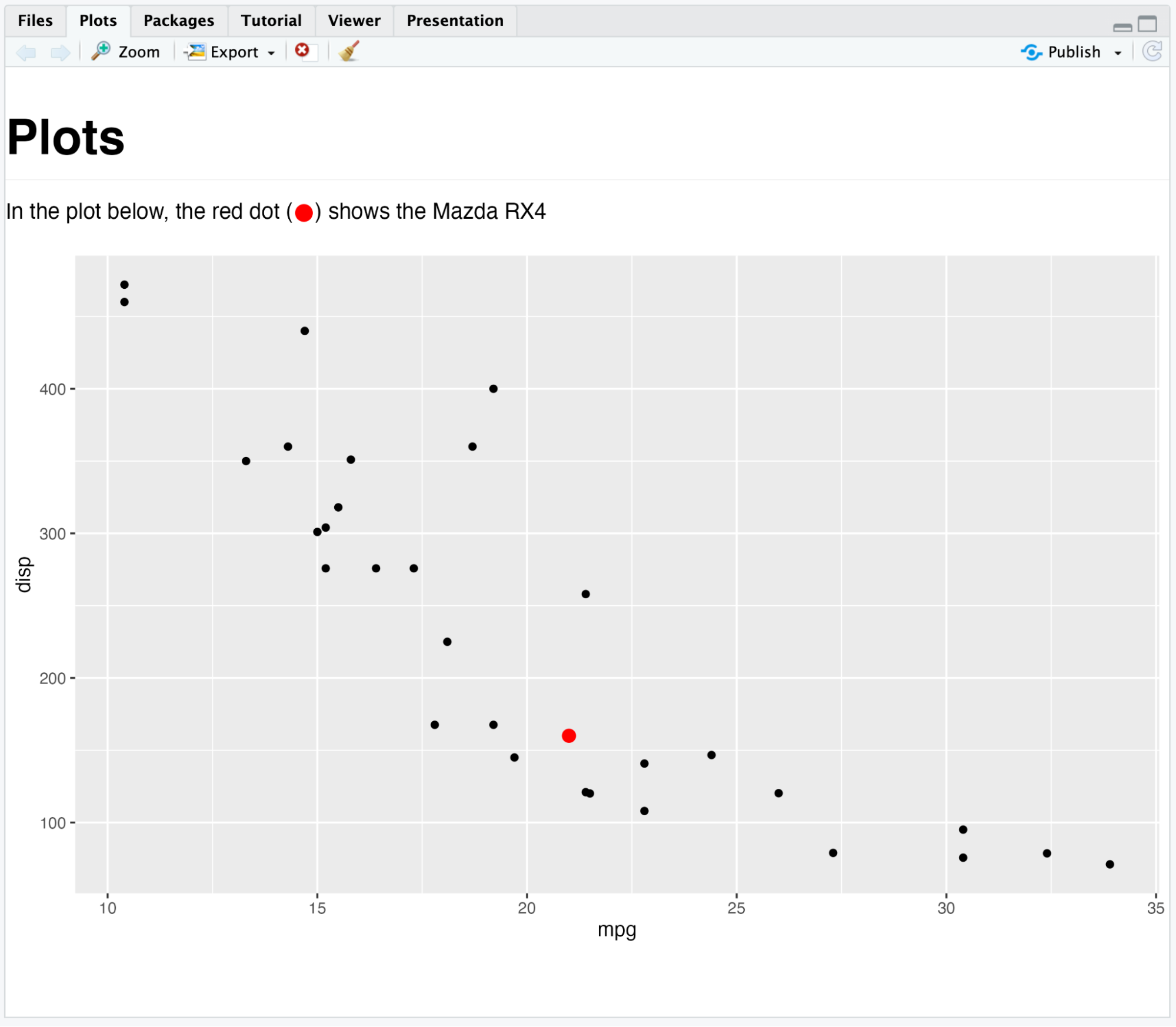
RStudio now supports new features from the R graphics engine (groups, glyphs) when supported by the underlying device. This will require using Cairo or Agg as the graphics backend. For example content, please see the marquee 0.1.0 blogpost.
Quality of life improvements
- RStudio now uses
lobstr::obj_size()when computing object sizes for display in the Environment pane (#15369) - RStudio now provides executed chunk code as a single multi-line entry in the Console history (#3520)
- Added “Copy RStudio Version” command to command palette for copying RStudio version, commit, and build date to the clipboard.
- Closed over 120 GitHub issues, spanning both enhancements and bugs
Posit Workbench
Preview support for Positron Pro sessions
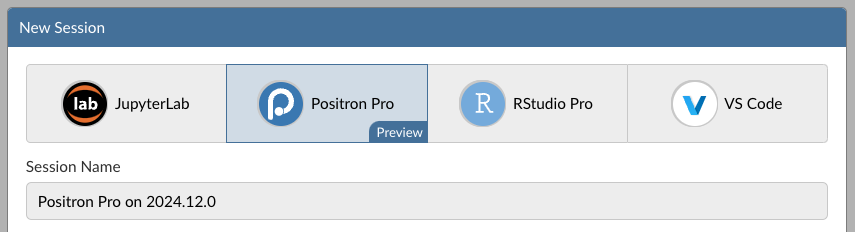
Posit Workbench 2024.12.0 introduces Preview support for Positron Pro sessions. Positron is a brand new multilingual data science IDE from Posit and is currently in Public Beta.
For more information about Positron or how to use it, please visit https://positron.posit.co or watch “Introducing Positron, a new data science IDE” on YouTube.
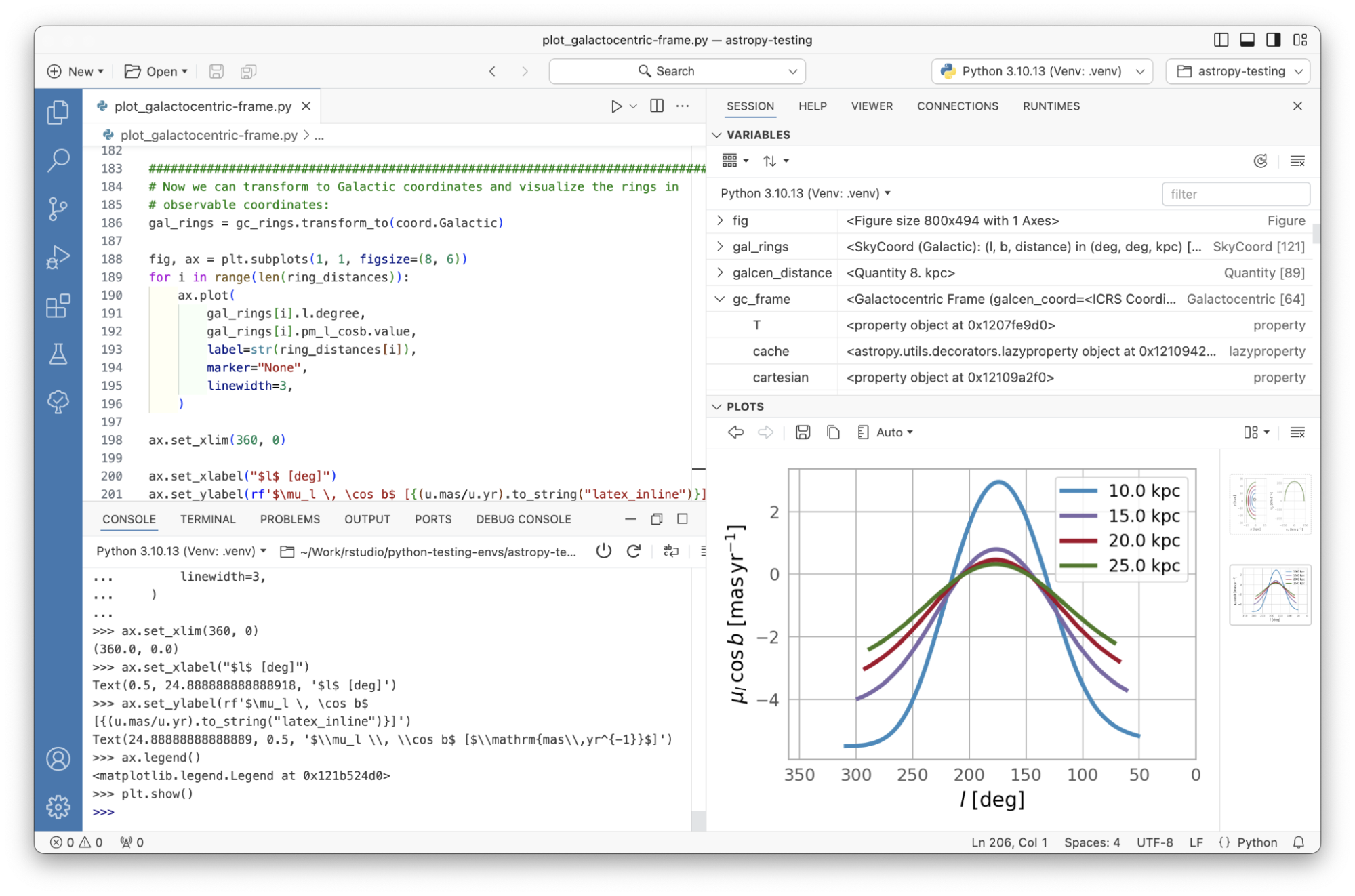
Positron comes with out-of-the-box support for R and Python data science workflows, including:
- A persistent console for interactive execution of Python or R
- Plot and Viewer panes for displaying static and interactive content or applications
- A Variables pane for displaying the structure of in-memory objects
- A high-performance Data Explorer for in-memory Python or R data frames or CSV/Parquet files on disk
- Integrated “Run App” support for Python and R-based applications, APIs, and reports into a native Viewer pane.
- Push-button publishing of Python and R content to Posit Connect via the new Posit Publisher extension.
- Compatibility with thousands of VS Code extensions from OpenVSX
- And many more features!
Positron Pro is not enabled by default as it is in Public Preview. To enable Positron Pro sessions, administrators will need to set enabled=1 in the /etc/rstudio/positron.conf configuration file.
Public Preview support means that we recommend that the feature not be used in production work until it is in general availability (i.e., officially released as a full feature). To provide feedback, please email your Posit Customer Success representative. The Positron team would love to talk to you!
We have a few strong recommendations for the best experience during this Preview period:
- If your administrator has configured Resource Profiles on Posit Workbench, you should allocate at least 4 GB of RAM when starting Positron Pro sessions.
- We expect to make performance improvements in the future to decrease Positron’s memory needs. Follow along on Positron issue #5050 to learn about our plans for a better solution in the long term.
- Positron Pro is currently only compatible with a subset of Linux versions (RHEL 9, Ubuntu 22/24).
- Positron is only compatible with Python >=3.8 and R >= 4.2
- Appropriate version(s) of Python should be available on the PATH to be discoverable by users.
- R users should make sure to set the
reposoption in their.Rprofileto target Posit Public Package Manager, an internal Package Manager instance, or a similar service that provides R package binaries for their Linux server. Otherwise, users attempting to install packages from CRAN will experience very slow package installations as they will be built from source on the fly.
Local resource limits and resource profiles
Posit Workbench has preexisting support for selecting per session resources manually or via user-friendly Resource Profiles in both Kubernetes and Slurm-based clusters. We have now added a similar functionality of restricting resources per session in local servers via a cgroupv2 implementation.
This feature’s primary benefit is to provide useful guardrails while still allowing users to self-serve across a spectrum of small or large session resources. Customers with large Workbench user populations will benefit by preventing users from accidentally consuming too many resources on a shared Workbench server. Resource Profiles can also be used to grant a subset of users or power users access to additional computational resources while reducing the risk of a small number of users impacting other user sessions or overall server stability.
This feature and configuration include:
- Customizable User and Group Profiles for requested resources (CPU count and memory).
- Resource Profiles that allow administrators to predefine and label frequently used resource combinations.
- Users have control to choose from available resource profiles by referring to the user-friendly label, such as small, medium, large, rather than manually defining the resources of CPU and memory each time they launch a session.
For more information see: Enabling resource limits via Cgroups V2 in the Posit Workbench admin guide.
External session components for Kubernetes images
Posit Workbench sessions in Kubernetes are backed by Docker images. Previously these images required a full copy of Posit Workbench session components and images needed to be rebuilt when upgrading Posit Workbench.
We have now externalized the session components into an init container so customer-created images can be constrained to more minimal data-science requirements such as a Python/R runtime, system or runtime dependencies, and optionally some packages or other elements.
For more information, please refer to the Session Components init container section of the Workbench admin guide.
Active timeout configuration to periodically require re-authentication
Workbench now has an option to require users to re-authentication after a set number of minutes, regardless of activity. This complements an existing feature that logs out inactive users after a set number of minutes for customers with very strict re-authentication policies.
(Note that authentication timeouts are separate from session timeouts. Existing sessions will continue to run when users are redirected to the login page, and users can reconnect to them after completing the authentication flow.)
These timeouts can both be configured in /etc/rstudio/rserver.conf. For example, to force active users to sign back in after 12 hours, or 60 minutes of inactivity (the default):
# /etc/rstudio/rserver.conf
auth-active-timeout-minutes=720
auth-timeout-minutes=60
For more information, please see the Authorization Timeout section of the Workbench Admin Guide.
Session timeouts for Positron Pro and VS Code
Users sometimes forget to quit their IDEs when finished with them. RStudio Pro sessions have long had the ability to suspend themselves after a timeout, but nothing comparable was available for other IDEs. As a result, forgotten sessions were sometimes left running indefinitely by accident as a result. As of this release, both Positron Pro and VS Code sessions can be configured to shut down after a period of inactivity. Importantly, while user files are manually or auto-saved throughout a session, the in-memory state for either R or Python will be lost on timeout; this is different from the behavior of session suspension in RStudio Pro.
For VS Code sessions, user activity that keeps the session alive is limited to actions in the browser, e.g., typing code or clicking around in the IDE. As such, if this feature is enabled, we recommend offloading long-running tasks into Workbench Jobs or setting the timeout to be sufficiently long for users to return to long-running sessions.
For Positron sessions, code running in the dedicated Python/R console or Jupyter Notebook cells also counts as activity. However, we still recommend offloading long-running tasks into Workbench Jobs where users manage the lifecycle of long-running interactive code by writing the results out to disk to avoid data loss.
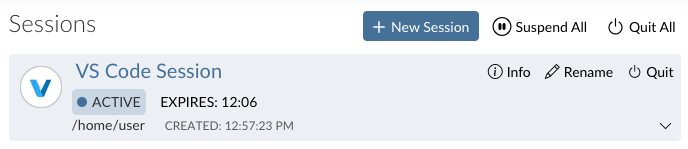
If session-timeout-kill-hours is enabled for Positron or VS Code sessions, the Workbench homepage displays a helpful countdown timer for this timeout. The timer is reset by any of the session activities outlined above.
Outbound proxy support for managed credentials
Posit Workbench has existing support for managing Azure, AWS, Databricks, and Snowflake credentials. However, these integrations did not work correctly in the presence of an outbound HTTP(S) proxy. As of this release, Workbench is now compatible with these proxies.
As a consequence, if you are running Workbench behind an output proxy, you may need to update your NO_PROXY configuration. For more information on these new requirements, see the Outgoing Proxies section of the Workbench Admin Guide.
Launching Workbench jobs via API
The Workbench API was introduced as a preview feature in the 2024.09.0 release. This release adds preview support for launching Workbench jobs to a growing list of other capabilities, including:
- Launching, suspending, and terminating sessions
- Querying session status and other runtime information
- Listing information about the compute environment for users, including available IDEs, resources, container images, and more.
- Launching Workbench Jobs (new in 2024.12.0)
For more information, please see the Posit Workbench API documentation.
Quality of Life improvements
- VS Code (and now Positron) sessions can no longer be launched without first securing Workbench with HTTPS. These editors have never worked properly without HTTPS; this restriction just makes it less likely for end users to suffer through buggy sessions without knowing the source of the issues.
- RStudio Pro sessions now install R packages from Posit Public Package Manager by default (if no other repository is specified). Posit Public Package Manager serves pre-built binary packages when possible, which are generally faster to install than source packages and require fewer dependencies.
- Admins can now formally delete Workbench users. Previously users could be locked or become inactive, but never actually deleted.
Build updates
- Updated GWT to version 2.10.1 (#15011)
- Updated Electron to version 31.7.5 (#14982; Desktop)
Learn more
There’s lots more in this release, and it’s available for download today. You can read about all the features & bug fixes in the Posit Workbench and RStudio 2024.12.0 “Kousa Dogwood” release in the RStudio/Posit Workbench Release Notes. We’d love to hear your feedback about the new release on our community forum.
To be notified of product updates, patches, etc., please subscribe to the Product Information email list from the Posit Subscription Management page.

Tom Mock
Related Content

Don't bring a spreadsheet to a data fight

Snowflake Native Apps vs. Connected Apps for financial services
