Natural language data science with RStudio and Databricks


As a data scientist or analyst using R, you’re familiar with its power for statistical computing, in-depth analysis, and crafting compelling data visualizations. As Large Language Models (LLMs) become increasingly capable, you might be wondering how to work with LLMs directly inside your RStudio projects. This post will explore how to leverage the gander R package to seamlessly access Databricks LLMs directly from RStudio running in Posit Workbench.
Gander: High performance, low friction LLM chat in R
gander is an open source R package from Posit designed to provide a low-friction chat experience for R developers. Gander provides a helpful chat box within RStudio that enables developers to make natural language requests and get R code in response. Behind the scenes, gander uses the ellmer R package to interface with a variety of foundational LLMs, including those available on Databricks. This allows you to incorporate powerful natural language capabilities into your R projects without leaving the familiar RStudio environment.
Databricks LLMs
Databricks offers a robust platform for data intelligence, including access to a variety of powerful, pre-trained foundational GenAI models. By connecting to these models from your RStudio session in Posit Workbench, you can leverage their advanced natural language understanding and generation capabilities for your R-based projects.
Getting Started: Setting up your environment
Here’s how you can get up and running quickly:
- Launch RStudio in Posit Workbench: Launch an RStudio session from Posit Workbench after Databricks OAuth has been configured:
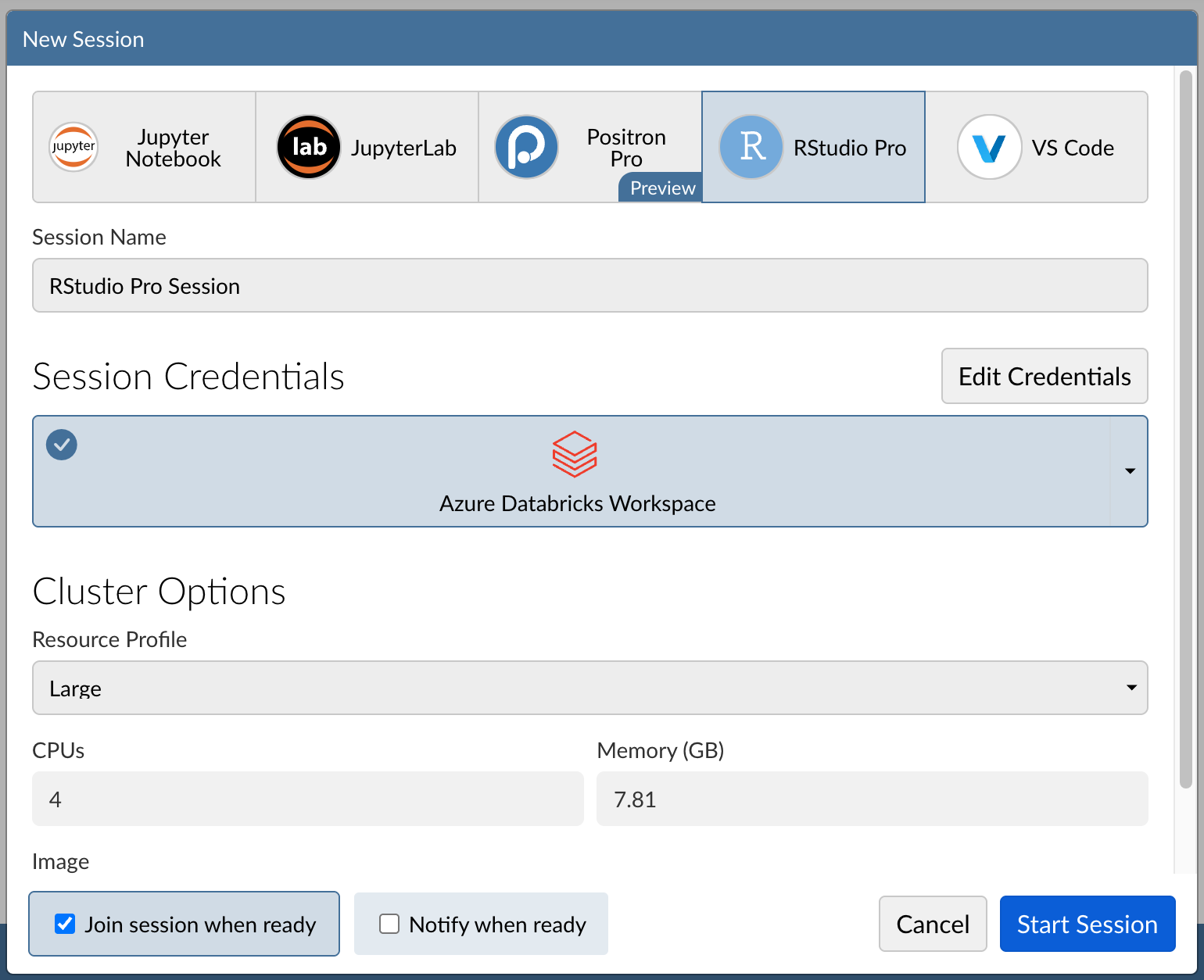
- Install necessary packages: In your RStudio console, install the gander and ellmer R packages:
install.packages(c("gander", "ellmer"))- Ensure your Databricks account has access to foundational models: Certain foundational models are automatically made available and you can also create your own fine tuned variants.
- Connect to a Databricks model: Using the
chat_databricks()function from the ellmer package, create a chat session with a Databricks model. Since the RStudio session is running in Posit Workbench and we’ve already signed into our Databricks workspace, there is no need for additional authentication details. In this example, we use thedatabricks-claude-3-7-sonnetmodel:
> chat <- chat_databricks(model = "databricks-claude-3-7-sonnet")
> chat$chat("who are you?")
I'm Claude, an AI assistant created by Anthropic to be helpful, harmless, and honest. I can help with a wide range of tasks like answering questions, providing information, having conversations, writing and editing content, analyzing data, and more. I aim to be respectful, thoughtful and nuanced in my responses. I don't have a physical form or personal experiences the way humans do, as I exist as a large language model trained on text data. How can I help you today?
The output will vary depending on the specific Databricks model being used.
- Configure gander to use Databricks: Once gander is installed and we’ve confirmed we have access to the Databricks model of our choice, we can configure gander to use that model. This can be done within an
.Rprofilefile or interactively:
options(.gander_chat = ellmer::chat_databricks(model = "databricks-claude-3-7-sonnet"))- Natural language exploratory data analysis: Now that gander has been configured, it can be easily accessed via the “Addins” menu in RStudio:
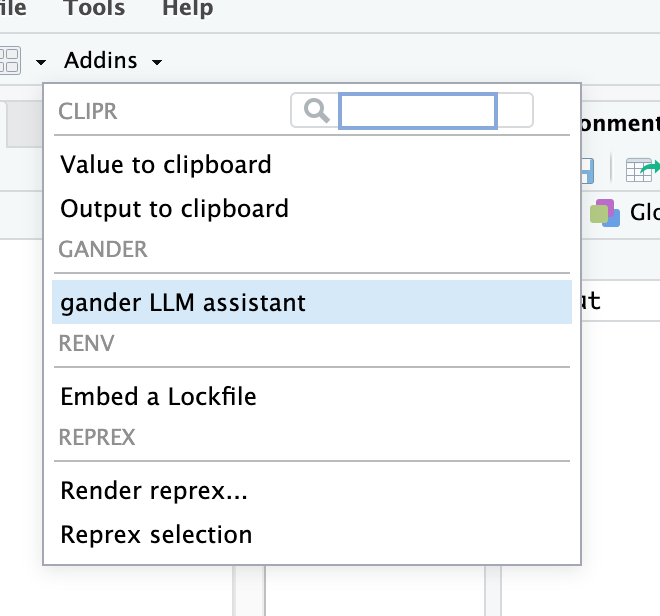
Selecting this will open a dialogue box where you can use natural language to describe the code you want to create:
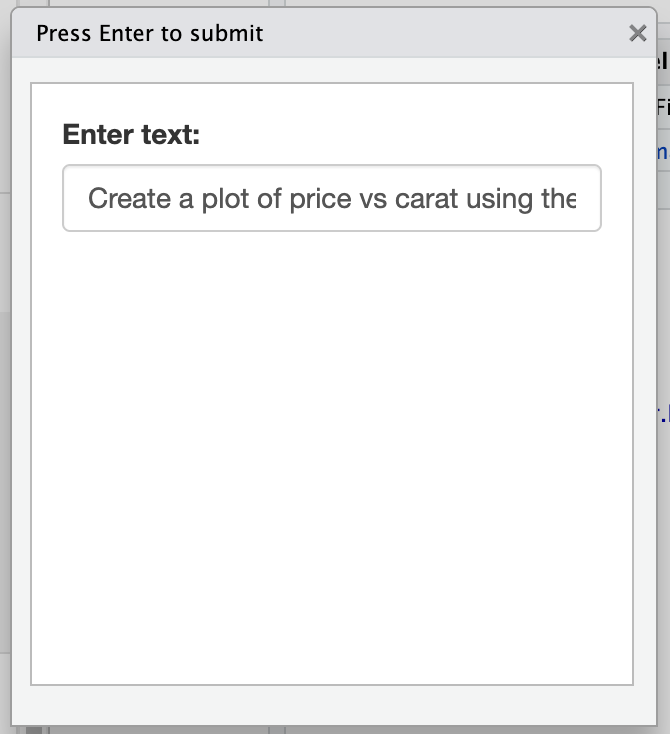
After pressing Enter, generated R code will be returned to your editor window.
ggplot(diamonds, aes(x = carat, y = price)) +
  geom_point(alpha = 0.5) +
  labs(
    title = "Diamond Price by Carat",
    x = "Carat",
    y = "Price (USD)"
  ) +
  theme_minimal()
You can continue to iterate by selecting the generated code and once again launching the gander chat box. You can now select whether you want new code to be added at the beginning or end of the existing code, or to replace it entirely:
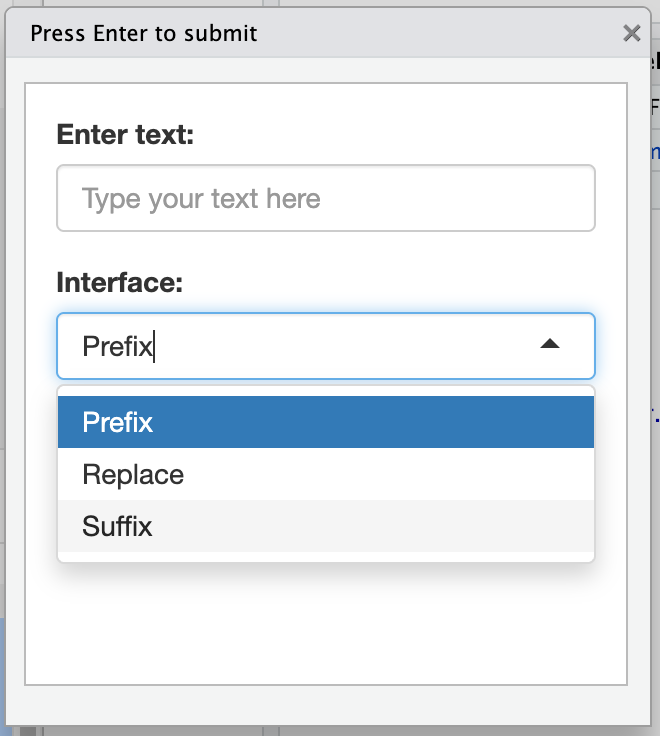
This iterative process allows you to quickly access the full power of Databricks LLMs for your day-to-day analysis work, all without ever needing to leave the RStudio IDE.
What this means for R developers
Integrating Databricks LLMs into RStudio with gander via Posit Workbench brings tangible benefits to your daily work:
- Seamless Workflow: Access advanced AI assistance without leaving the RStudio IDE you know and love. This means less context switching and more focused, productive coding sessions.
- Secure LLM Access: When using Posit Workbench, your access to Databricks resources is managed securely via OAuth, which means you don’t have to remember or supply personal credentials.
- Choice of Models: Databricks’ diverse offering of foundational GenAI models allows users to choose the LLM that best fits their specific requirements.
- Simplify Complex Tasks: Leverage LLMs to help with coding, making challenging or time-consuming tasks more approachable.
- Explore and Learn: Experiment with R code and LLM capabilities in a low-friction environment, enhancing your skills and discovering new ways to approach problems.
Unlock new possibilities with LLMs in R
The gander R package simplifies the integration of Databricks LLMs into RStudio, empowering data scientists with advanced natural language capabilities. By following the steps outlined in this post, you can enhance your data science workflows and unlock new insights from your data all from the comfort of RStudio backed by the power of Databricks.
Ready to try it yourself? Install gander and see how you can integrate natural language data science into your R projects today!

James Blair
Related Content

Public Sector Shiny Showcase: Government Agencies Worldwide Building Data Science with R, Python, and Shiny

Snowflake Native Apps vs. Connected Apps for financial services
